
Essential Blocks Copy Paste Design Styles is a free feature that helps you reuse the design of one Gutenberg block on another with a single click. Instead of manually recreating the same typography, colors, spacing, borders and other styling options, you can copy the design from one block and instantly apply it to another.
This helps you maintain a consistent design across your website while saving time during page building.
Follow this step-by-step guide to learn how to use the Copy & Paste Block Styles feature in Essential Blocks.
How to Enable the Copy & Paste Block Styles Feature? #
Copy & Paste Block Styles is available by default in the free version of Essential Blocks. Simply install and activate the plugin on your WordPress website to start using this feature inside the Gutenberg editor. No additional configuration is required.
Note: Copy/Paste EB Style is a free feature. You will need to install and activate Essential Blocks on your website.
Also, make sure you are using the latest version of Essential Blocks to access the newest improvements and compatibility updates.
How to Copy Block Styles in Gutenberg? #
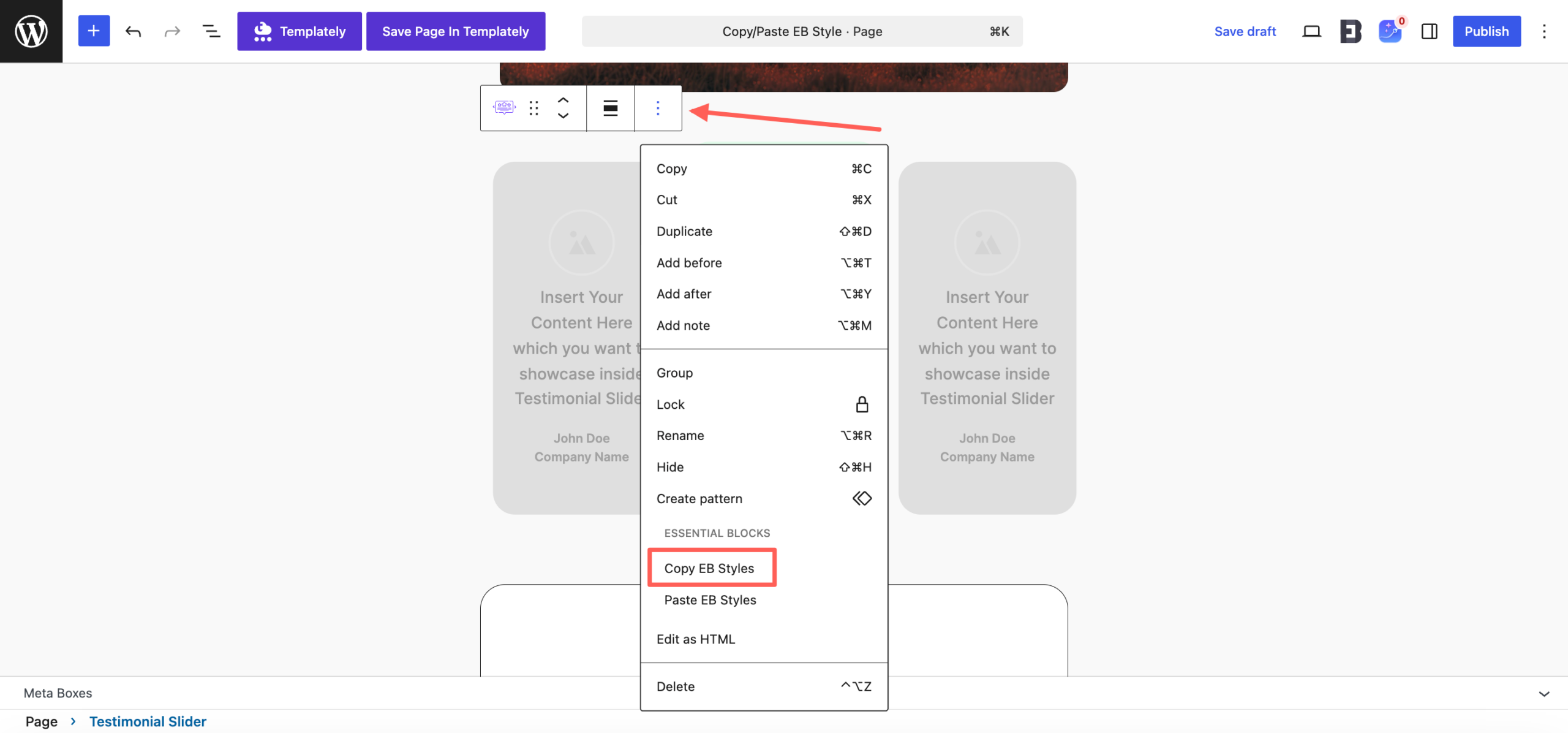
Open any page or post in the Gutenberg editor and add the blocks you want to work with. Once your source block is fully designed, select it and click on the three-dot menu from the block toolbar.

From the dropdown menu, click on ‘Copy Styles’. This will copy all supported styling options from the selected block, including typography, colors, spacing, borders, shadows and other visual settings. The block content, such as text, images or buttons, will not be copied.
How to Paste Block Styles in Gutenberg?
Next, select another compatible block where you want to use the same design. Open the three-dot menu from the block toolbar and click on ‘Paste Styles’.
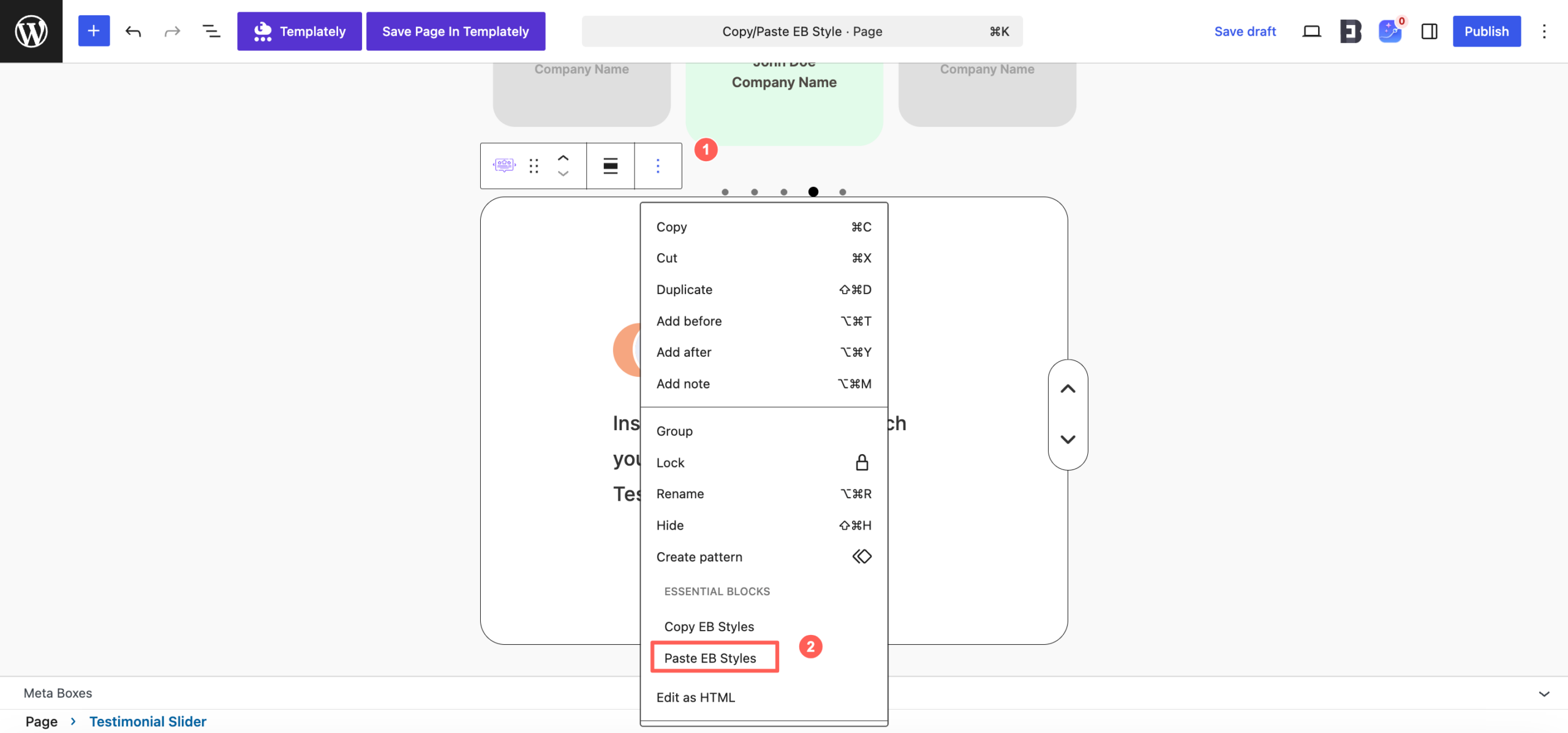
Essential Blocks will instantly apply the copied styling to the selected block while preserving its existing content. This allows you to create visually consistent sections across your website without repeating the same design work.
Final Outcome #
With the Copy & Paste Block Styles feature, you can build Gutenberg websites faster while maintaining a consistent design across every page. It simplifies repetitive styling tasks and lets you focus more on creating content instead of recreating the same design repeatedly.
Getting stuck? Feel free to contact our support for further assistance.


