
You need to verify Essential Blocks PRO license key and authenticate if you purchase the PRO version of Essential Blocks to avoid misuse of the license key and to keep your account secured. It is a very simple process that requires only a few steps. Follow the step-by-step guide to learn how to verify Essential Blocks PRO license key and authenticate.
Verify Essential Blocks PRO License Key & Authenticate #
Note:* Before you learn how to verify and authenticate the Essential Blocks PRO license key, make sure that the free and PRO version of the Essential Blocks plugin is installed and activated on your website. After that, get started with the following steps.
Step 1: Go To The Dashboard Tab #
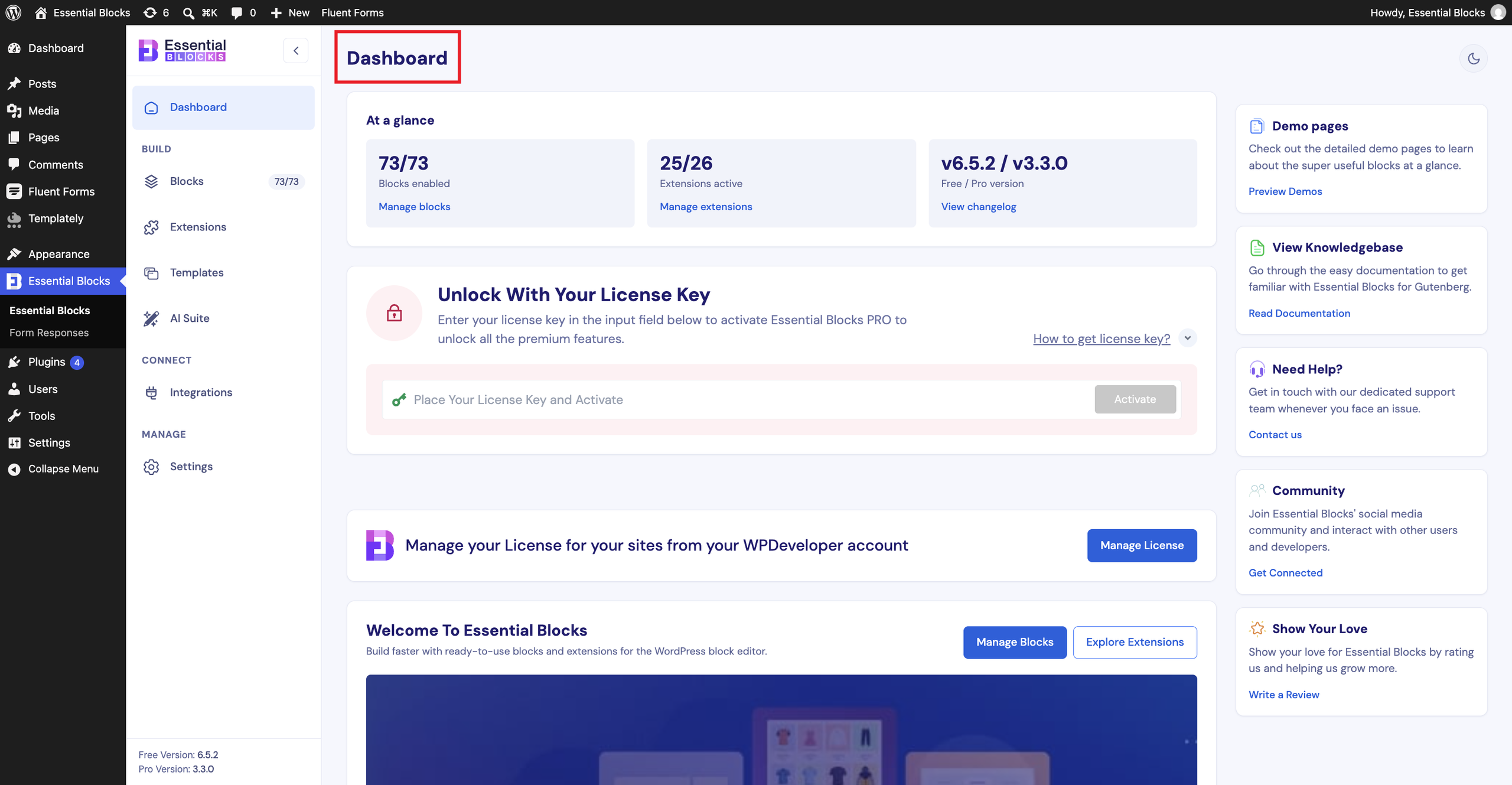
First, log in to your WordPress dashboard. Go to, ‘Essential Blocks ’ → ‘Dashboard’. You will now see the following interface where you need to activate the license key.
Step 2: Enter The Essential Blocks PRO License Key #
Now, paste your Essential Blocks PRO license key into the respective field and click on the ‘Activate License’ button as shown below.
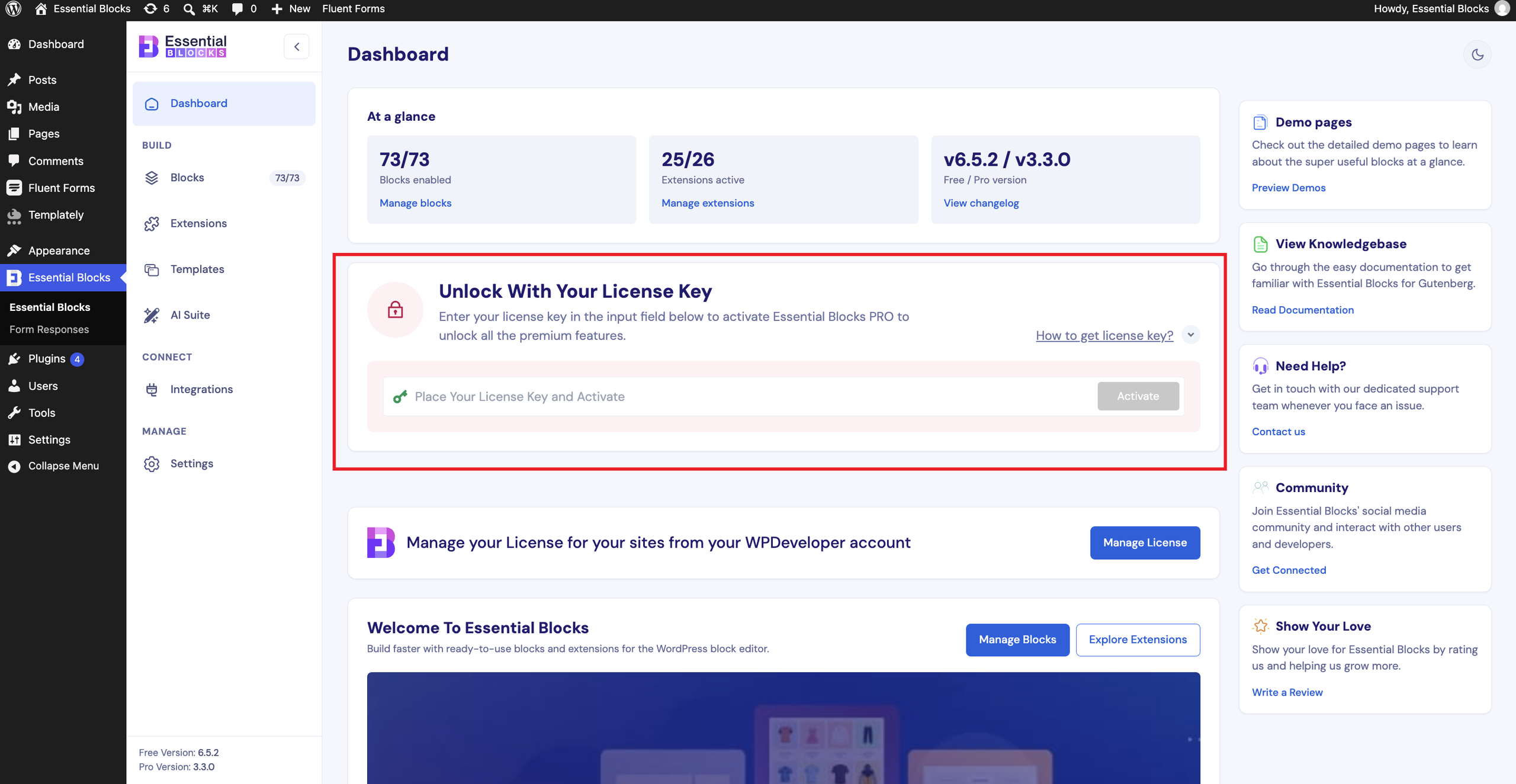
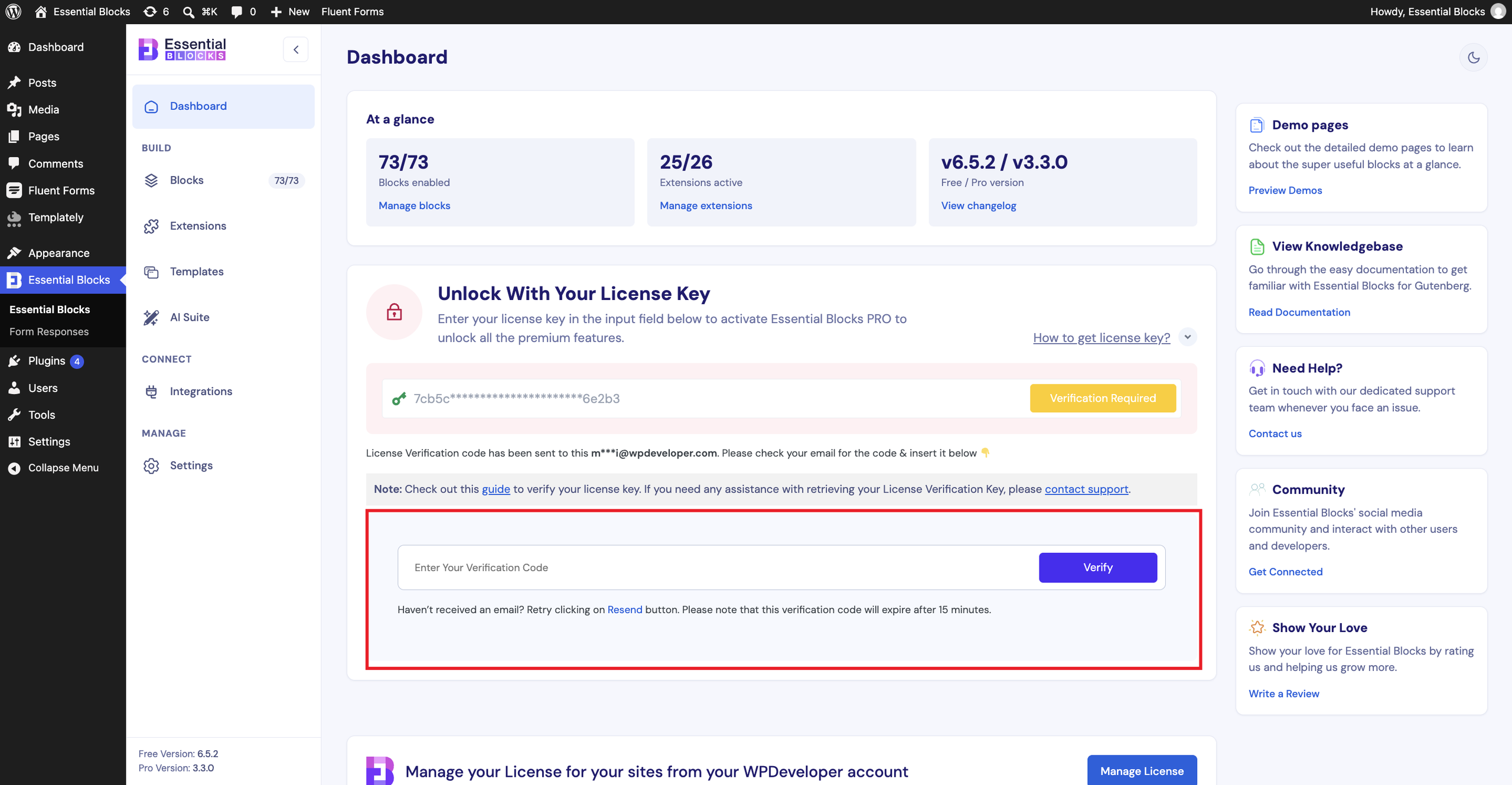
After you hit the ‘Activate License’ button, a new field will be created below that will ask you to enter your verification code as displayed below.
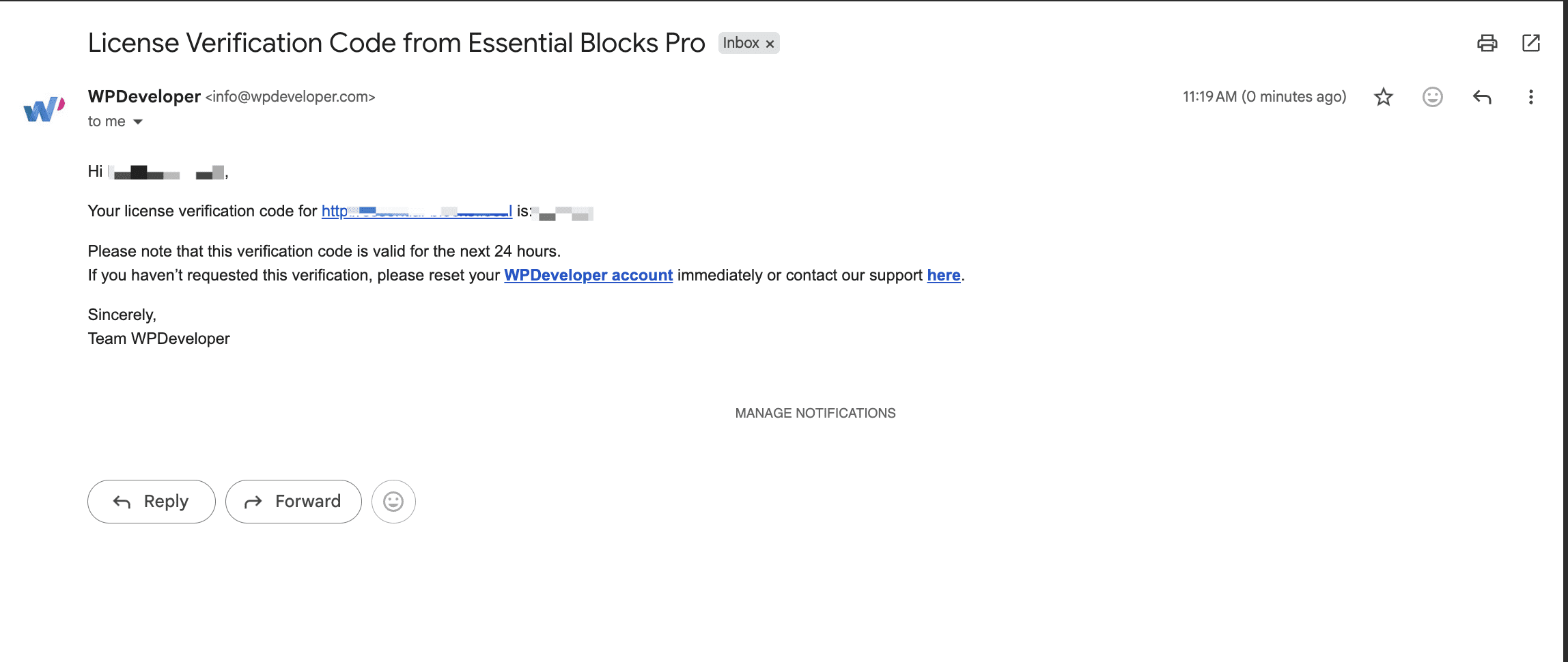
A ‘Verification Code’ will be sent to the associated email address you used for purchasing Essential Blocks PRO.
Step 3: Verify Essential Blocks PRO License Key #
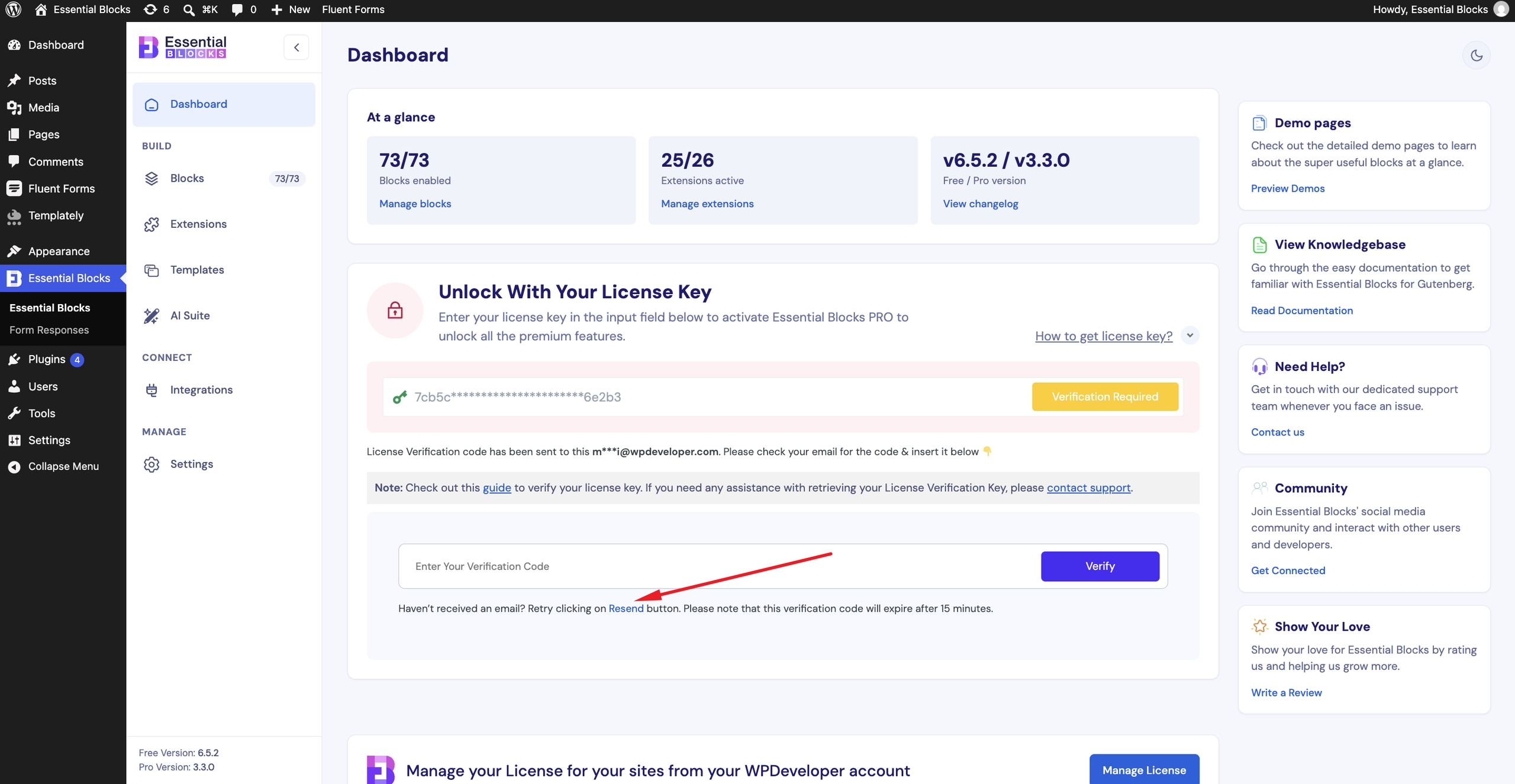
You need to place the verification code you received in the ‘Enter Your Verification Code’ field. After that, click on the ‘Verify’ button and you are done.
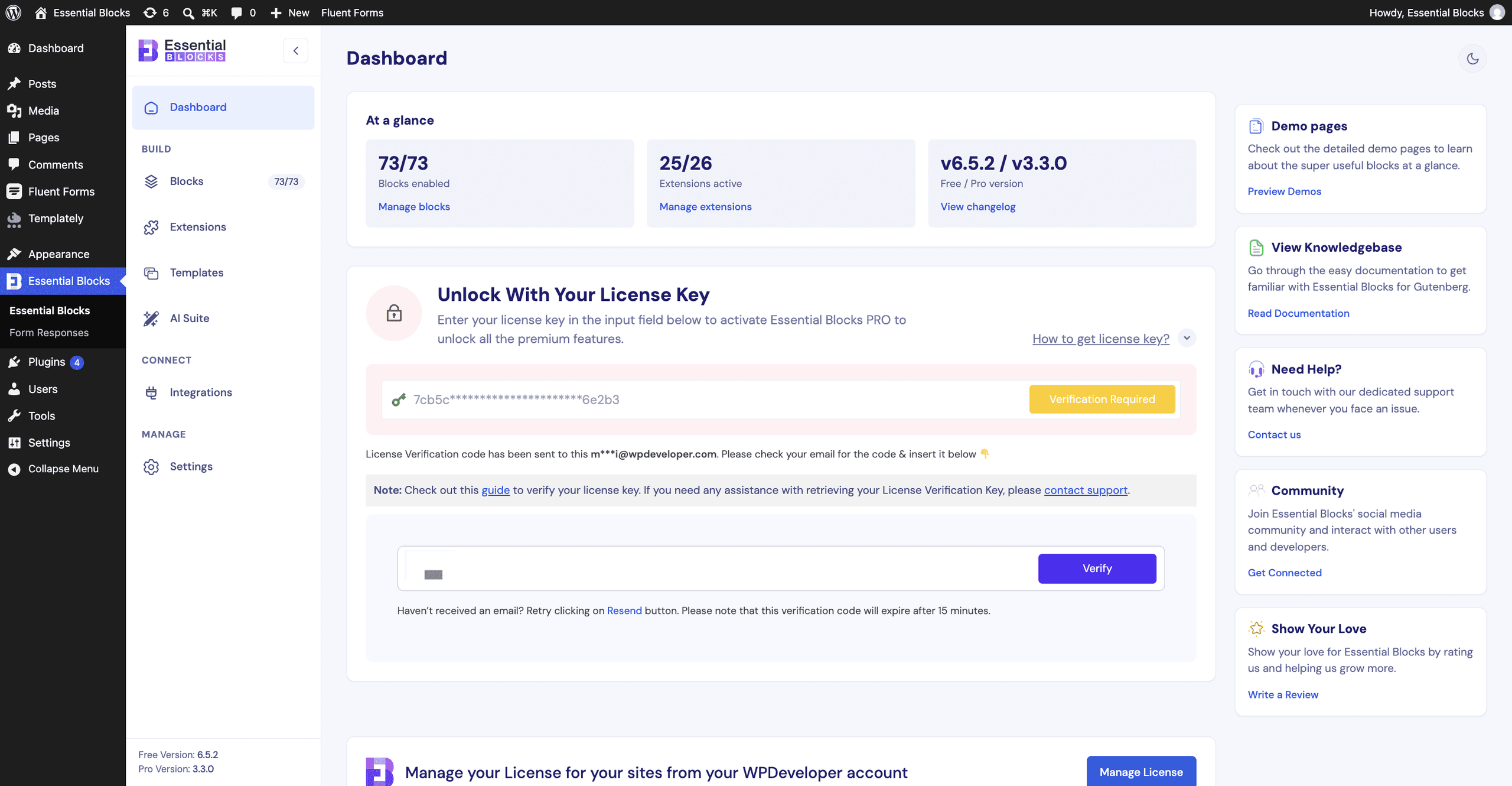
If you do not receive any verification code click on the ‘Resend’ button. Remember, the verification code expires in 15 minutes after you receive it on your email address. So, the verification code will not be valid if you use it after 15 minutes. In that case, you can click on the ‘Resend’ button and a new verification code will be sent to your email address.
If you require to change your account email address you can follow this documentation.
Thus, following the quick steps, you can verify and authenticate your Essential Blocks PRO license key.
Getting stuck? Feel free to reach out to our dedicated support team for further assistance.


