
Want to know the secret to create a WordPress website in Gutenberg within 1-minute? Then WordPress block pattern directory is the ultimate solution for you. Are you new to WordPress? Then start reading this blog and find out all the immense possibilities waiting for you in web designing with Gutenberg.

Table of Contents
- What Are Blocks Patterns & Why Use Them?
- Let’s Clarify: Gutenberg Block Pattern Vs Reusable Blocks
- Introducing Block Pattern Directory: The Ultimate Hub For Stunning WordPress Patterns
- 3+ Stunning Things That Only Pattern Directory Offers
- Guideline To Use Gutenberg Patterns From Directory
- How To Submit Your Own Pattern In Gutenberg Directory?
- Enhance Appearance With Gutenberg Block Pattern Directory
At present, Gutenberg is the default WordPress editor science 2018, yet getting more popular day by day. And the most interesting that brings this much popularity is ‘Block’. In Gutenberg, all functionalities are represented as blocks. Blocks bring the utmost flexibility to WordPress. You will get blocks for creating CTA, galleries, feature lists, tabs, and every other functionality that is needed for websites. There are so many popular Gutenberg libraries available where you can quickly get interactive and essential blocks.
What Are Blocks Patterns & Why Use Them?
Now you know what stands for Gutenberg block. Time to find out what stands for block patterns. Must say, block patterns bring resolution for web designing in Gutenberg. When 2,3 or more Gutenberg blocks are used together as a single block to design versatile sections in WordPress, it is known as block patterns. With the help of default Gutenberg blocks, patterns are created.
In his WCEU 2022 session, Sean Blakeley, WordPress Technical Director at Americaneagle.com, defined a block pattern as:
a container, or vessel, that contains blocks. It doesn’t add any functionality and doesn’t change anything. It’s just a container — but that’s deceptively simple.
Block patterns are like placeholders, they provide ready designs, not ready content. After adding them to your website you have to add your website contents, images, links, etc.
A block pattern can be completely altered after being inserted to create something entirely new. You might be more familiar with the word “template” as well. In a sense, block patterns are ready-made templates. The “template” is imported into the editor, where it is further customized as necessary.

Check Out Why Should You Go For Gutenberg Block Patterns
🌟 Designing websites is not a cup of tea for everyone. As WordPress block patterns provide you with ready-designed sections for pages, posts, etc. you don’t have the basics for web designing. Creating stunning websites in Gutenberg is a matter of minutes for everyone.
🌟While you are designing websites with WordPress block patterns, it will only take one click. Thus a lot of time will be saved. Gutenberg block patterns are free and easy to find out based on different functionalities.
🌟 Another amazing facility of using WordPress block patterns are they can be easily saved, reused, and shared to be used on other WordPress websites. That means you don’t have to create the same section every time while designing websites in Gutenberg editor.
🌟 Last but not least, patterns are valuable because they are versatile pieces of material that may be used in various contexts for websites. They are flexible, customizable, and theme-independence, which can easily fit into any Gutenberg theme.
Let’s Clarify: Gutenberg Block Pattern Vs Reusable Blocks
While you are creating websites in Gutenberg, you will also find another term most frequently; ‘Reusable blocks’. Are Gutenberg block patterns & reusable blocks the same thing? Let’s find them out.
As we already know, block patterns are the ready templates for creating CTA, contact, blog page, gallery, etc. on websites. Gutenberg block patterns are ready-made, you don’t have to create them from scratch. On the other hand, reusable blocks are collections of then you can use as many times as you want as a group.
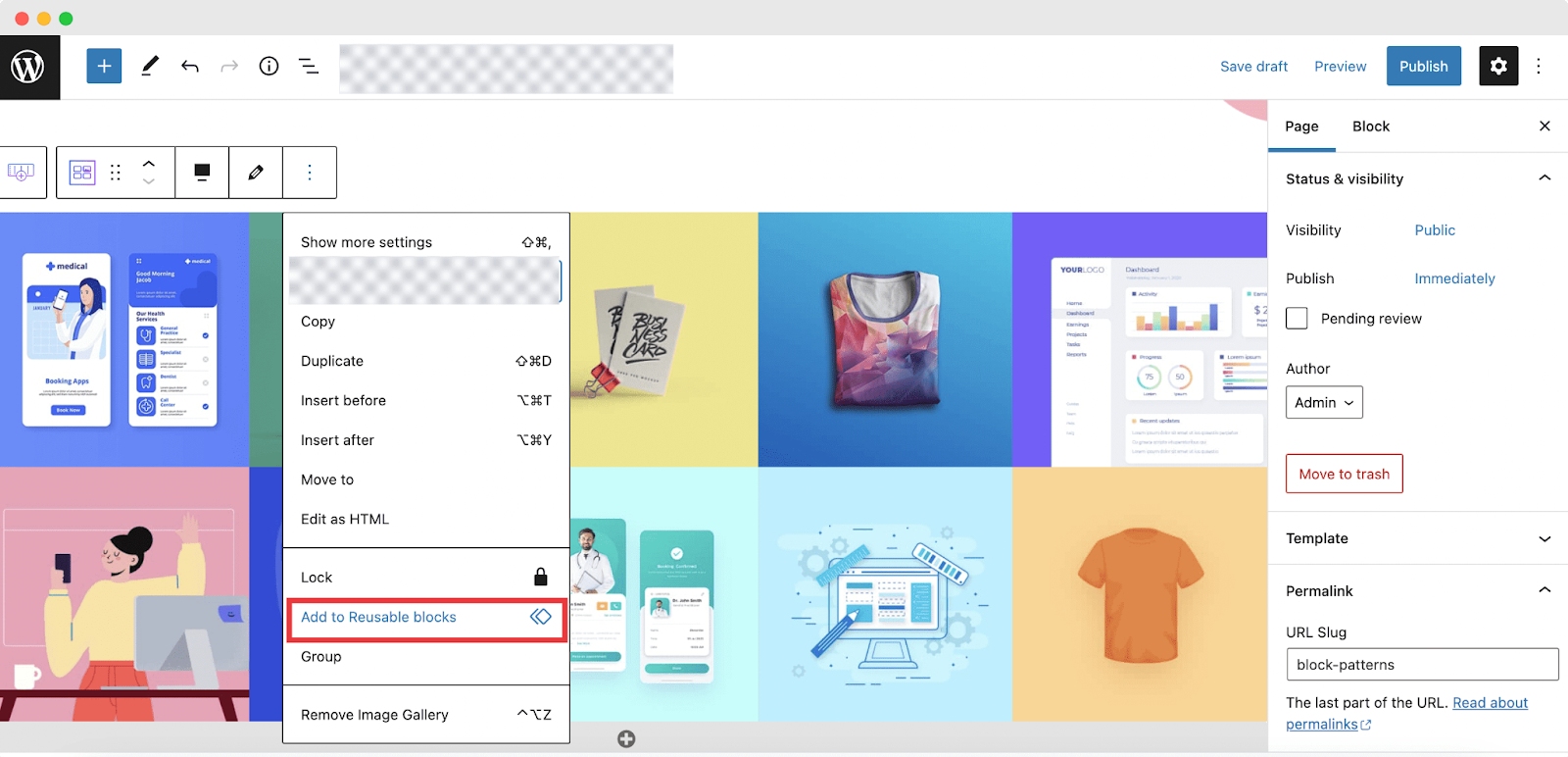
📌 An interesting fact is that both block patterns and reusable blocks can be used multiple times in pages or posts you want. But when you use reusable blocks, if you make a single change on any page, that will be updated to all the pages. With Gutenberg block patterns, changes will not be applied to all previously used pages.
📌 You can easily browse patterns in the pattern directory or directly from your website. There you will find patterns for versatile sections. But reusable blocks are nothing like premade ones. You have to group a few blocks together and turn them into reusable blocks.
📌 Usually, reusable blocks are used when you are planning to use a certain section on multiple pages of your page; such as the CTA section. Most of the time, the CTA section remains unchanged on pages. And when you want to create a gallery, preview blogs, or other dynamic sections, block patterns will help you to create one seamlessly.
Introducing Block Pattern Directory: The Ultimate Hub For Stunning WordPress Patterns
You have already gathered basic knowledge about block patterns and their usability. Now the concern is how to find them? To help you out, presenting the block pattern directory of WordPress; where you can find out the biggest collection of patterns for Gutenberg.
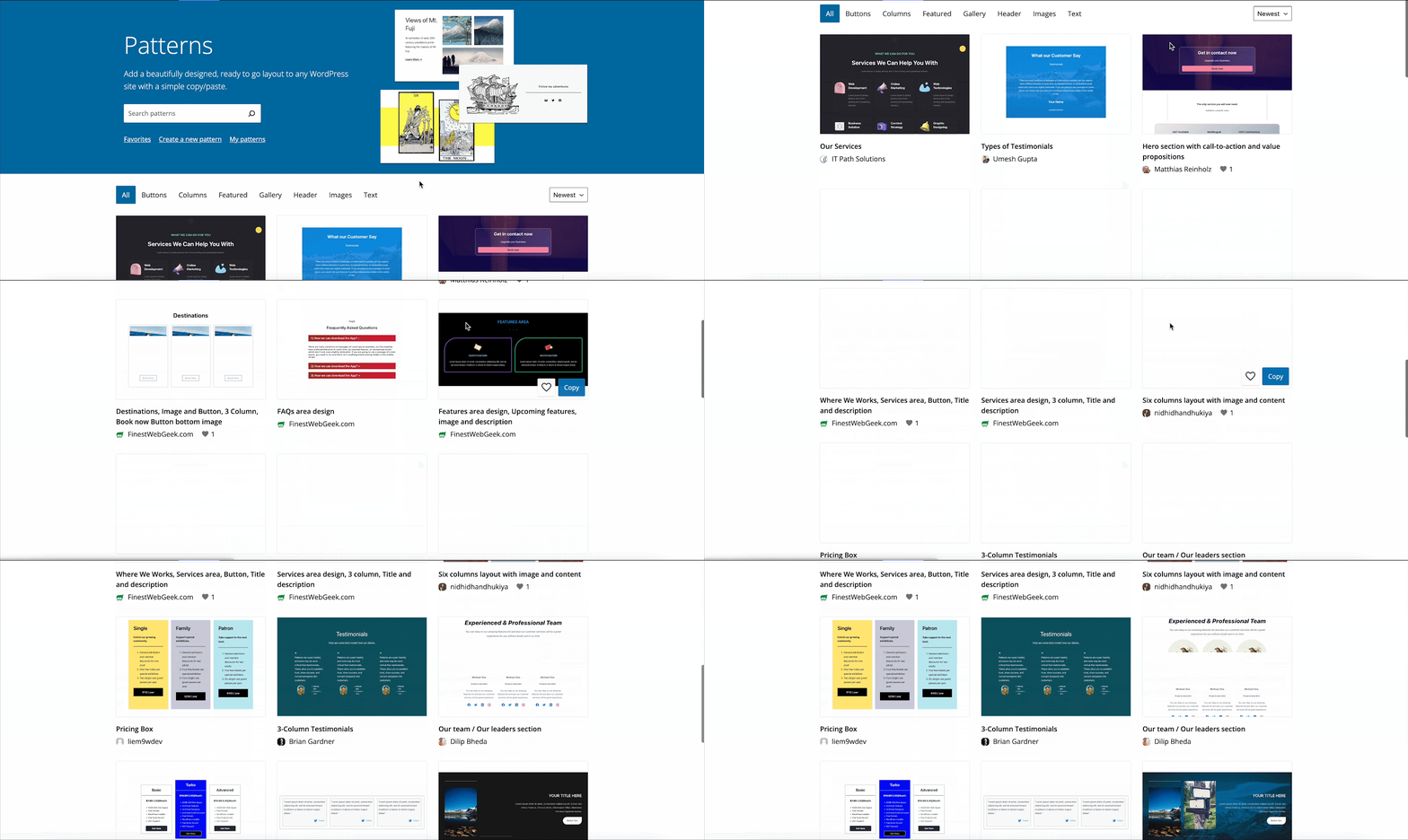
How to find the pattern directory? It’s super easy. You will get the default patterns directly from your WordPress dashboard Gutenberg editor from the ‘Patterns’ section. And if you want to explore patterns by WordPress contributors, then go to wordpress.org. from the navigation bar, you will find ‘Patterns’, which will take you directly to the block pattern hub. There are now 800+ patterns available in the pattern directory for versatile purposes.

In the block pattern directory, you will find patterns for the CTA section, gallery, buttons, header, columns, and many more. You don’t have to think about design layouts, just browse patterns of your needs and create a stunning website in a minute.
Inserting patterns from the pattern directory is user easy, you have to only copy and paste them into your website. That’s it! No need to deal with codes or other custom functionalities. It is much easier to create a website with the block pattern directory.
3+ Stunning Things That Only Pattern Directory Offers
Time to check out what keeps the pattern directory ahead of any other hub. Block pattern directory isn’t only the showplace of patterns. It offers stunning functionalities too, that will make your website creating experience smoother. We have hand picked the 3 best benefits that only the pattern directory will offer you. Let’s check them out.
1️⃣ It’s Totally Free!
It costs zero pence to use patterns from the block directory. WordPress is an open-source platform. To maintain the legacy, they also provide the facility to contribute to patterns. From this one place, you will get numerous patterns provided by renowned contributors of WordPress. Most importantly, you will find multiple patterns for a single purpose. So, you can choose your desired patterns from the ocean in the WordPress block directory.
2️⃣ No Coding Needed To Insert Patterns
You don’t have to insert any additional plugins or codes to use patterns from the Block pattern directory. Simply by copying and pasting, you can use any block pattern you want. Thus using patterns from the block pattern directory keeps your website lightweight and fast-loading. It will also help your website look stunning as well as rank in search engines.
3️⃣ Preview Patterns Before Choosing The One
Before selecting the right patterns for your website, you can preview the patterns. You don’t have to choose patterns only by seeing the thumbnails! WordPress block pattern directory provides the facility to preview patterns. The live previews will help you to choose the right one for your website seamlessly. At the same time, you can also check out the pattern responsiveness on versatile devices easily.
4️⃣ Mark Your Favorite Ones For Inspiration
Apart from instant use of patterns directly from the block pattern directory, you can also mark ‘Favorites’ there easily. You can check out them later at any time from the block pattern directory. Just click on the ‘Love’ icons on your favorite ones. You can use your favorite patterns later. Moreover, these favorites can be a great resource for your website design inspiration as well.
Guideline To Use Gutenberg Patterns From Directory
How to use patterns from the block pattern directory? Now we will check out the answer to this question. If you are planning to create a website using block patterns, just need 5 minutes of attention and start following this in-depth guideline.
WordPress block pattern directory is free for all. So with or without logging in to your WordPress ORG profile, you can access the patterns easily. Without login, you will only lose the facility to mark favorites.
Step 1: Visit Blog Pattern Directory From WordPress Repository
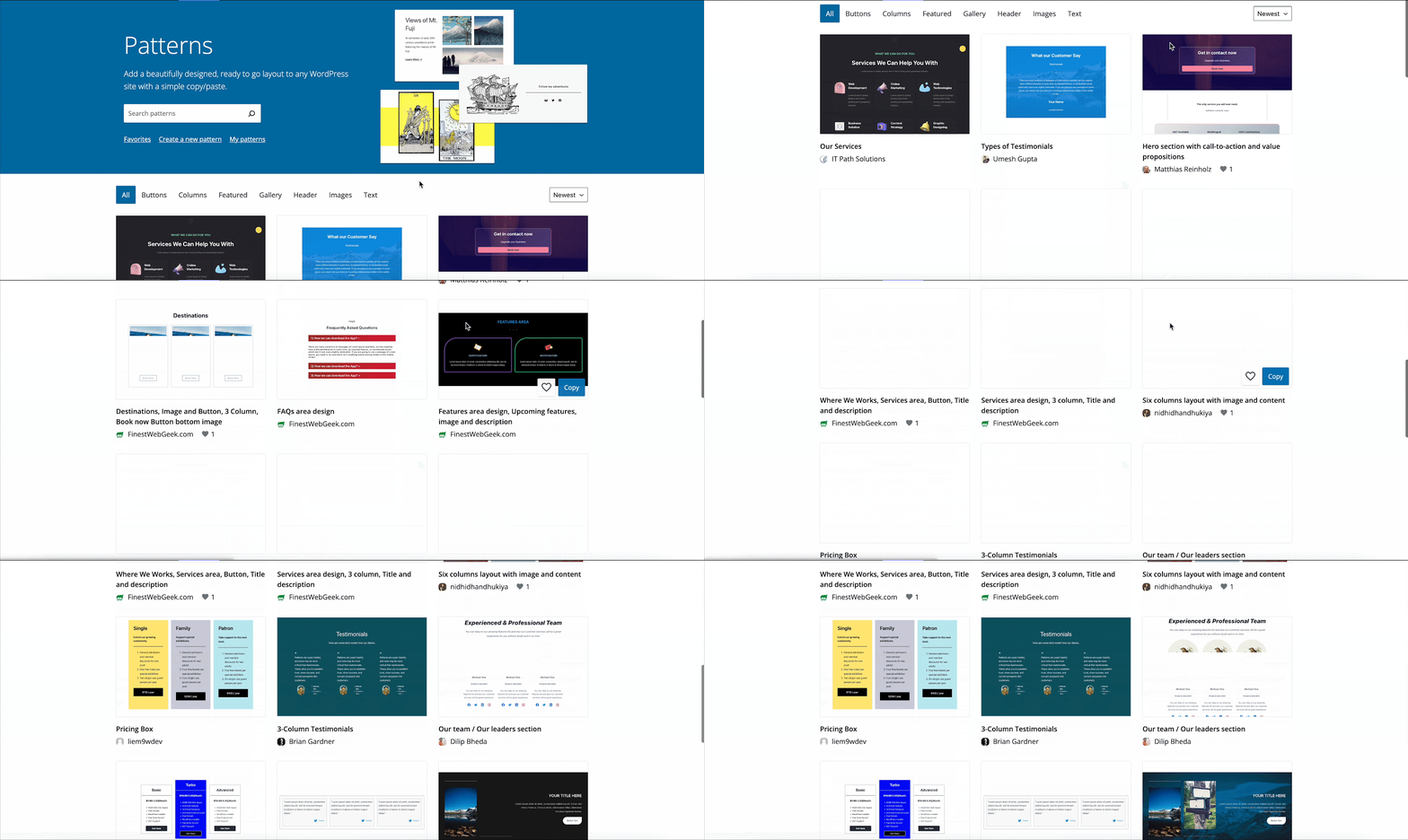
First, visit the WordPress block pattern directory from your browser. Go to the WordPress repository and navigate to the Patterns section. There you will find unlimited collections of patterns for various purposes in the same place.
Step 2: Choose The Block Pattern From Unlimited Collections
Then, decide which section of your website you are going to create with patterns from the block pattern directory. You can either create a stunning gallery section or button or create a header & footer for your website in Gutenberg from here. You can search patterns in the block pattern directory from pre-labeling, like ‘Gallery, Buttons, Columns, Images, etc’.
You can search by filtering to the new ones or popular ones. Or you can directly search to get your desired pattern. You can also preview the chosen pattern and check responsiveness from there.
Step 3: Copy & Paste Block Pattern To Your Website
It’s the last and most important step; add the pattern from the block pattern directory to your website. You can either copy the pattern from the thumbnail or from the preview section. In both cases, you will find the button ‘Copy’. Click on it to copy the pattern.
Then go to your WordPress website page where you want to insert the pattern. Now paste the pattern. The pattern will be added to your website instantly. This is how easily you can insert patterns from the block pattern directory on your website.
As already mentioned, patterns offer demo text and images. Now customize with content, text, and links that align your website nicely. Then publish the page, that’s it. Only by 1-click can you easily add patterns to your website from the WordPress block pattern directory and give it a stunning look.
How To Submit Your Own Pattern In Gutenberg Directory?
Apart from using patterns of other contributors, you can also create your own one, use it and let others benefit from it too. If you don’t have the right pattern you were looking for or have unique design ideas, then easily you can submit your pattern in the block pattern directory. Now we will explore how to do it.
Step 1: Go to the WordPress block pattern directory from your browser and log in to your WordPress ORG profile. In the beginning section, you will find the option ‘Create a new pattern’. Click on it. And you will be navigated to the pattern editor instantly.
Step 2: Give a suitable title to the pattern. Design the pattern as you want using available default Gutenberg blocks and other functionalities. You can use Royalty-free images to design the section aesthetically. You can save your pattern as a draft. After making all the changes, preview the design. If all is ok, then submit the pattern. This is how easily you can submit your patterns in the block pattern directory. You can check out your patterns from the ‘My patterns’ option anytime.
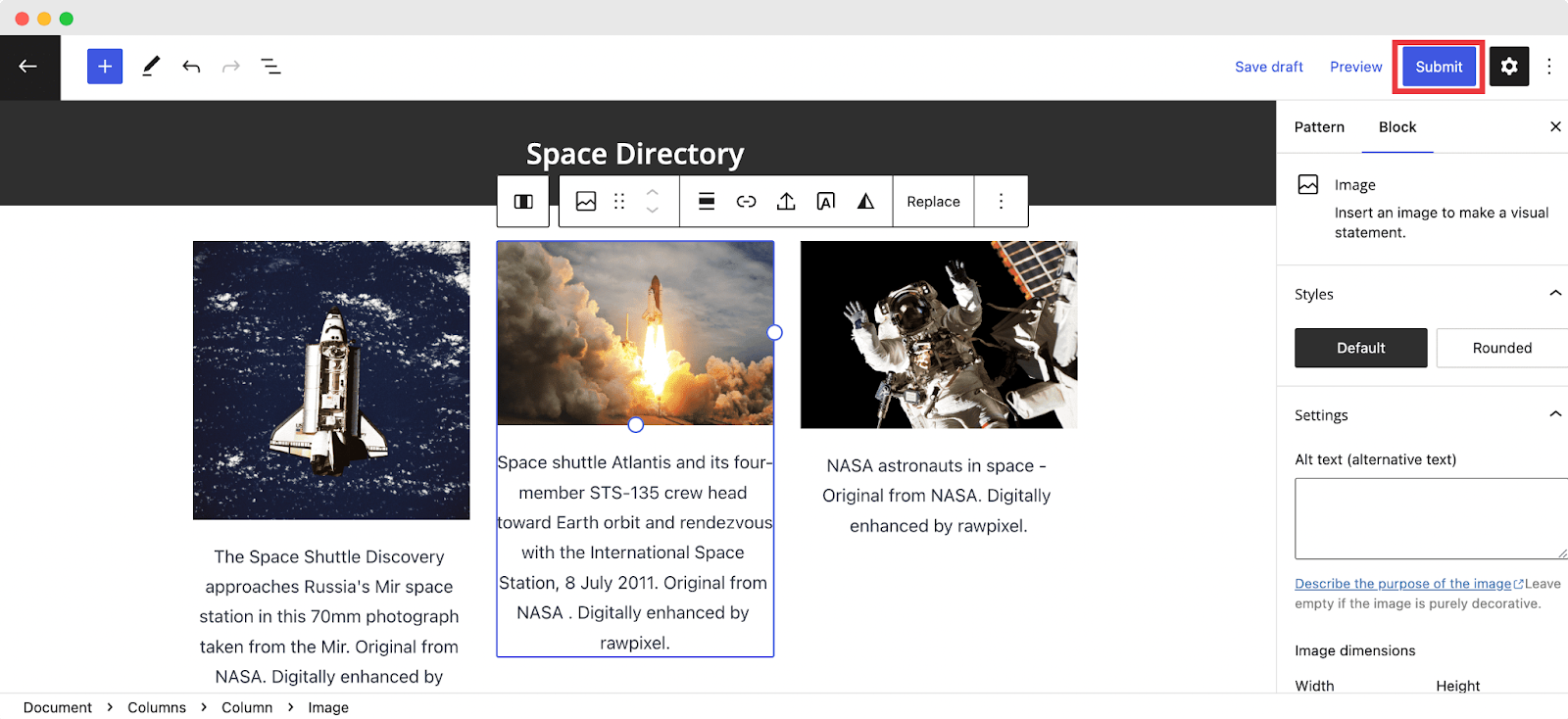
💡 Make sure you have read the block pattern directory guidelines before you submit your block pattern for the directory.
Enhance Appearance With Gutenberg Block Pattern Directory
Creating websites in Gutenberg is fun and fast if you know all the processes. With the help of the block pattern directory, creating websites has become easier than ever. Without any basic web design knowledge, you can complete creating a website in Gutenberg within a minute. Why are you waiting? Start browsing the WordPress block pattern directory and select a stunning pattern for your website instantly.
Hopefully, this in-depth guide will help you create websites in Gutenberg with the block pattern directory. Don’t forget to share with others to help in creating Gutenberg websites. Also, subscribe to our blog to keep getting these kinds of in-depth tutorials, tips, and tricks.