Essential Blocks PRO extends the Gutenberg editor with advanced WordPress blocks and design features for businesses, publishers, online stores, agencies and creators. While the free version provides a broad collection of useful blocks, the PRO version adds premium blocks for dynamic content, interactive layouts, WooCommerce displays, advanced navigation, content protection and conversion-focused design.
The main advantage is that you can build sophisticated page sections directly inside Gutenberg instead of relying on custom code or a separate page builder. This guide explains the most important Essential Blocks features, what each block does, and how you can apply the PRO features to real websites.
What Does the Free Essential Blocks Plugin Give You?
Before looking at what Essential Blocks PRO adds, it is worth being clear about the starting point. Essential Blocks is not a stripped-down teaser with a paywall behind every useful block, the free plugin is a complete, production-ready block library that many sites can run on its own. With 70+ free Gutenberg blocks and counting, covering content, layout, marketing, forms, and WooCommerce basics, all usable inside the native block editor with no separate page builder required. The plugin carries an average rating of 4.9 out of 5 stars, with 200K+ active installation. So the honest framing is this: you are not choosing between a crippled free version and a real product, but between a generous free plugin and a paid one that extends it into dynamic content, advanced navigation, access control and deeper motion.
Here is what the free plugin covers today:
- Content and Creative blocks: Accordion, Toggle Content, Advanced Heading, Text, Infobox,, Feature List, Button, Dual Button, Typing Text.
- Layout blocks: Row, Flex Container, Wrapper
- Marketing and conversion: Countdown, Pricing Table, Popup, Call To Action, Notice
- Social blocks: Facebook Feed, Social Icons, Instagram Feed
- Dynamic blocks: Breadcrumbs, Google Maps, NFT Gallery, Openverse, Post Carousel, Post Grid, Taxonomy, Timeline Slider.
- WooCommerce: Woo Product Grid, Woo Product Details, Woo Product Price, Woo Product Rating, Woo Product Images, Woo Add to Cart
- Forms and integrations: Form, Fluent Forms, WPForms, Google Maps, Advanced Navigation, Timeline
- AI-assisted design: AI-generated content and images.
Everything in that list is free and does not expire. Where the free plugin stops is precisely where the paid one begins: dynamic repeatable layouts, advanced search, mega menus, data tables, WooCommerce carousels, multi-column pricing, scroll and hover animation, password protection, and conditional visibility.
That is the gap Essential Blocks PRO is built to close, and the sections below walk through each premium block and feature in turn, starting with why those additions are worth paying for.
Why Should Users Use Essential Blocks PRO?
Essential Blocks PRO is designed for WordPress users who want more control without leaving the native block editor. It combines ready-to-use layouts with detailed controls for typography, spacing, responsive behavior, animation, visibility and dynamic content. The plugin also uses modular activation, allowing users to enable only the blocks they need rather than loading every available feature on every page.
For example, a restaurant can combine Business Hours, Advanced Search, Testimonial Slider and Offcanvas to create a useful customer experience. An online store can use Woo Product Carousel, Loop Builder, and a Multicolumn Pricing Table to improve product discovery and conversions. The following five advantages explain where Essential Blocks PRO is especially useful.
Build Advanced Gutenberg Websites
Essential Blocks PRO adds advanced blocks directly to the Gutenberg editor, so users can create complex layouts using the same WordPress editing workflow they already know. Instead of writing custom HTML, CSS, JavaScript, or PHP for every interactive section, you can configure the block from the sidebar.
For example, a service business can create a multi-column pricing comparison, add animated call-to-action sections, and display testimonials without moving to Elementor or another page-building system. This keeps the content-editing process centralized inside WordPress.
Create Dynamic Layouts
Several PRO blocks are built for dynamic content rather than static page design. Loop Builder can display posts, pages, products, authors, taxonomies, and custom post types in a repeatable layout. Advanced Search can also search across selected post types, taxonomies, WooCommerce products, or custom post types.
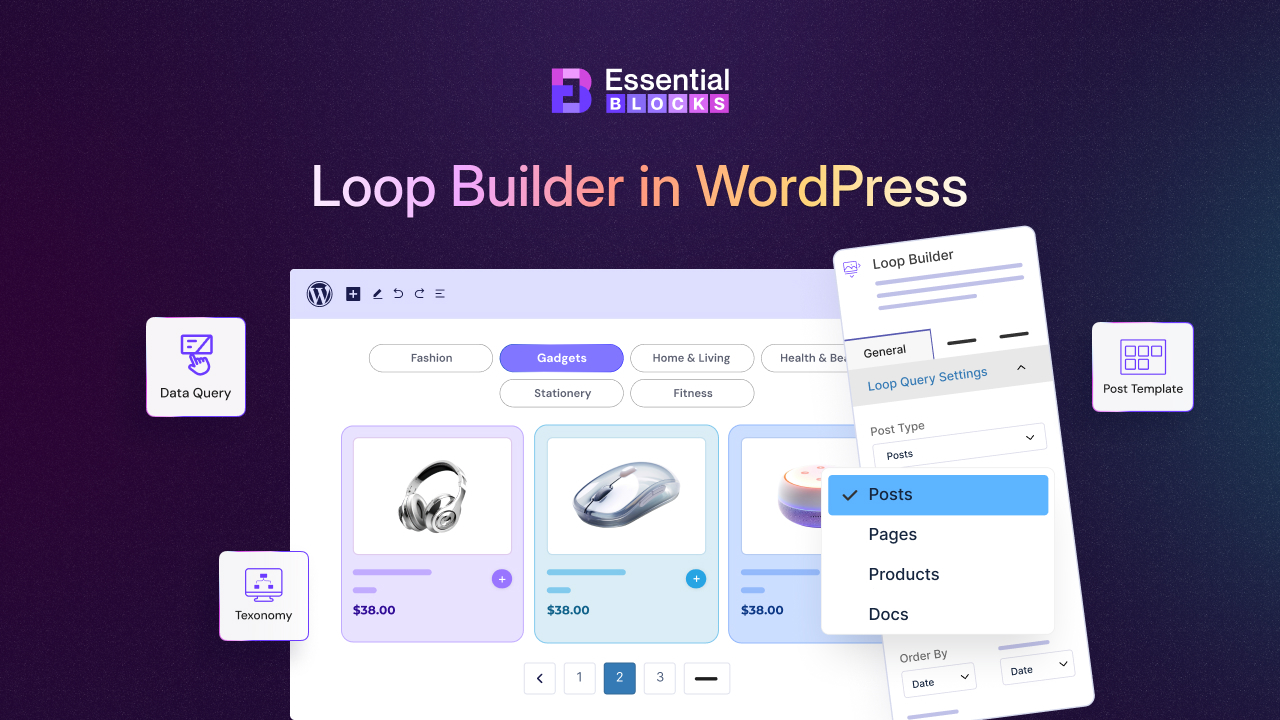
This is useful for a magazine that needs a reusable article grid, a real estate site that displays property listings, or a membership website that presents a directory of resources. Once the layout is created, new content can appear automatically according to the selected query rules.
Improve User Experience
Long pages can be difficult to navigate, while static layouts may fail to attract attention to important elements. PRO features such as One Page Navigation, Offcanvas, Animated Wrapper, Transform and Interactive Animation help create more engaging browsing experiences.
For example, an event organizer can use One Page Navigation to guide visitors through speakers, schedule, venue, and ticket sections. A SaaS company can use scroll-triggered animations to introduce product features one section at a time. These effects are configurable from Gutenberg rather than being added manually through custom scripts.
Design Conversion-focused Sections
Premium blocks are useful when the objective is not only to display information but also to guide visitors toward an action. Multicolumn Pricing Table supports plan comparisons, badges, feature rows and calls to action. Woo Product Carousel helps online stores highlight selected products. Testimonial Slider gives social proof a compact, rotating layout.
A subscription business, for instance, can place a highlighted “Most Popular” plan in the center of a pricing comparison, follow it with customer reviews and finish with a product or signup button. The visual structure helps visitors compare options before they reach the conversion point.
Control Content Visibility
Essential Blocks PRO also includes features that control when and how content appears. Conditional Display can show or hide blocks based on login status, user role, browser, date and time, URL, query string, or archive page. Protected Content can place password protection around selected blocks and provide locked, blurred, or partially visible previews.
This makes the plugin useful for membership previews, limited-time campaigns, private resources, internal instructions, client portals, and segmented promotions. A course website could show a preview to everyone while reserving the full lesson for visitors who have the correct password.
What Is Inside Essential Blocks PRO? Detailed Feature Analysis
The PRO library combines premium content blocks, dynamic blocks, WooCommerce blocks, creative tools and visibility extensions. The exact availability of individual blocks can depend on the current plugin version and whether both the free Essential Blocks plugin and Essential Blocks PRO are installed and activated. Essential Blocks also allows users to enable blocks individually from its settings, helping keep the site’s active feature set focused.
The blocks below are not simply visual decorations. They address practical website tasks: showing accurate business information, improving navigation, presenting dynamic content, comparing plans, displaying products, adding motion, and managing access. Each section includes a use case so you can decide where the feature fits into your own website.
Show Accurate Opening Times with Business Hours
The Business Hours block displays operating schedules in a structured, customizable layout. It can show days, times, closed labels, open or closed badges, time formats, selected time zones, row separators, zebra rows, current-day highlighting, and holiday or exception dates. Its presets can be adapted for restaurants, shops, agencies, clinics, and other local businesses.
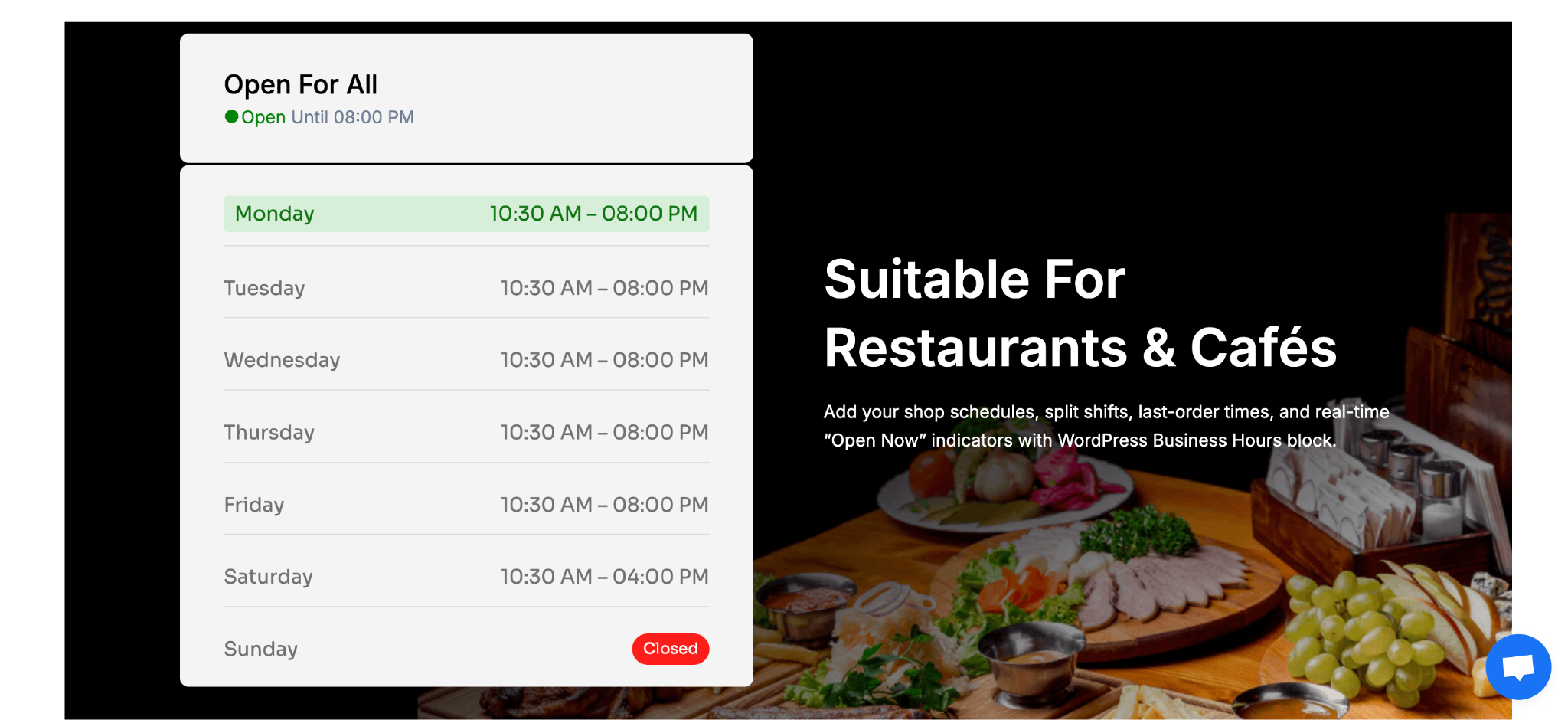
A restaurant could place the block on its contact page and enable the current-day highlight so visitors can quickly see whether it is open. A medical clinic could use the exception-date settings for public holidays, while a retail store could add an icon or image to make the hours section more recognizable.
Industry use cases:
- Restaurants and cafés: Display weekly opening hours and holiday closures.
- Healthcare: Show clinic hours, emergency availability, and special schedules.
- Professional services: Present office hours on contact and location pages.
- Retail: Highlight “Open Until” information for local customers.
Help Visitors Find Content with Advanced Search
Advanced Search creates a search interface with multiple criteria and customizable result displays. You can select post types, pages, WooCommerce products, categories, taxonomies, and custom post types. The block can also show total results, featured images, a “View All” button, custom placeholder text, and a tailored no-results message.
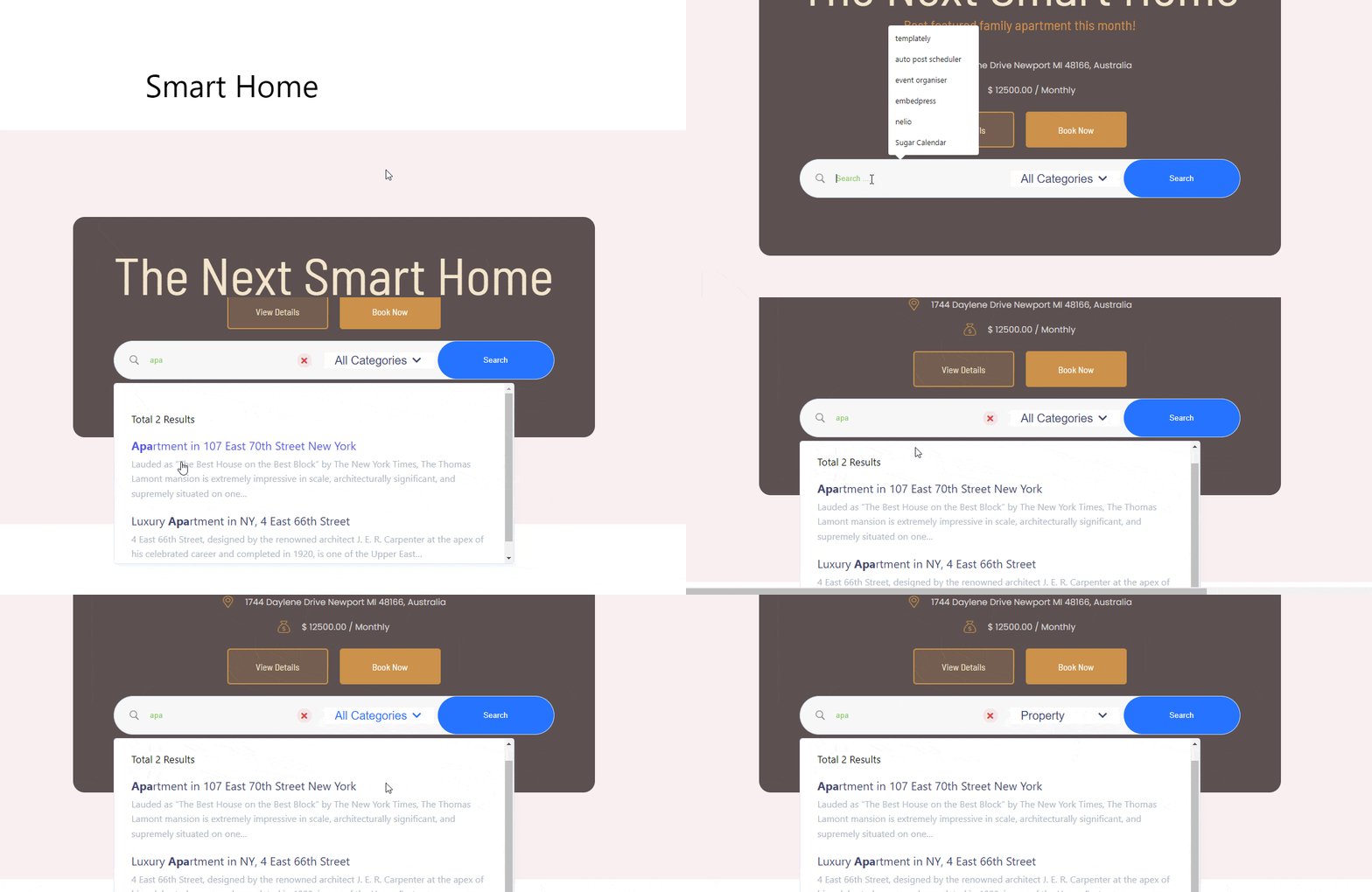
For a book website, you could create a search that filters a custom “Books” post type by genre or author. A WooCommerce store could allow customers to search products by keyword and category, while a knowledge base could use the block to help users locate tutorials and documentation more quickly.
Industry use cases:
- Publishing: Search articles, authors, topics, or books.
- E-commerce: Search for products and filter them by category.
- Education: Search courses, lessons, and learning resources.
- Real estate: Search property listings stored as a custom post type.
Organize Large Websites with Mega Menu
Mega Menu creates expandable, multi-column navigation layouts for headers and site-wide menus. You can add menu items, descriptions, icons, badges, dropdowns, promotional content, contact details, social icons, and additional Gutenberg blocks inside a menu layout. The available controls also include responsive behavior, hover states, indicators, borders, shadows, and hamburger styling.
An online fashion store could use separate columns for clothing categories, accessories, seasonal collections, and offers. A software company could organize products, solutions, resources, pricing, and support links in one expandable menu. This reduces the need to force every destination into a single narrow dropdown.
Industry use cases:
- eCommerce: Group product categories, collections, and promotions.
- SaaS: Organize products, solutions, resources, and support.
- Universities: Present departments, programs, admissions, and resources.
- Agencies: Highlight services, case studies, industries, and contact options.
Reveal Extra Content Through Offcanvas Panels
Offcanvas adds slide-in panels that can contain menus, forms, promotional messages, filters, or additional information. It supports button, interactive button, and external-element triggers. You can position the panel on the left, right, top, or bottom and choose transitions such as Slide, Reveal, Push and Slide Along.
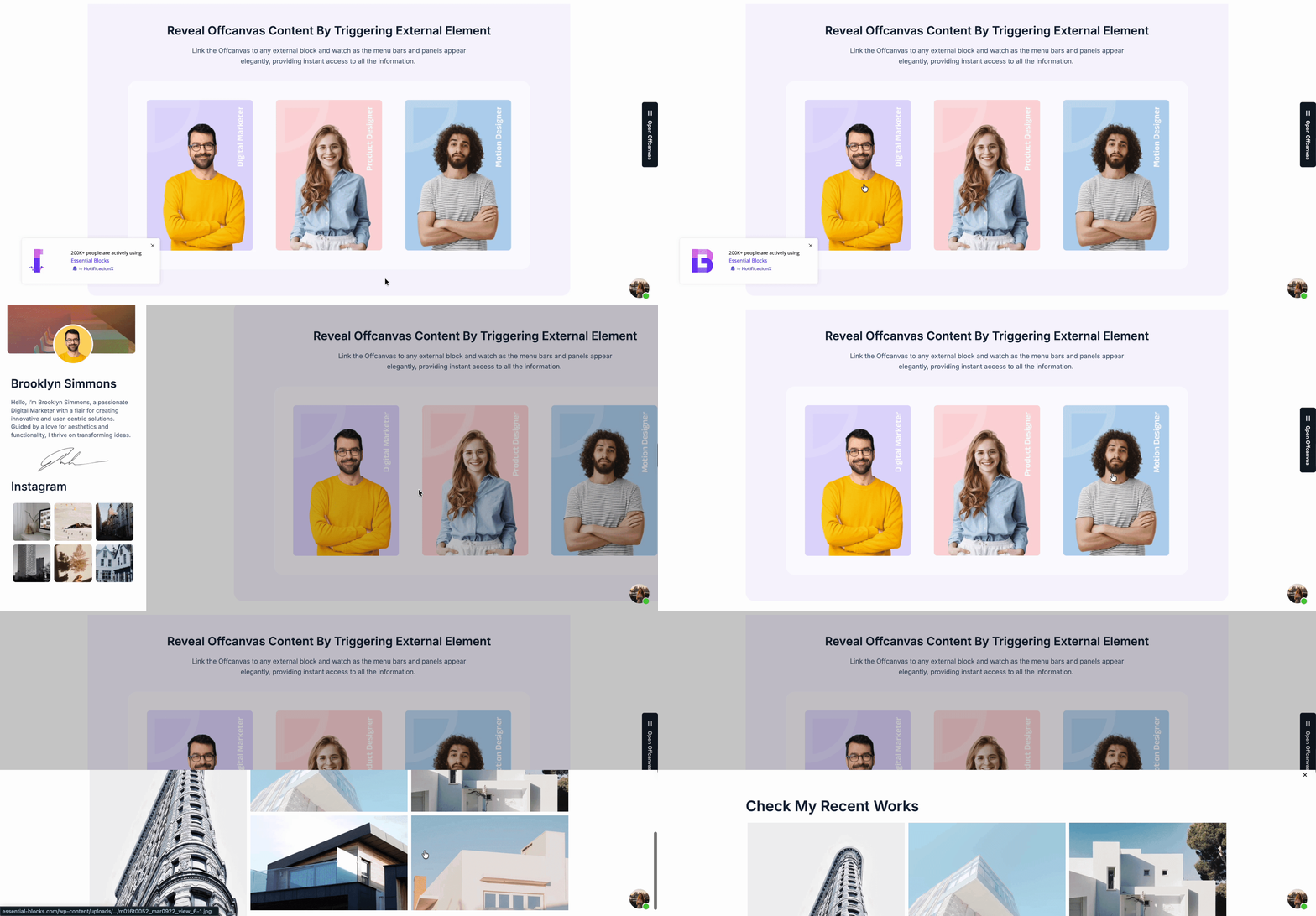
A mobile website can use Offcanvas for a compact navigation menu without occupying permanent screen space. An online store can use it for product filters, while a webinar landing page can open a registration form from a floating button. Options such as Escape-to-close, click-anywhere-to-close, and a visible close bar help make the interaction easier to control.
Industry use cases:
- Mobile websites: Keep navigation accessible without taking up space.
- E-commerce: Add slide-out product filters or cart summaries.
- Events: Display registration forms and schedule information.
- Marketing: Open promotional offers from a floating CTA.
Build Trust with a Rotating Testimonial Slider
Testimonial Slider presents customer feedback in an interactive carousel. You can add avatars, ratings, titles, author names, designations and testimonial content. Its slider controls include autoplay, arrows, dots, pause-on-hover, adaptive height, vertical slides, slide count, animation speed, and multiple dot presets.
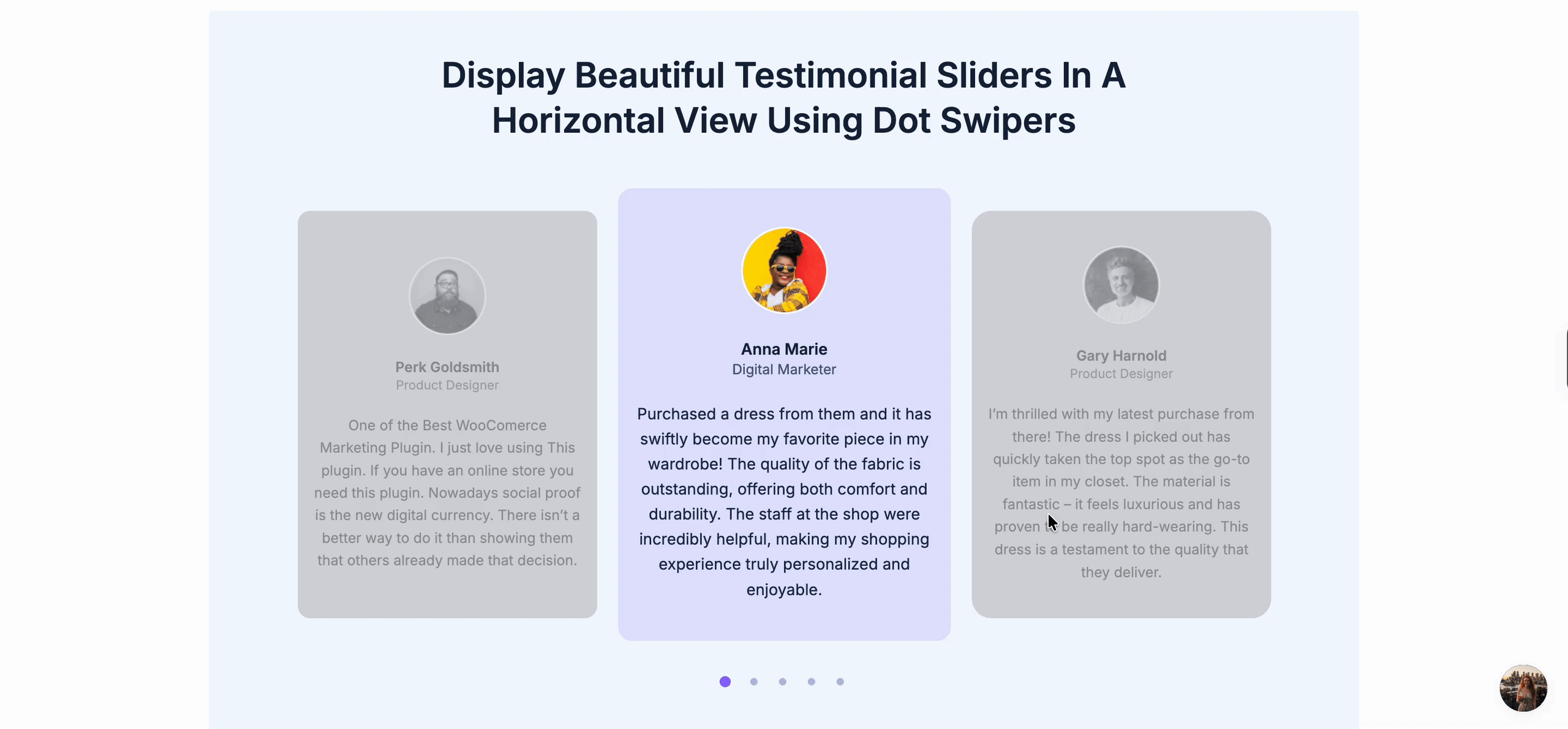
A digital agency could display client reviews beneath its services section, while a course creator could rotate student feedback near a signup form. A restaurant could use testimonials with customer photos and star ratings to reinforce credibility before visitors make a booking.
Industry use cases:
- Agencies: Display client results and company names.
- SaaS: Highlight customer opinions and use cases.
- Education: Present student reviews and course outcomes.
- Hospitality: Showcase guest feedback and service ratings.
Add Controlled Movement with Animated Wrapper
Animated Wrapper lets you place blocks inside a wrapper and apply motion effects to the entire section. The current documentation describes multiple slide and reveal options, easing styles, scroll speed, scroll distance, and horizontal or vertical alignment. The wrapper can contain other Essential Blocks elements and can be styled through spacing, background, border, shadow, and responsive controls.
A creative portfolio could use a subtle reveal effect when a project card enters the viewport. A product landing page could pin a feature panel while it moves horizontally or vertically. The key benefit is that the animation can be applied to a complete content group rather than configured separately on every child block.
Industry use cases:
- Portfolios: Reveal project previews as visitors scroll.
- SaaS: Animate feature cards and product explanations.
- Consulting: Introduce a process or methodology step by step.
- Retail: Add movement to seasonal product highlights.
Guide Visitors Through Long Pages with One-Page Navigation
One Page Navigation creates a sticky, scroll-aware navigator for pages that contain several sections. Each navigation item connects to a section ID, and the block can highlight the section currently in view through scroll spy. It also supports smooth scrolling, scroll offsets, left or right positioning, vertical alignment, and multiple layout presets.
An event website could link to Overview, Speakers, Schedule, Venue, and Tickets. A product launch page could connect visitors to Features, Benefits, Integrations, Pricing, and FAQ. The scroll offset is particularly useful when the website also has a sticky header that might otherwise cover section headings.
Industry use cases:
- Events: Navigate speakers, schedules, venues, and tickets.
- Product launches: Guide users through features and pricing.
- Nonprofits: Connect visitors to the mission, impact, programs, and donate sections.
- Real estate: Organize location, amenities, floor plans, and contact details.
Create Compact Storytelling Layouts with Stacked Cards
Stacked Cards organizes multiple cards in a compact, layered layout. It includes controls for card gap, sticky top position, card height, and transition effects such as Default, Rotation, and Jumping. Because the block includes an inner wrapper, you can place images, text, headings, buttons and other blocks inside each card.
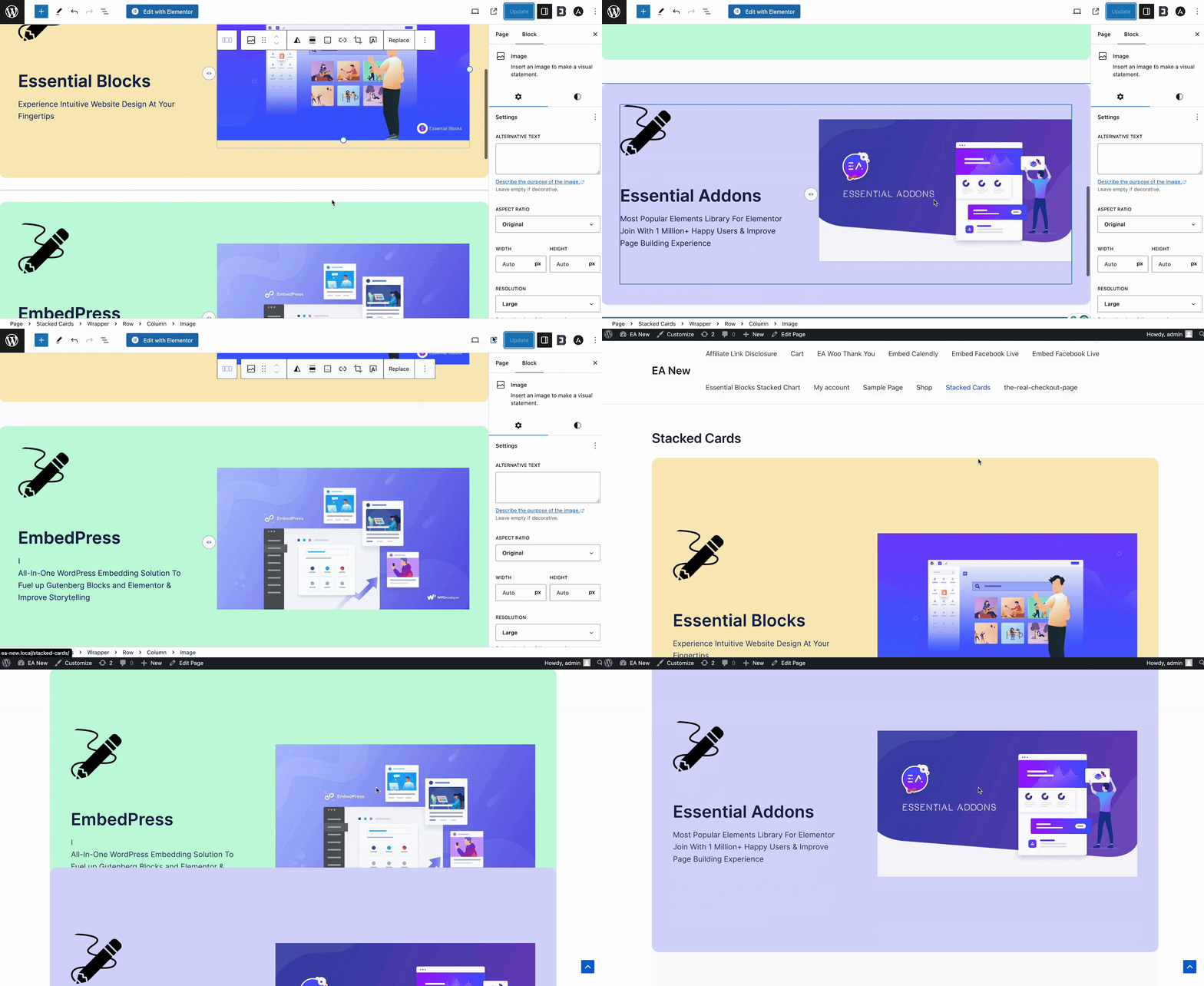
A portfolio could stack project cards and let visitors move through them without using a tall grid. A consulting firm could use one card per service, while a travel website could present destinations as layered visual cards. The rotation and jumping effects can make the interaction more noticeable, but they should be used carefully so the content remains easy to read.
Industry use cases:
- Portfolios: Present projects in a compact interactive stack.
- Travel: Showcase destinations, packages, or itineraries.
- Consulting: Organize services or process stages.
- Education: Display course modules or learning steps.
Display Structured Information with a Data Table
Data Table can display static information, import data from CSV files, or connect to a public Google Sheet using the required API key and Sheet ID. It supports fixed headers, pagination, editable rows and columns, searchable content, highlighted rows or columns, and detailed styling for headings, body content, pagination, and search controls.
A university could use it to display a course schedule, while a business could present a pricing matrix, product specifications, event timetable, or public report. A CSV workflow is useful when information is prepared outside WordPress, while Google Sheets can help teams maintain frequently updated public data.
Industry use cases:
- Education: Present course schedules, grades, or program details.
- Finance: Display public reports, rates, or comparison data.
- Events: Show speakers, sessions, rooms, and timings.
- E-commerce: Compare product specifications in rows and columns.
Build Repeatable Content Layouts with Loop Builder
Loop Builder creates dynamic, repeatable layouts for posts, pages, products, and custom post types. You design a post template once, then the block repeats that layout for each item returned by the query. Query controls include post type, posts per page, order, author, tags, categories, included or excluded posts, date queries, metadata queries, sticky posts, and pagination.
A magazine can build a reusable article card containing a featured image, title, excerpt, author, date, and taxonomy. An online store can create a product catalog, while a directory website can display team members or properties stored as custom post types. Pagination helps visitors browse larger collections without placing every item on one page.
Industry use cases:
- Publishing: Build article grids and category archives.
- E-commerce: Create product catalogs and collection pages.
- Real estate: Display property listings from a custom post type.
- Recruitment: Present job listings with categories and locations.
Tell chronological stories with Timeline Slider
Timeline Slider displays milestones, events, or related content in a navigable chronological format. It supports custom or dynamic content, thumbnails, titles, dates, icons, arrows, autoplay, dots, infinite looping, pause-on-hover, and several styling controls for the connector, items, titles, excerpts, arrows and dots.
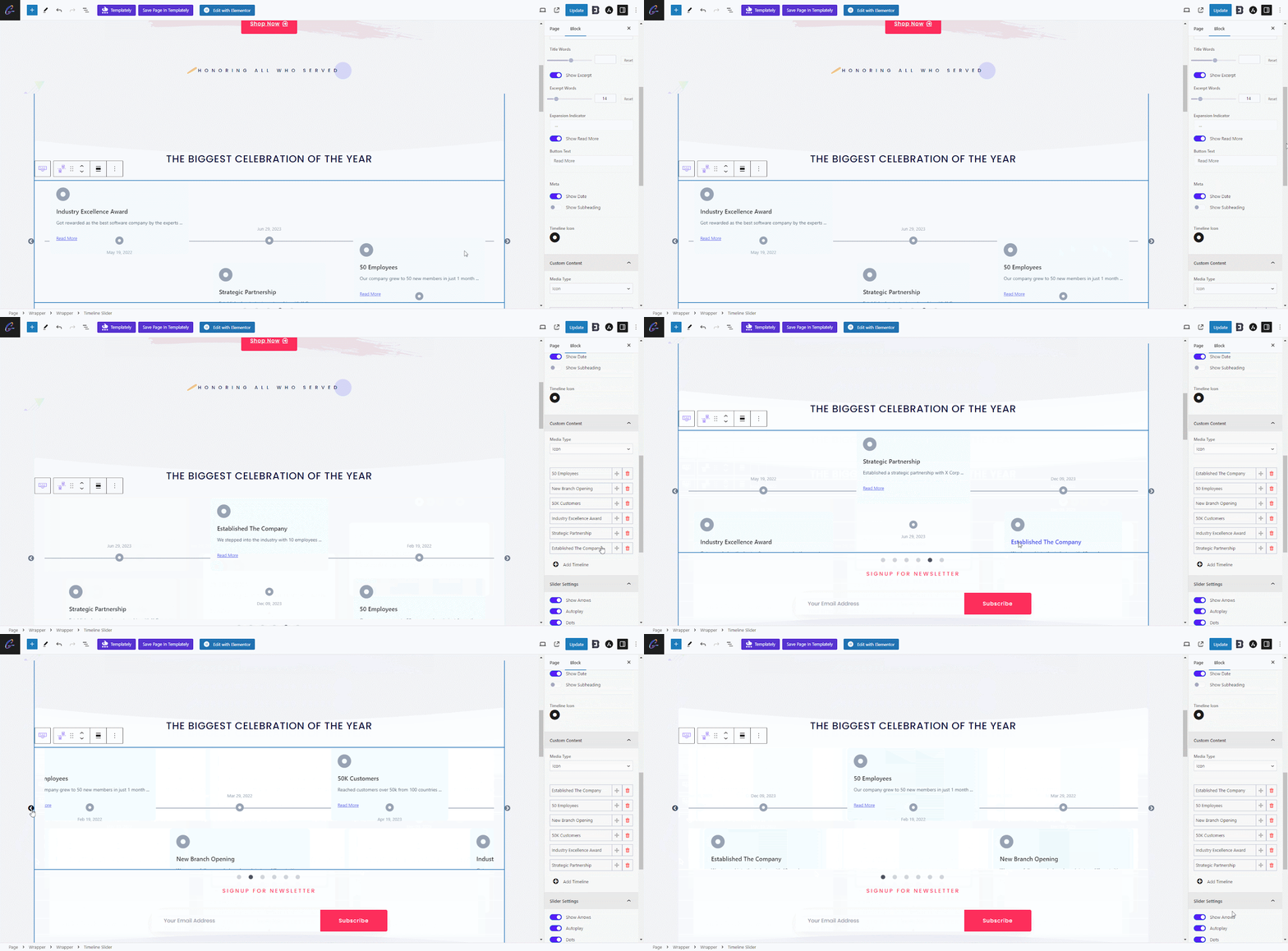
A company could use it to tell its history from its founding to the present day. A university could present institutional milestones, while a project management firm could show a project roadmap. A medical or scientific organization could use the timeline to explain research stages or developments.
Industry use cases:
- Corporate: Present company history and milestones.
- Events: Display a conference schedule or program flow.
- Education: Explain historical periods or academic development.
- Project management: Show project phases and deadlines.
Compare Plans Clearly with Multicolumn Pricing Table
Multicolumn Pricing Table helps users compare products or service plans in adjacent columns. You can add or remove columns and feature rows, highlight an active column, add badges and icons, collapse selected rows on the desktop, and include separate blocks within the table. It also provides multiple presets and styling controls for columns, body content, sale badges and collapse buttons.
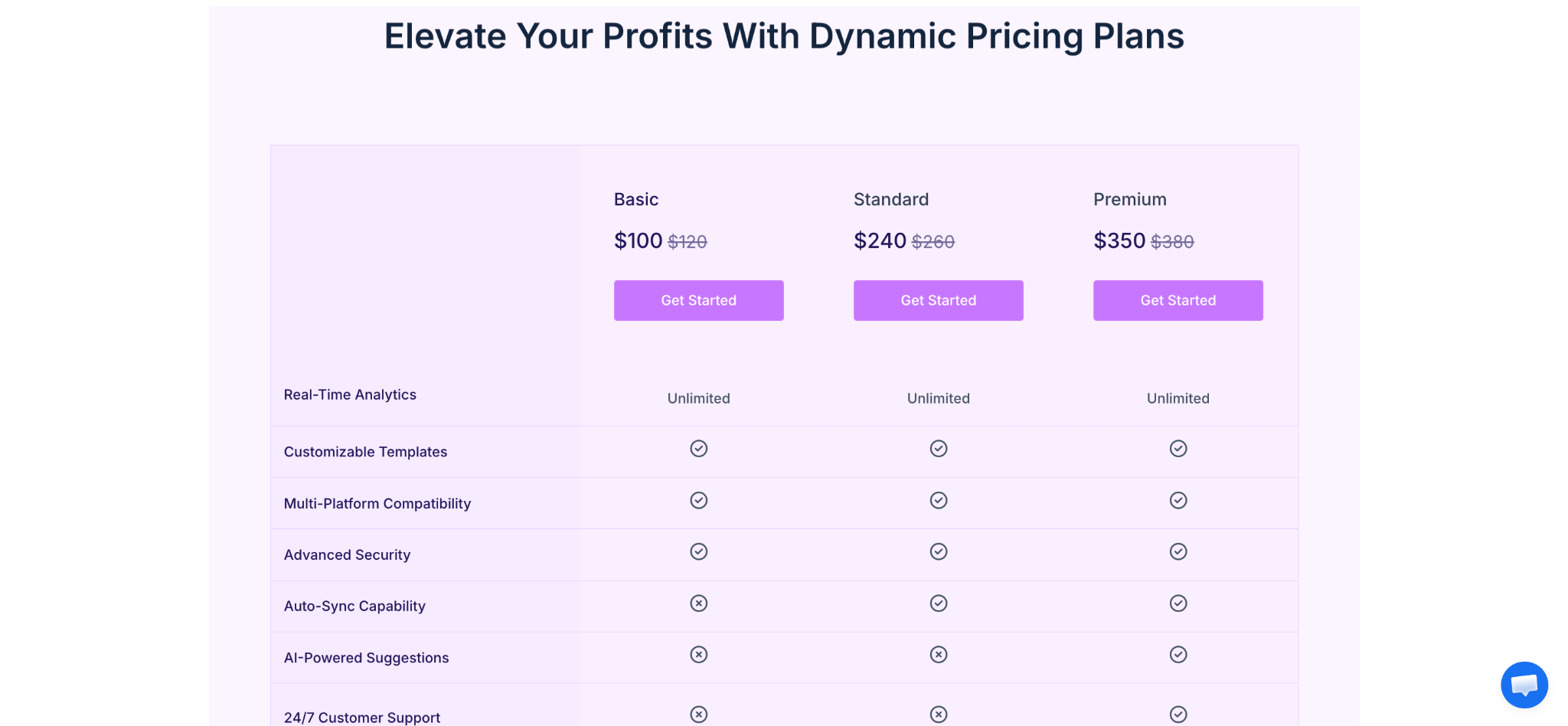
A SaaS business could compare Starter, Professional, and Enterprise plans. A membership website could show monthly and annual benefits, while a service provider could compare basic, standard, and premium packages. Highlighting one plan and keeping the feature rows aligned makes the decision process easier to scan.
Industry use cases:
- SaaS: Compare subscription tiers and feature access.
- Memberships: Display benefits for different membership levels.
- Agencies: Present service packages and deliverables.
- Courses: Compare access, support, bonuses, and pricing.
Showcase WooCommerce Products in a Carousel
Woo Product Carousel displays WooCommerce products in a horizontal carousel with customizable product queries, layout presets, image sizing, buttons, sale badges, ratings, prices, arrows, dots, and autoplay. Product queries can be adjusted using fields such as product order, categories, tags, price, title, slug, and offset.
A fashion store could place a “New Arrivals” carousel on its homepage. A digital retailer could show bestsellers below a blog post, while a seasonal business could highlight discounted products using a sale badge. The carousel is especially useful when you want to promote multiple products without taking up the full height of the page.
Industry use cases:
- Fashion: Display new collections and seasonal items.
- Retail: Highlight bestsellers and discounted products.
- Publishing: Recommend related books or merchandise.
- Food businesses: Promote featured products or gift boxes.
Add Depth And Hover Effects with Transform
Transform is a PRO feature that applies visual transformations to Essential Blocks elements. It supports rotation, 3D rotation on the X and Y axes, perspective, X/Y/Z offsets, scale, skew, horizontal and vertical flipping, and separate hover effects with transition duration.
A designer could create a slightly tilted portfolio card that straightens on hover. A product page could enlarge an image when a visitor points to it, while a marketing page could use subtle 3D movement to make a feature card stand out. Because excessive motion can affect usability, transform effects work best when they reinforce hierarchy rather than distract from the content.
Industry use cases:
- Creative portfolios: Add depth to project cards.
- E-commerce: Enlarge or tilt product visuals on hover.
- Agencies: Make service cards more interactive.
- Landing pages: Emphasize selected features or CTAs.
Create Scroll-triggered Motion with Interactive Animation
Interactive Animation adds dynamic animation effects to supported blocks and uses GSAP-based controls for smooth motion. It includes From, To, and From To animation types, transform controls, duration, delay, easing, and ScrollTrigger settings such as scrub, pin, start, end, and markers. Yoyo can reverse an animation on repeat, while Stagger delays the start of animations across multiple elements.
A product landing page could animate feature cards as they enter the viewport. A nonprofit could reveal impact statistics as visitors scroll to them, while a creative agency could create a sequence of images that enters the page with staggered timing. The settings provide more control than a simple entrance animation, but the best results usually come from short, purposeful effects.
Industry use cases:
- SaaS: Reveal features during a product walkthrough.
- Nonprofits: Animate impact numbers and campaign sections.
- Agencies: Build visually expressive case-study pages.
- Events: Introduce speakers, sessions, and highlights sequentially.
Restrict Selected Sections with Protected Content
Protected Content applies password protection to selected Gutenberg blocks, including text, images, sections, and other content. You can choose a password, customize the input placeholder and submit button, hide or blur the locked content, show a partial preview, remember the unlock session, customize the lock icon, and add a restriction message or synced pattern.
The feature is useful when the whole page should remain public but one section should require a password. A consultant could share a private report with a client, a course creator could protect bonus materials, and an event organizer could publish an agenda while hiding speaker notes until attendees receive the password. Rate limiting can also restrict the number of incorrect attempts and define a lockout duration.
Industry use cases:
- Memberships: Protect bonus resources or member-only downloads.
- Consulting: Share private client reports inside a public page.
- Education: Restrict lessons, answers, or premium materials.
- Events: Protect attendee-only schedules or resources.
Personalize Visibility with Conditional Display
Conditional Display controls whether selected blocks are shown or hidden according to defined rules. Available condition types include login status, user role, browser, date and time, query string, URL content, and archive pages. You can choose to show content when conditions are met, hide it when conditions are met, or always hide it. Multiple conditions can be combined using “all conditions” or “at least one condition” logic.
A membership site could show a login prompt to logged-out visitors and a dashboard link to logged-in users. A campaign page could display a promotion only during a specific date range, while a site owner could show different notices on selected archive pages or URL patterns. This allows one page to serve different audiences without creating multiple versions of the same layout.
Industry use cases:
- Memberships: Show different messages to logged-in and logged-out visitors.
- Marketing: Display limited-time banners during campaign dates.
- Publishing: Customize notices across archive pages.
- Internal portals: Show controls based on user roles.
Launch faster with 3,000+ ready Gutenberg templates
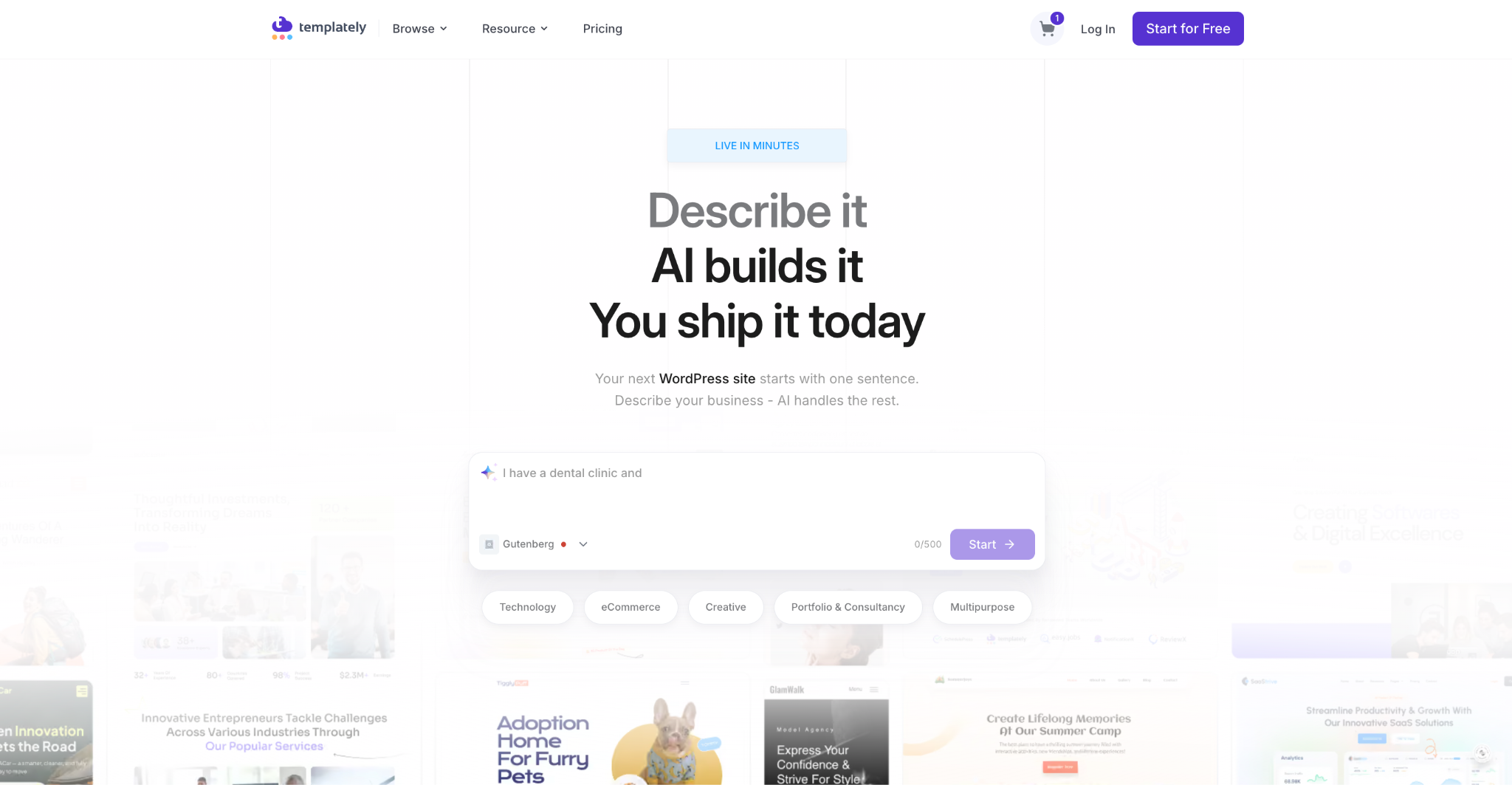
Every PRO plan also connects your editor to a template cloud. Essential Blocks users can access Templately’s 3,000+ ready, AI-powered Gutenberg templates created with Essential Blocks. So every layout imports as normal editable Gutenberg blocks rather than locked third-party markup. In practice you can insert an entire site with a single click, restyle any section to match your brand, and skip the blank-canvas stage on a new build.
How Does Essential Blocks PRO Compare to Other PRO Block Plugins?
Essential Blocks PRO does not compete in a vacuum. The Gutenberg block market already includes several established premium feature libraries, Kadence Blocks Pro, Stackable, Spectra Pro, GenerateBlocks Pro and Otter Blocks Pro, and most buyers compare two or three of them before purchasing.
The honest answer is that there is no single “best” plugin: the right choice depends on whether you weight block count, dynamic content, WooCommerce layouts, developer minimalism, or licence flexibility. What follows compares like with entry annual price, top tier, lifetime availability, block count, and refund window, so you can see exactly where Essential Blocks PRO’s PRO features sit.
Compare Pricing And Block Counts Side by Side
Here is the comparison summary of pricing and block counts of Essential Blocks with other block library plugins.
| Plugin | Entry annual price | Top / agency tier | Lifetime option | Block / feature count | Refund window |
| Essential Blocks PRO | Starter with $49/year for 1 site | Visionary with $349/year; offers 100-site licences | Yes. Lifetimelifetime licences exist | 70+ advanced blocks, including 10+ premium blocks | 14 days |
| Kadence Blocks Pro | ~$69/year standalone | Kadence Pro $299/year; Elite $499/year (third-party) | No/ lifetime plan no longer sold to new customers (third-party) | Not confirmed | Not confirmed |
| Stackable | Premium $49/year (1 site) | All Access Pass $89/year (1 site) | No lifetime licence | 44 blocks in Premium (42 in free) | 30 days |
| Spectra Pro | Spectra Pro $69/year (3 sites) | Essential Toolkit + AI $199/year; Business Toolkit + AI $279/year | Yes, $319, $549 and $799 | Not confirmed | 14 days |
How Much Does Essential Blocks PRO Cost?
Essential Blocks PRO is sold as a tiered licence rather than a single fixed price. You purchase it in one of three packages: Starter, Innovator, and Visionary, and each is available as either an annual subscription or a one-time lifetime licence.
Choosing between the packages usually comes down to how many websites you are licensing. A solo blogger or freelancer shipping a single project will normally only need the entry-level Starter package, while a designer handling a handful of client builds should weigh the mid tier (Innovator) for wider site coverage, and an agency that runs Gutenberg sites at volume will want Visionary for the broadest licence.
| Plan | Best suited to | Billing | Price (With up to $150 OFF) |
| Essential Blocks (Free) | Testing the block library | Free | $0 |
| Starter | Solo creators, bloggers, one-site projects | Annual or lifetime | |
| Innovator | Freelancers and studios running a few client sites | Annual or lifetime | |
| Visionary | Agencies building Gutenberg sites at volume | Annual | |
| Visionary | Agencies building Gutenberg sites at volume | Lifetime |
Note: These prices are currently mentioned as discounted prices of ongoing campaigns. To check the latest pricing check the pricing page.
Turn Essential Blocks PRO Features Into a Better Gutenberg Website
Essential Blocks PRO is most valuable when its blocks are used as part of a clear content strategy rather than added all at once. Start by identifying the visitor tasks your website needs to support: finding content, comparing services, viewing products, navigating long pages, checking business details, or accessing restricted information.
Then enable only the relevant blocks and build reusable sections around them. A local business may need Business Hours, Testimonial Slider, Offcanvas, and Conditional Display. A publisher may benefit from Advanced Search, Loop Builder, Data Table, and Timeline Slider. An online store may prioritize Mega Menu, Woo Product Carousel, Multicolumn Pricing Table, and Transform.
The plugin’s modular structure, responsive controls, styling panels, animation options, and dynamic content tools make it possible to create more advanced Gutenberg websites without abandoning the native WordPress editor. Begin with one high-impact page, measure how visitors interact with it, and expand the system as your website grows.
Was this blog helpful? Feel free to share your opinion in our Facebook Community because we value your feedback. Do not forget to subscribe to our blog for more guidelines.
Frequently Asked Questions
Is Essential Blocks PRO different from the free Essential Blocks plugin?
You typically need both the free Essential Blocks plugin and Essential Blocks PRO installed and activated for the premium blocks to work. Some blocks may be available in the free version with selected functionality while advanced controls require PRO, as noted in the documentation for Stacked Cards.
Does Essential Blocks PRO work inside Gutenberg?
Which PRO feature is best for dynamic content?
For example, Loop Builder can create a reusable property listing layout, while Advanced Search can help visitors locate properties by keyword or category.
Can Essential Blocks PRO be used for WooCommerce websites?
WooCommerce must be installed and configured separately because Essential Blocks PRO enhances the presentation of WooCommerce products rather than replacing the WooCommerce platform itself.
Can I protect content with Essential Blocks PRO
It is suitable for simple password-protected sections.
For complex subscriptions, user accounts, recurring payments, or large membership systems, you may still need a dedicated membership or access-control solution.
Does Essential Blocks PRO add animations?
Use animation sparingly and test it on mobile devices. Motion should support the content hierarchy and user experience rather than make important information harder to read.