Your SEO plugin thinks your homepage is empty.
You put real time into it: a sharp hero section, and copy you rewrote more than once, and the SEO sidebar still shows a red dot: “content needs improvement.” That is not a verdict of your page. Some SEO tools still misread pages built with complex blocks, so they see less than you wrote, so it looks at your page and sees nothing there. The page is not thin. The tool is blind.
If you build in Gutenberg, you have probably hit some version of this: a score you ca not trust, schema you have to hand-code, or an SEO workflow parked in a completely different part of the screen from the one you actually build in.
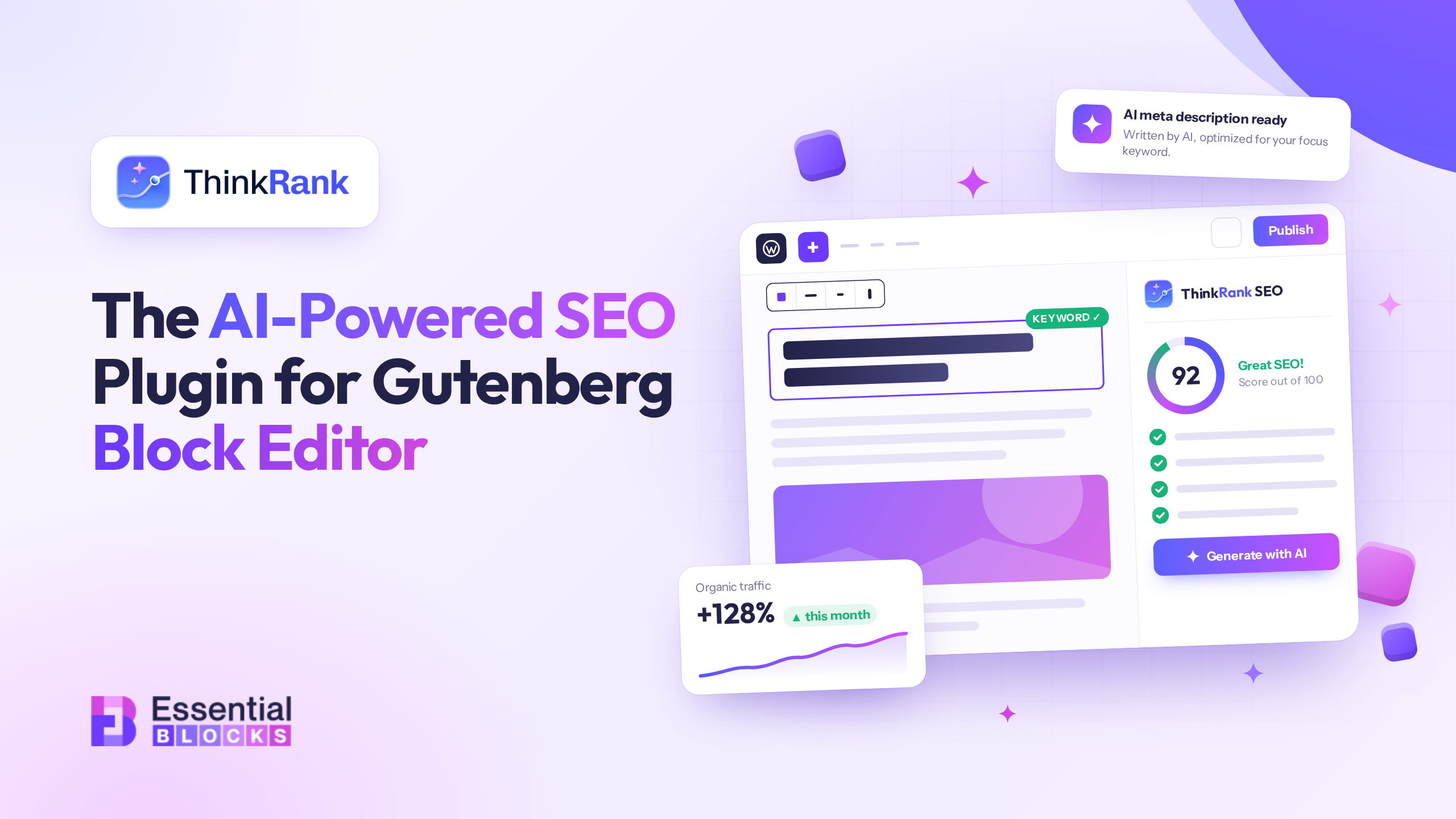
This guide is about the plugin built the other way around. We’ll look at what a good SEO plugin for Gutenberg should actually do, where the usual approach falls short, and how ThinkRank, the AI-first SEO plugin from the team behind Essential Blocks, treats the block editor as the starting point instead of an afterthought.
Whether you’re a designer shipping client sites, a business owner running your own, or an agency juggling twenty WordPress installs, you will find something useful here.
TL;DR
- ThinkRank is a free, AI-first SEO plugin for WordPress built by WPDeveloper (the team behind Essential Blocks), with 10,000+ active installs and a 4.9/5 rating on WordPress.org.
- It’s built for the block editor: a live SEO score sits right in the Gutenberg toolbar and reads your real content as you write, no separate metabox required.
- Three native blocks, FAQ, HowTo, and Table of Contents, write valid schema (FAQPage, HowTo, SiteNavigationElement) automatically; no JSON-LD needed.
- It ships a built-in, self-hosted MCP server with 35+ SEO tools, free and off by default, letting Claude, ChatGPT or Cursor run SEO tasks in plain language with your own AI API key (no credit meter).
- A no-connection-needed Site SEO Audit, one-click migration from Yoast/Rank Math/AIOSEO/SEOPress/Squirrly, and honest (no-hype) guidance on AEO/GEO round out the free version.
- Pro adds redirects, broken-link checking, rank tracking, AI internal links, and scheduled reporting for agencies and larger sites.
Why SEO Feels Harder When You Build With Blocks
The numbers explain why this matters so much. WordPress now powers roughly 40% of all websites, and 58.7% of every site whose CMS is identifiable (W3Techs, September 2026). A large and growing share of those sites are built natively in Gutenberg, by people who chose the block editor for speed and flexibility, not for a fight with their SEO plugin.
Gutenberg made building on WordPress faster and more visual. Libraries like Essential Blocks, with 70+ blocks for everything from advanced galleries to dynamic post grids, let you assemble genuinely custom layouts without writing code.
But the SEO side of that workflow often stayed stuck in the past. A few pain points come up again and again:
1. SEO lives somewhere else. You write in the editor, then scroll to a separate box to fix the title and meta description, then open another screen to check the sitemap, then a third to manage schema. The context-switching adds up.
2. Scores you can’t trust. A green light that says “good” without telling you why isn’t helpful. You want to know which factors are dragging a page down and what to fix next.
3. Schema is still a chore. FAQ and HowTo structured data can help search engines and AI systems understand your content, but hand-writing JSON-LD is nobody’s idea of a good afternoon. Plugins that make you paste code snippets defeat the purpose of a visual editor.
4. Repetitive work at scale. Titles, descriptions, alt text, internal links. Multiply that by hundreds of pages, or by a portfolio of client sites, and SEO becomes the part of the job nobody enjoys.
5. The ground is shifting under “search” itself. ChatGPT alone draws an estimated 883 million monthly users and now gets more monthly visits than Bing. Add Gemini and Perplexity, and a real, fast-growing slice of your audience now asks an AI assistant the kind of question they used to type into Google. Your site needs to be clearly structured for machines as well as readable for humans, because both audiences are reading it now.
A good SEO plugin for Gutenberg should take these on directly. That’s the thinking behind ThinkRank.
What Is ThinkRank?
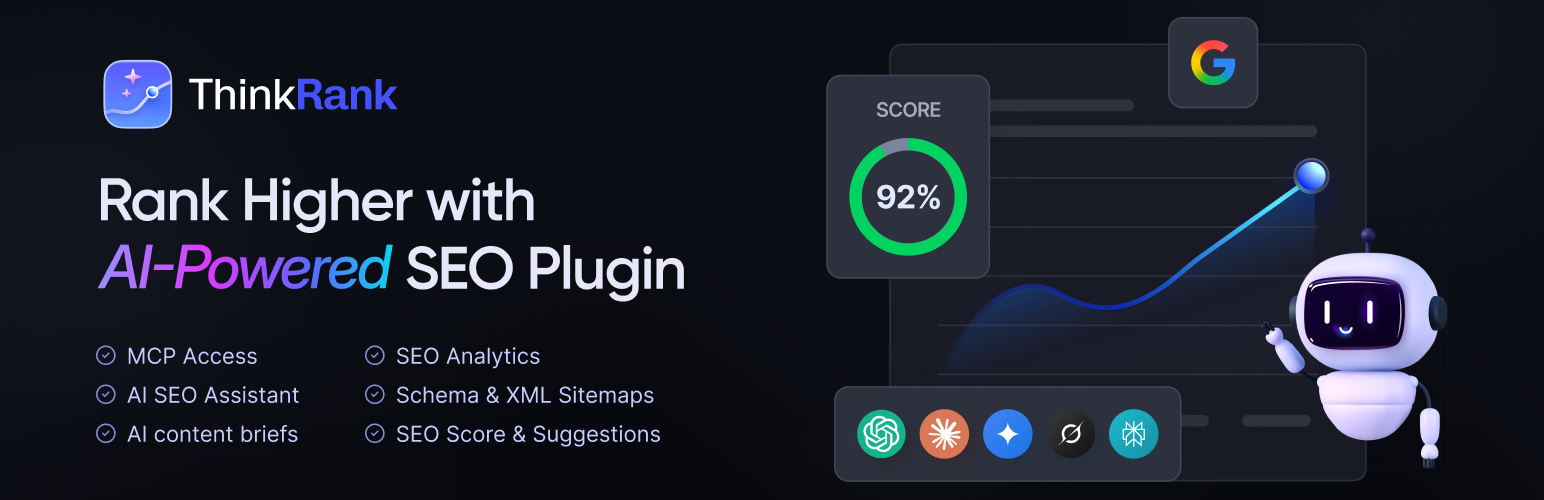
ThinkRank is an AI-first SEO plugin for WordPress, built by WPDeveloper, the same company behind Essential Blocks, Essential Addons, BetterDocs and other WordPress tools. It covers the fundamentals you’d expect from a serious SEO plugin (titles and meta descriptions, XML sitemaps, schema, redirects, Search Console integration) and adds two things that set it apart:
- A built-in, self-hosted MCP server, included in the free version, that lets AI assistants like Claude, ChatGPT and Cursor operate your SEO through plain language.
- Bring your own API key. You connect your own OpenAI, Anthropic Claude, Google Gemini or OpenRouter key (or a custom OpenAI-compatible endpoint). You pay your AI provider directly for what you use, and ThinkRank doesn’t add a credit meter on top.
At the time of writing, ThinkRank has 10,000+ active installations on WordPress.org and a 4.9 out of 5 rating from reviewers there. And crucially for this audience, it treats the block editor as a first-class home for SEO rather than an afterthought.
Built for the Block Editor, Not Bolted On
Here’s how ThinkRank shows up inside Gutenberg (the full walkthrough lives in the Gutenberg integration docs).
A live SEO score in the editor toolbar
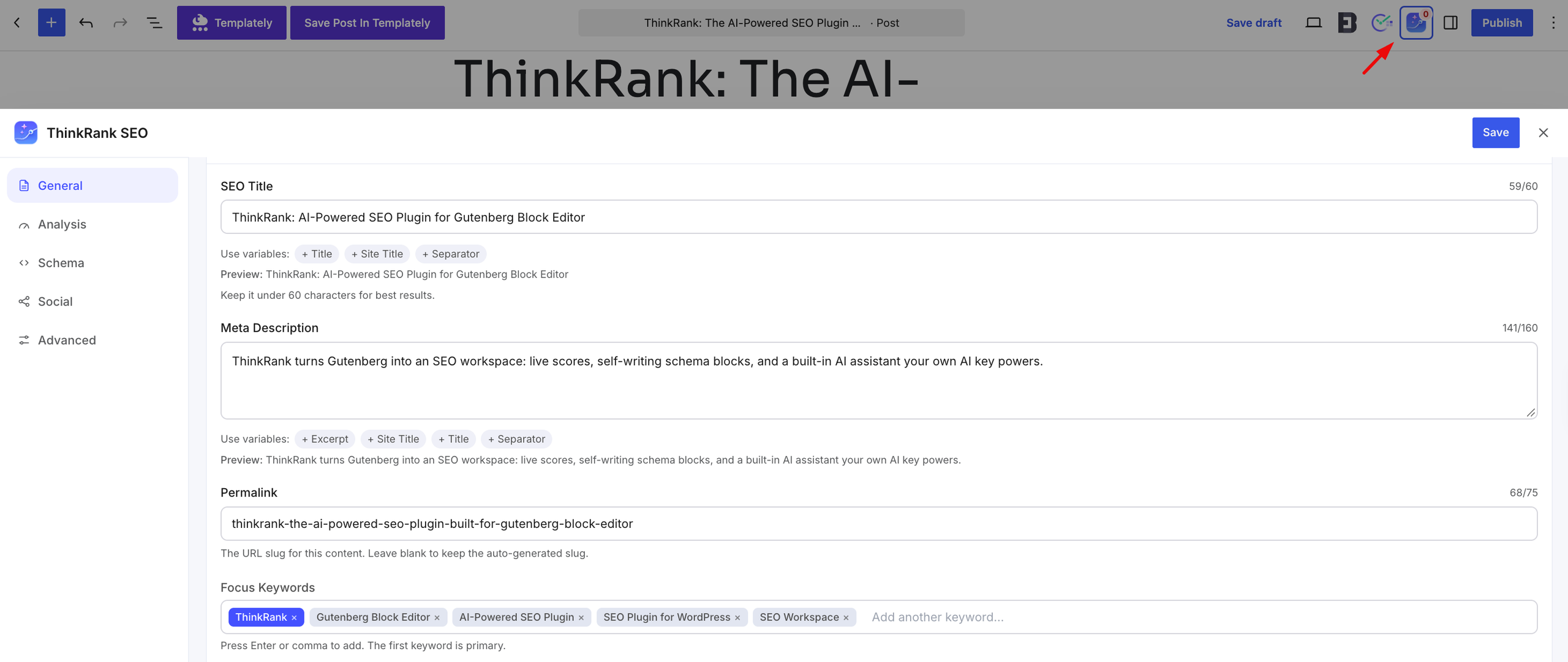
A ThinkRank button sits in the editor’s top bar and carries your current SEO score. Click it and the full SEO panel opens as a drawer over the canvas, with your SEO title, meta description, permalink and focus keywords. If you’d rather keep things inline, the same fields are available as a panel below the editor, which you can toggle from the editor’s options menu.
The score recalculates as you type, reading the real content of the post. Open the drawer and you get a factor-by-factor breakdown of what’s helping, what’s hurting and what to fix next. The score is built on 13 factors, so it isn’t a single mystery number.
For anyone who works visually, this is the important part: you never have to leave the page you’re building to optimize it. Write, tweak, check, publish.
Both surfaces edit the same data
Whatever you set in the toolbar drawer is what the standard SEO metabox shows, and what bulk optimization reads. No duplicate fields, no syncing headaches.
It works across editors
Plenty of real-world sites aren’t purely Gutenberg. Maybe the blog is in blocks, the landing pages were built in Elementor two years ago, and a client insisted on Divi. ThinkRank works with Gutenberg, Elementor, Divi, Oxygen, Breakdance, Bricks and Beaver Builder, so you can standardize on one SEO plugin across a mixed portfolio instead of learning a different tool per site.
Three SEO Blocks That Write the Schema for You
This is where ThinkRank gets especially interesting for Gutenberg users. It ships three native blocks that output structured data alongside your content, so you never touch JSON-LD:
| Block | What it renders | Schema it emits |
| FAQ | An accordion that works without JavaScript | FAQPage |
| HowTo | Numbered steps with per-step images and total time | HowTo |
| Table of Contents | A list built live from your headings, with anchor links | SiteNavigationElement |
You insert them like any other block. Type your questions and answers inline, add your steps, and the markup and schema stay in sync. Edit a question and the structured data updates with it.
A quick note on how this fits alongside Essential Blocks. If you are designing a richly styled FAQ or a custom accordion, the EB Accordion block gives you a huge amount of visual control. ThinkRank’s FAQ block is the lean, no-JavaScript option when your priority is clean markup plus valid FAQ structured data. Many teams use both across a site: EB Accordion (and Essential Blocks’ own EB Table of Contents) where the design needs to stand out, ThinkRank’s blocks where the structured data matters most.
One caution: Avoid using both for the same section on the same page. An EB Accordion styled as an FAQ next to a ThinkRank FAQ block, or an EB Table of Contents next to ThinkRank’s, can emit duplicate FAQPage or navigation schema on one page, which creates conflicting signals for search engines and AI answer engines rather than helping them. Pick one block per content element per page.
One honest caveat, because it matters: Google removed the expandable FAQ dropdown from its search results entirely in May 2026, after restricting it to a small list of government and health sites back in 2023 (reporting on the deprecation notice Google quietly added to its developer docs). So no site, however well marked up, gets that particular visual rich result in Google anymore. The FAQPage schema itself is still valid, and still exactly the kind of clean, structured information that AI assistants use to understand and summarize a page. Think of the FAQ block less as a shortcut to a search-result graphic and more as a way to make your content legible to both readers and machines, which is the part you actually control.
A Simple Workflow: Essential Blocks + ThinkRank
If you already use Essential Blocks, here’s how the two fit together in practice:
- Plan the page with a ThinkRank content brief.
- Design it with Essential Blocks: layouts, dynamic content, galleries, whatever the page needs.
- Add structure with ThinkRank’s FAQ, HowTo or Table of Contents blocks where they make sense.
- Watch the toolbar score as you write and fix what the breakdown flags are.
- Generate the metadata with AI, then review and edit it yourself.
- Publish and monitor with Search Console and the Site SEO Audit.
Design and SEO stop being two separate jobs and become one continuous workflow.
AI That Works Inside Your Workflow
This is where your own AI key does the writing, not a separate subscription. Here’s where AI actually shows up while you build and manage a site in ThinkRank.
AI metadata generation
Writing unique titles and meta descriptions for every page is exactly the kind of task AI is good at. ThinkRank generates metadata from your content, and there’s a bulk mode for handling many pages at once. Because it runs on your own API key, you decide which model does the writing and what it costs.
The AI SEO Assistant
There’s also an in-dashboard chat assistant for SEO questions, useful when you want a second opinion on a page without leaving WordPress.
AI content briefs
Starting a new article? The content brief generator gives you a structured plan before you write a word: what to cover, how to organize it, what questions to answer. It’s a handy way to avoid staring at an empty editor.
Image SEO
Alt text is one of those jobs that is easy to skip and painful to catch up on. ThinkRank can generate AI alt text and bulk-fill missing ones across your media library, which is a real time saver on image-heavy Gutenberg sites built with galleries and sliders.
AI Providers
Beyond the major providers, ThinkRank can connect to any OpenAI-compatible endpoint, including Ollama, LM Studio, vLLM, Azure OpenAI or a private company gateway, so a self-hosted or local model works too. And because you are paying your own provider directly, ThinkRank gives you spend controls to keep usage in check: a daily request limit, a per-minute limit, and a one-click pause-all-AI switch.
The MCP Server: Where ThinkRank Really Stands Apart
If you only read one section of this post, make it this one.
MCP (Model Context Protocol) is an open standard that lets AI assistants connect to tools and take actions in them. ThinkRank ships a built-in MCP server with 35+ SEO tools, free, off by default and secured with OAuth 2.1, that lets assistants like Claude, ChatGPT and Cursor read and change your SEO settings in plain language.
What does that look like in practice? Instead of clicking through dozens of screens, you can ask, in plain language, for things like:
- “Which of my pages are missing meta descriptions? Write them and apply them.”
- “Audit my site and tell me the three highest-impact fixes.”
- “Add FAQ schema suggestions to my ten most-visited posts.”
For agencies, this is the difference between a task taking days and taking hours. A few important details on safety and control:
- It is off by default. You turn it on when you’re ready.
- Authentication is proper. Claude connects using OAuth 2.1 with PKCE; other clients use a WordPress Application Password.
- It is self-hosted. The server runs on your own site.
Setup is covered step by step in the MCP server documentation.
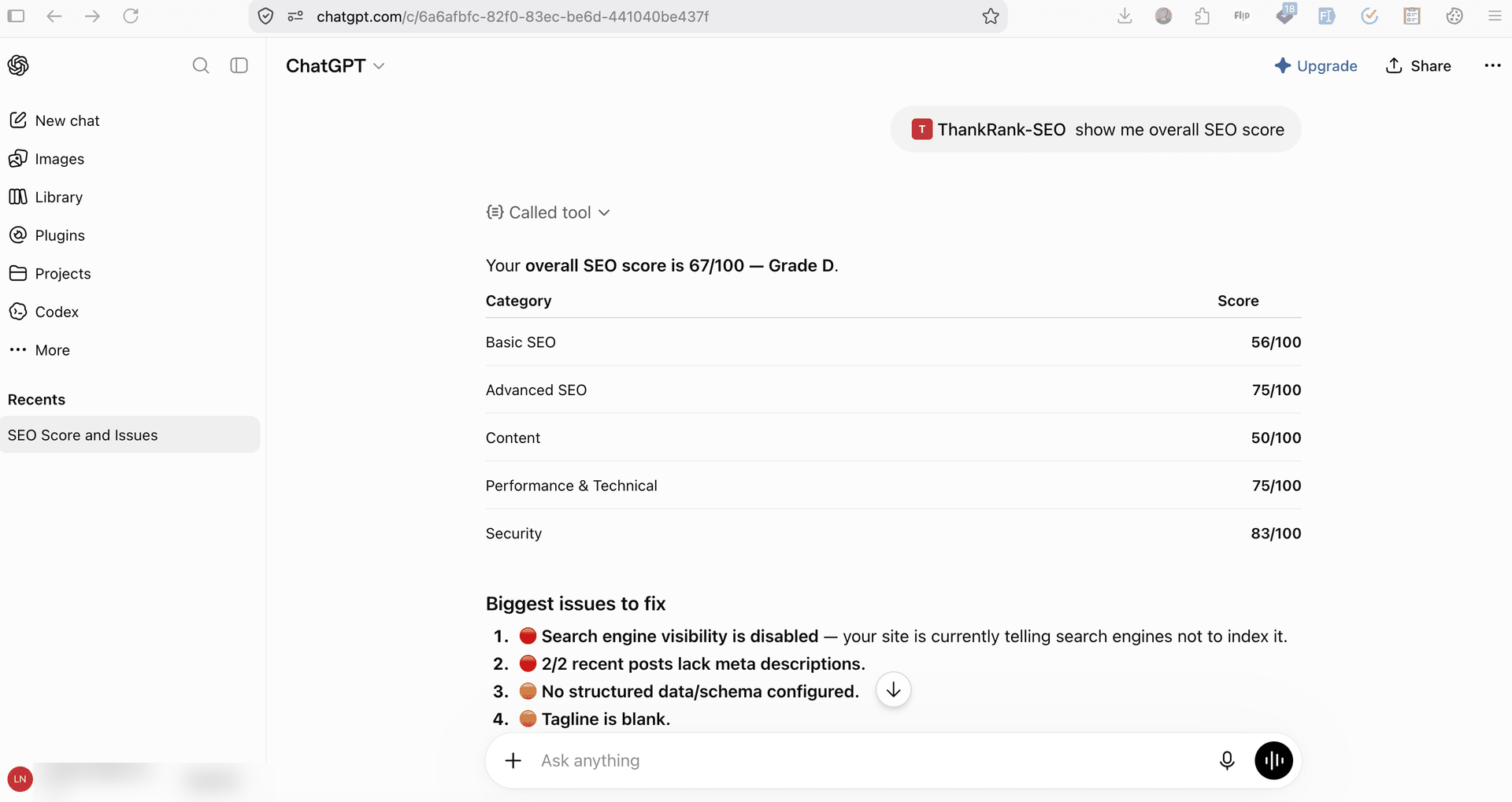
Image: This is SEO score of a site that is not optimized.
One sensible habit: Treat AI-made changes like any other edit. Review before you publish, especially on client sites.
A Site SEO Audit without Connecting Anything
Not sure where your site stands today? ThinkRank includes a Site SEO Audit that scores your site from 0 to 100 with a letter grade, and it does not require you to connect Google first. It’s a fast way to get a baseline, show a client where things stand, or find the low-hanging fruit before you start optimizing. For sites where a handful of pages carry most of the weight, Focus Pages, one of the pro feature of ThinkRank, let you pick those key pages and see exactly why each is not ranking, with a suggested fix for every gap.
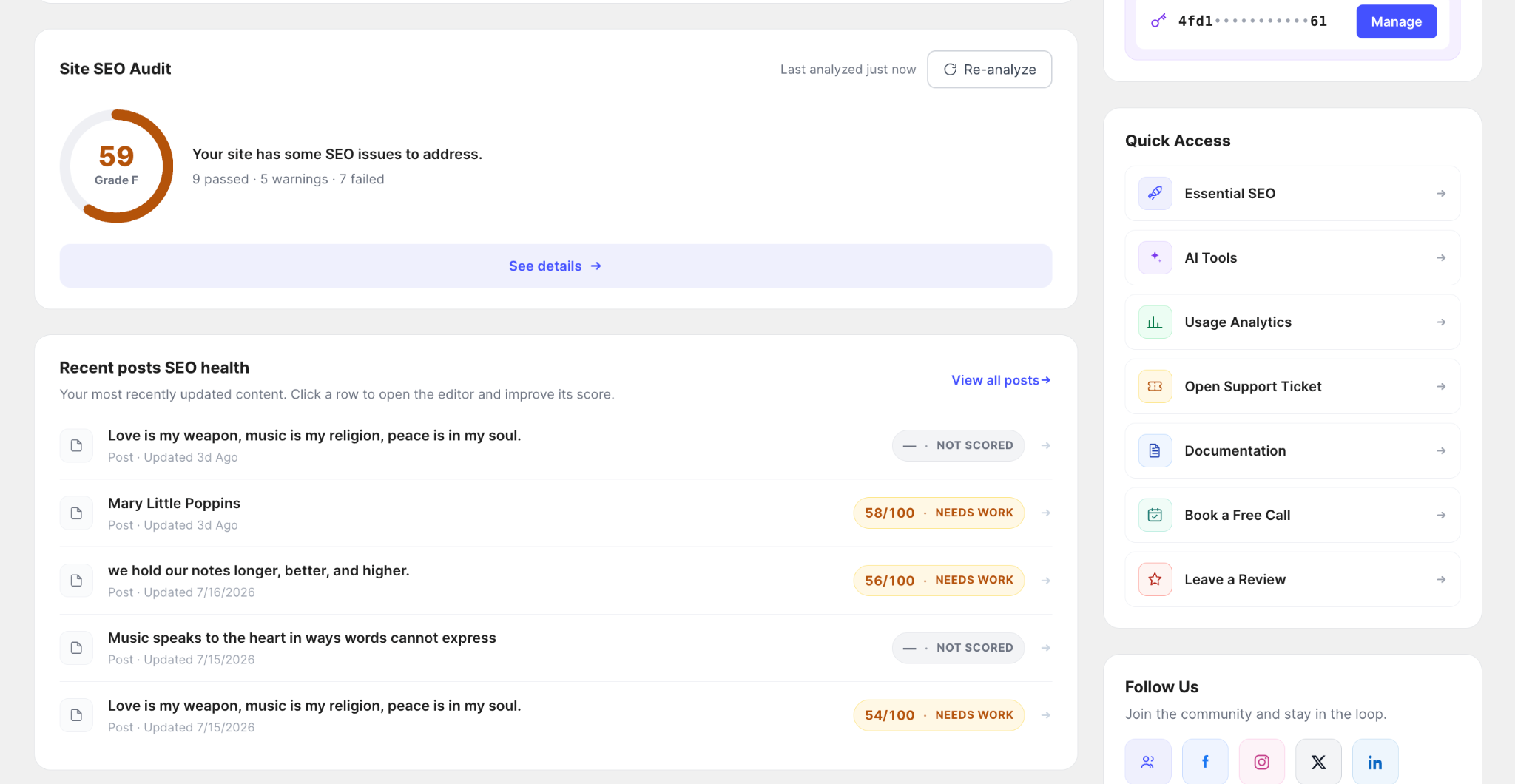
Image: This is the site SEO audit score before optimization
SEO and site speed are close, and a slow site undercuts everything above. If performance is next on your list, read the guide: How to Speed Up Your WordPress Website (For Block Editor Users)
Getting Found by AI, Without the Hype
Let us talk about AEO and GEO (answer engine and generative engine optimization) honestly, because there is a lot of noise in this space.
Here is what is real. AI assistants and AI-powered search features draw on the web, and clean, well-structured, clearly written content is easier for them to work with. ThinkRank helps with the groundwork:
- Structured data through the Schema Manager (FAQ, Article, HowTo, Product, Local Business, Breadcrumb and more) and the schema blocks above.
- Clear entity signals, meaning consistent site identity, business info and author details.
- An llms.txt generator, plus AI crawler controls in your robots.txt management.
Here is what we won’t tell you. No plugin can promise that ChatGPT or Perplexity will cite your site, and no setting guarantees a ranking. The llms.txt file in particular is best understood as infrastructure, not a ranking lever, and Google has said it does not affect Search. Think of these features as making your site easier to understand, then earning attention the usual way: by publishing genuinely useful content.
If a tool promises guaranteed AI citations, be skeptical. ThinkRank’s approach is to give you the groundwork and be straight about the limits.
Once that groundwork is in place, ThinkRank’s AI Traffic dashboard shows which AI assistants are actually sending visitors to your site, so you can see whether the effort is paying off instead of guessing.
llms.txt Generation: Speaking AI’s Language
Part of that groundwork is the llms.txt generator mentioned above, worth a closer look on its own. It builds a structured, AI-readable index of your most important content, similar in spirit to a sitemap, but written for language models rather than search crawlers.
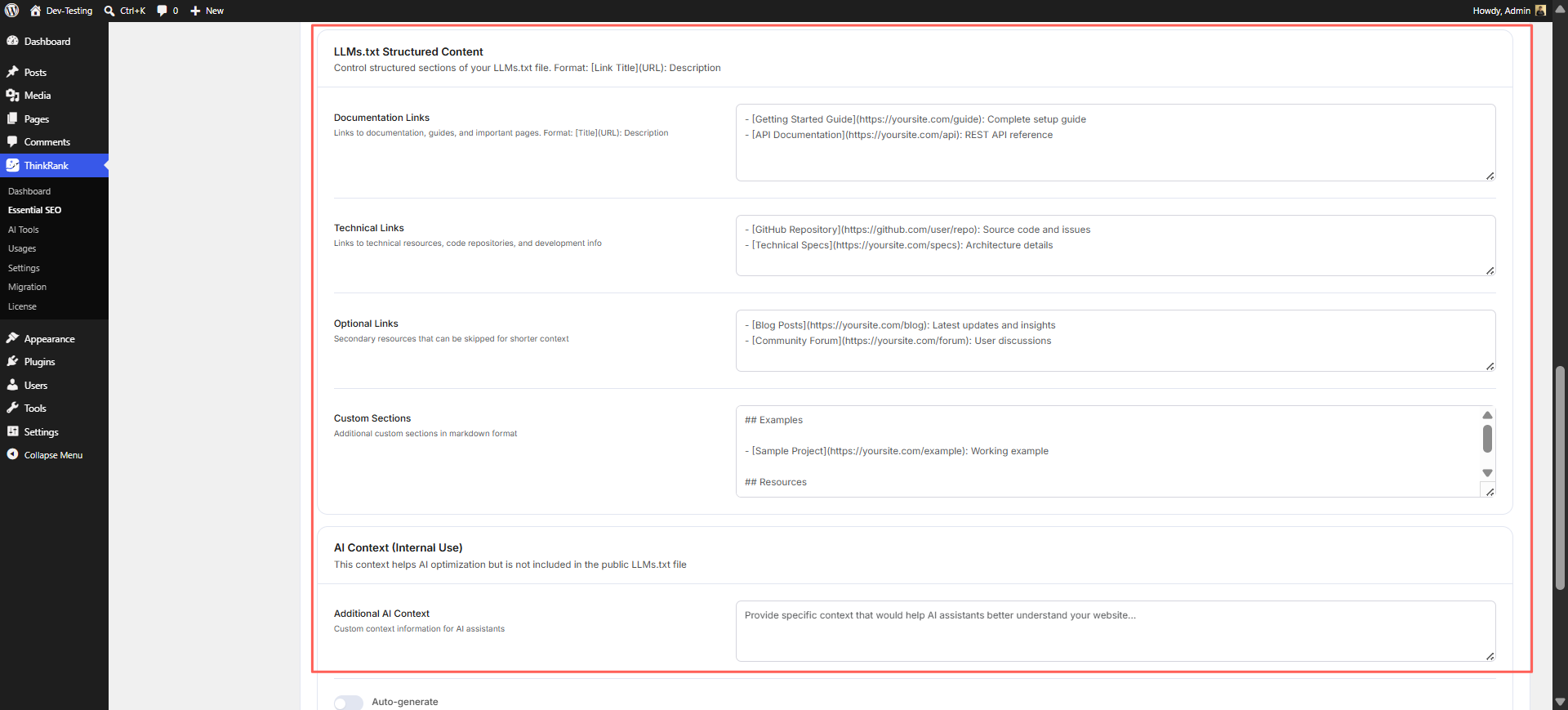
Today, llms.txt is read mostly by AI coding assistants and agentic tools, not by Google Search itself, so treat it as a low-effort way to future-proof your site rather than a ranking lever.
If you maintain a knowledge base alongside your WordPress site, this pairs well with the fundamentals in the WordPress knowledge base SEO checklist, worth reviewing alongside your llms.txt setup so both traditional crawlers and AI crawlers are working from clean, well-structured content.
Pro goes a step further with Markdown for AI: a clean Markdown copy of any post served to assistants at the same URL, plus a site-wide llms-full.txt, for teams who want more than the free llms.txt index.
Switching From Yoast, Rank Math Or Another SEO Plugin
The biggest reason people hesitate to switch SEO plugins is fear of losing years of titles, descriptions and settings. ThinkRank’s Setup Wizard handles migration from Rank Math, Yoast, All in One SEO, SEOPress and Squirrly SEO, so your existing data comes with you.
A sensible switching process:
- Back up your site. Always, before touching SEO plugins.
- Install and activate ThinkRank from WordPress.org.
- Run the Setup Wizard and choose the plugin you’re migrating from.
- Connect an AI provider if you want the AI features (optional).
- Spot-check a handful of key pages, including your homepage, top posts and any important products.
- Deactivate the old SEO plugin. Running two at once can cause duplicate tags, so ThinkRank publishes a guide on avoiding SEO plugin conflicts.
Migration guides for each plugin live in the ThinkRank docs.
More Tools Worth Knowing About
Beyond the headline features, the free version of ThinkRank covers a lot of ground:
- XML sitemaps with four modes, plus Instant Indexing through IndexNow.
- Multilingual SEO that works with WPML, Polylang and TranslatePress, so each translation carries its own SEO fields.
- Google Search Console and GA4 connected inside WordPress.
- Bulk SEO optimization and Bulk Snippets to set defaults for a whole post type at once, or open every post’s title, description and focus keyword in one table and fill gaps with AI drafts.
- Import and export your ThinkRank settings as JSON or CSV, useful for backing up a configuration or replicating it across sites.
- Pillar content and link suggestions, which recommend your best posts as internal links while you edit related ones.
- A Role Manager so you control which team members can touch SEO settings, handy for agencies and client handoffs.
- WooCommerce SEO and Local SEO for stores and location-based businesses.
- External link rules for nofollow and new-tab behavior.
Free vs. Pro: What You Get Where
ThinkRank’s free version is genuinely capable, and the MCP server, the schema blocks, the Site SEO Audit and the Gutenberg integration are all included in it. Pro adds the power tools that bigger sites and agencies tend to want:
| Free | Pro |
| SEO metabox and live score | Redirect Manager and 404 Monitor |
| FAQ, HowTo and Table of Contents blocks | Broken Link Checker |
| AI metadata and content briefs (with your own API key) | AI Internal Links |
| Site SEO Audit | Keyword Rank Tracker |
| Schema Manager and XML sitemaps | Focus Pages and Google Index Status |
| Built-in MCP server (35+ tools) | Custom schema with display conditions |
| Migration from other SEO plugins | News and video sitemaps |
| Multilingual and page-builder support | Scheduled audits, custom email report schedules and branding, and automatic AI metadata |
| WooCommerce SEO and Local SEO | Advanced WooCommerce SEO, multi-location Local SEO and the GA4 tag installer |
Pro plans are billed yearly, with a lifetime option available. Because AI usage is billed directly by your provider, the plan price doesn’t change with how much you generate. See current plans and any active offers on the ThinkRank pricing page.
Who Is ThinkRank Best For?
Web creators and designers. You already build visually in Gutenberg. ThinkRank keeps SEO in the same place, so optimizing doesn’t interrupt your flow.
Business owners. The Site SEO Audit and live score give you clear, plain-language guidance without needing to become an SEO expert.
Agency owners. Between the Role Manager, bulk tools, one-click migration and the MCP server, ThinkRank is designed to reduce the repetitive work that eats margin across multiple client sites.
Content teams. Content briefs, pillar content suggestions and the in-editor score help writers hit the mark before an editor ever sees the draft.
Try It on Your Next Page
You don’t have to overhaul your whole site to see whether this fits how you work. Install ThinkRank, run the Setup Wizard, open a post in Gutenberg, and watch the score in the toolbar as you write. If you like what you see, explore the schema blocks and the MCP server next.
Install ThinkRank free from WordPress.org, or explore the full feature list at ThinkRank.
You’ve already put in the work to build pages people enjoy. Now make sure people, and the machines that increasingly answer their questions, can find them.