Custom post templates are like a blank canvas for your digital storytelling. They go beyond mere aesthetics, offering a customized and consistent design that keeps readers engaged from the moment they land on your site. It can help you establish a recognizable and appealing style where you are not just sharing content—you are creating a memorable brand presence.
Do you want to transform your WordPress site into a distinctive digital hub that showcases your creativity and professionalism? Creating custom WordPress post templates can be a way. In this blog, we will show you how to design custom post templates in Block Editor. You will learn how to simplify content creation, save time and elevate the look and feel of your website.
WordPress Post Template: What It Is & Why Are They Useful?
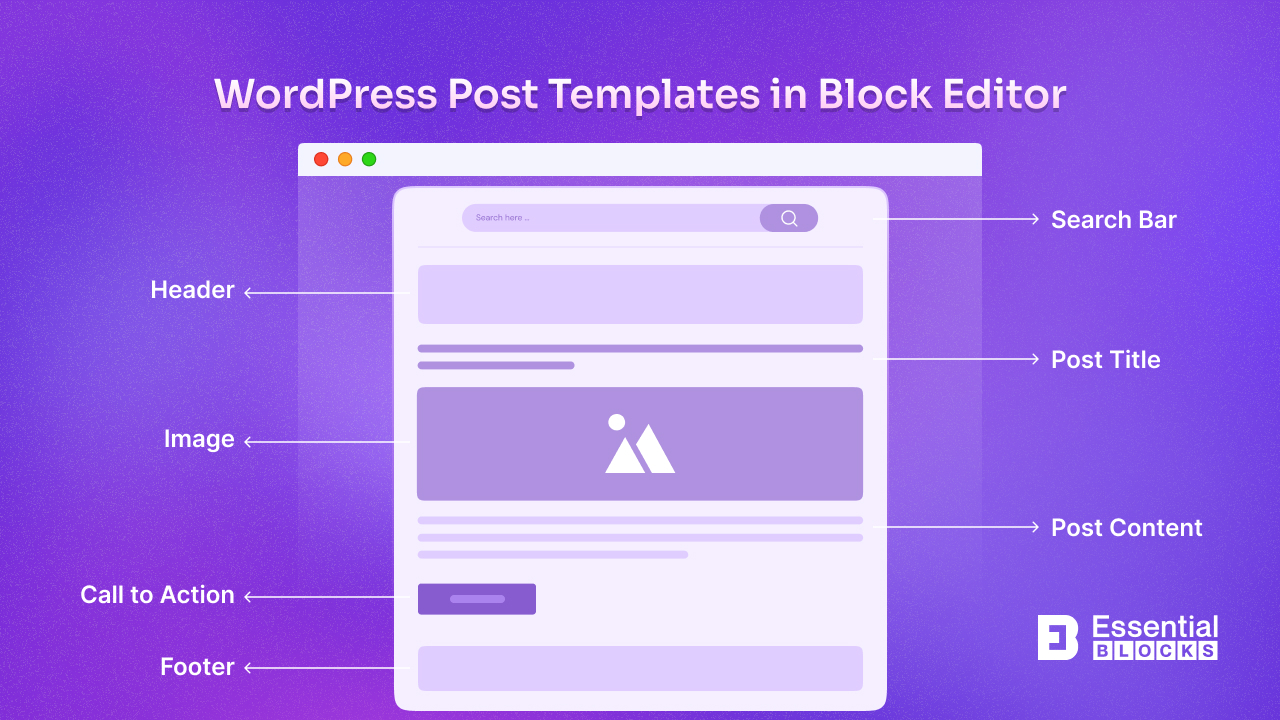
A WordPress post template is a preset layout that structures your posts in a particular style, making it easy to maintain a cohesive look across your content. Instead of starting each post from scratch, you simply select a template, and the layout, fonts, image placements and other design elements are ready.
Custom templates are especially useful if you often need layouts that deviate from the default single-post design. By creating your templates, you can focus on writing content without rearranging blocks every time, which enhances productivity and allows for consistency.
Advantages of Using Custom WordPress Post Templates
Custom post templates offer multiple benefits, whether you are a blogger, marketer or web designer. These templates let you set up predefined layouts that ensure every post you publish has a consistent, unique look, saving you time and enhancing user experience. Here is why you should consider creating them.