
Trying to build a knowledge base in Gutenberg but the default WordPress editor falling short? You are not alone. Thousands of WordPress users hit the same wall every day. Gutenberg is powerful but a smart way is needed to create and manage structured documentation.
The good news? There is a smarter way to do this. This guide will walk you through everything you need to know to create a knowledge base in Gutenberg the right way, using a purpose-built solution called BetterDocs.
What Is a Knowledge Base & Why Does It Matter in 2026?
A knowledge base is a self-service library of articles, guides and FAQs that helps users find answers without contacting support. Think of it as your product’s instruction manual but smarter, searchable and always available online.
In 2026, customer self-service is no longer optional. 61% of customers prefer to solve problems on their own before reaching out to a support agent. Research frequently shows that self-service support (like knowledge bases and FAQs) is dramatically cheaper per interaction than live channels such as phone and chat, often by one to two orders of magnitude.
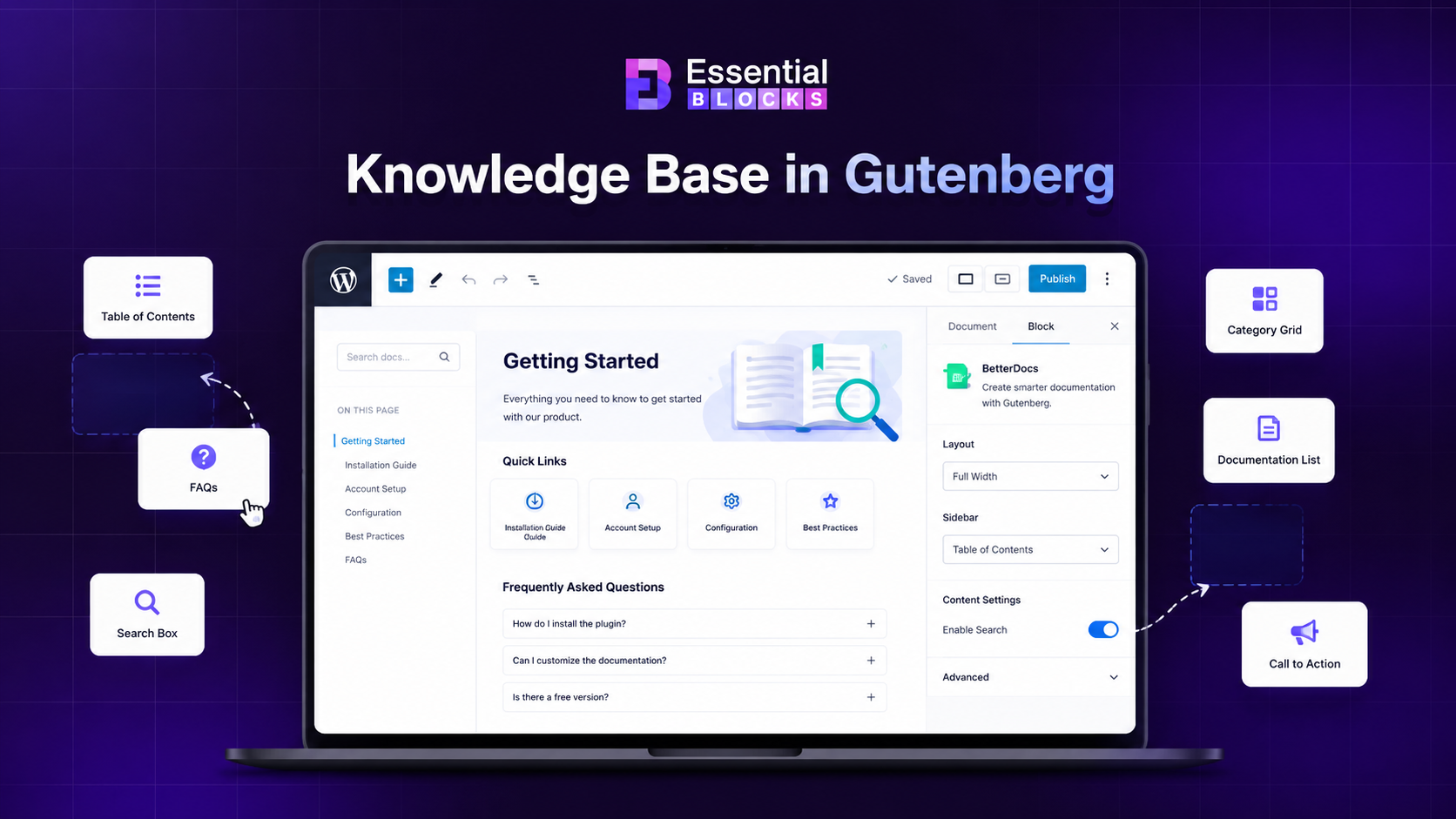
For WordPress users, this means one thing: you need a proper WordPress knowledge base system, not just a bunch of pages thrown together.
Turning Gutenberg into a Powerful Knowledge Base System
The Gutenberg block editor is excellent for blogs, landing pages and general website content. It is built for flexibility and creative page building. However, when it comes to creating a structured WordPress documentation site, it does not provide a dedicated documentation system out of the box. Purpose-built documentation tools add that missing structure on top of Gutenberg.
What Gutenberg offers and where BetterDocs adds structure:
- Documentation content can be fully structured using Gutenberg blocks, giving you complete control over layout and hierarchy
- Table of Contents can be added using Gutenberg blocks or plugins, while BetterDocs brings it into a more structured documentation workflow out of the box
- FAQ sections can be built with native blocks, while BetterDocs provides ready-to-use FAQ layouts for faster setup and consistency
- Breadcrumb navigation can be implemented with available tools, while BetterDocs includes it as part of a guided documentation experience
- Code content can be displayed using available block options, while BetterDocs helps present technical documentation in a more organized format
- Content summaries can be created manually or with plugins, while BetterDocs focuses on improving readability across long documentation pages
BetterDocs complements Gutenberg by adding ready-made documentation structure and layouts. This makes it easier to build and maintain a consistent knowledge base while still keeping the flexibility of the block editor.
What Is BetterDocs & How Does It Work with Gutenberg?
BetterDocs is a dedicated WordPress knowledge base plugin built specifically for creating structured documentation websites. It integrates directly into the Gutenberg block editor, adding a full library of documentation-specific blocks that solve every problem mentioned above.
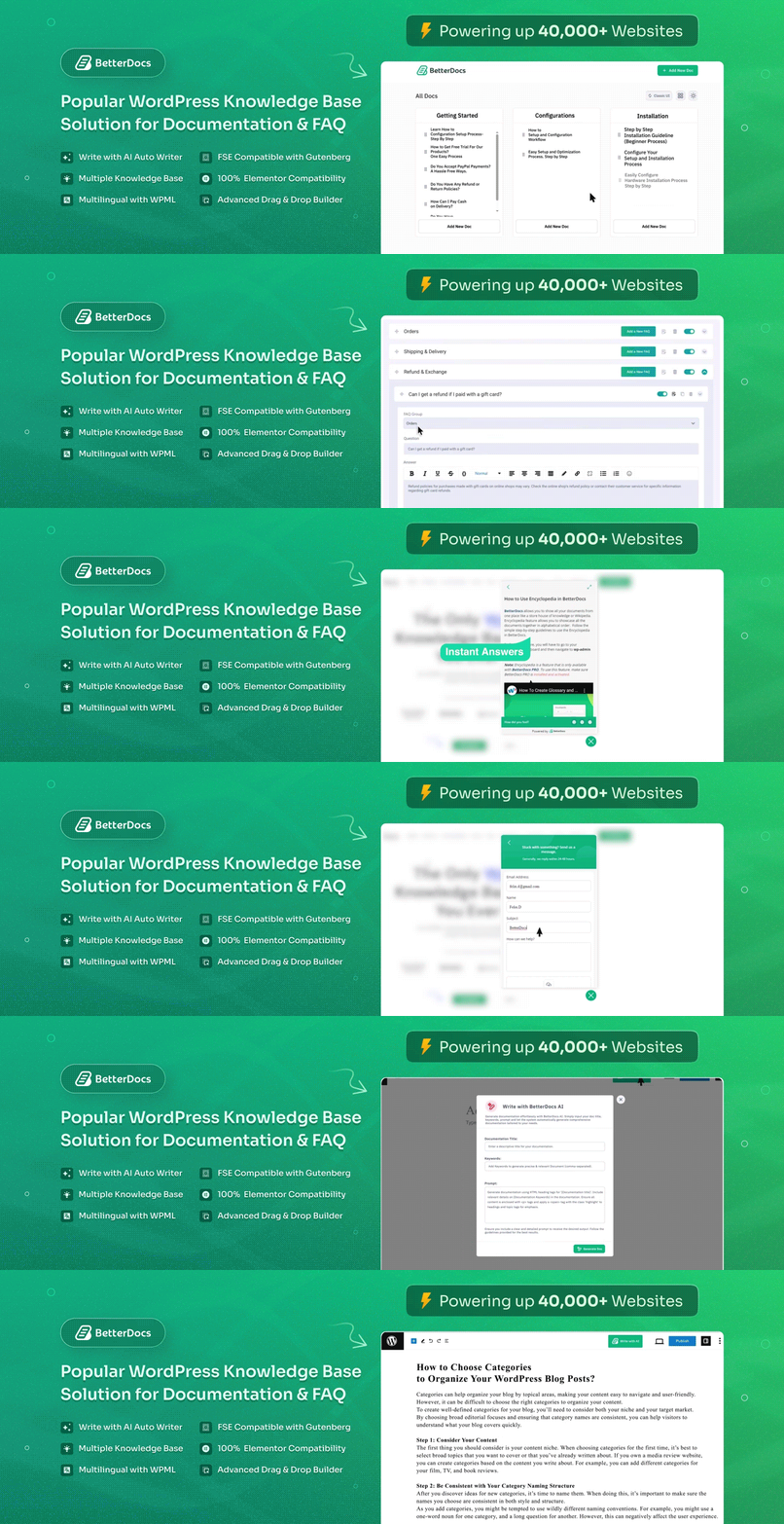
Rather than replacing Gutenberg, BetterDocs enhances it. Once installed, it adds its own set of purpose-built blocks right inside your Gutenberg editor. You still use the familiar drag-and-drop interface you already know but now you have blocks that are actually designed for documentation.
BetterDocs also creates a dedicated documentation post type in WordPress. This keeps your knowledge base articles separate from your regular blog posts. It adds its own category system, search functionality and template system, all of which work seamlessly inside Gutenberg.
How to Set Up Your WordPress Knowledge Base in Gutenberg: Step by Step
Setting up a knowledge base in Gutenberg is easier than it seems. With the right structure and tools, you can turn your WordPress site into a clean, user-friendly help center. Follow these simple steps to get started quickly.
First install and activate BetterDocs on your WordPress site.
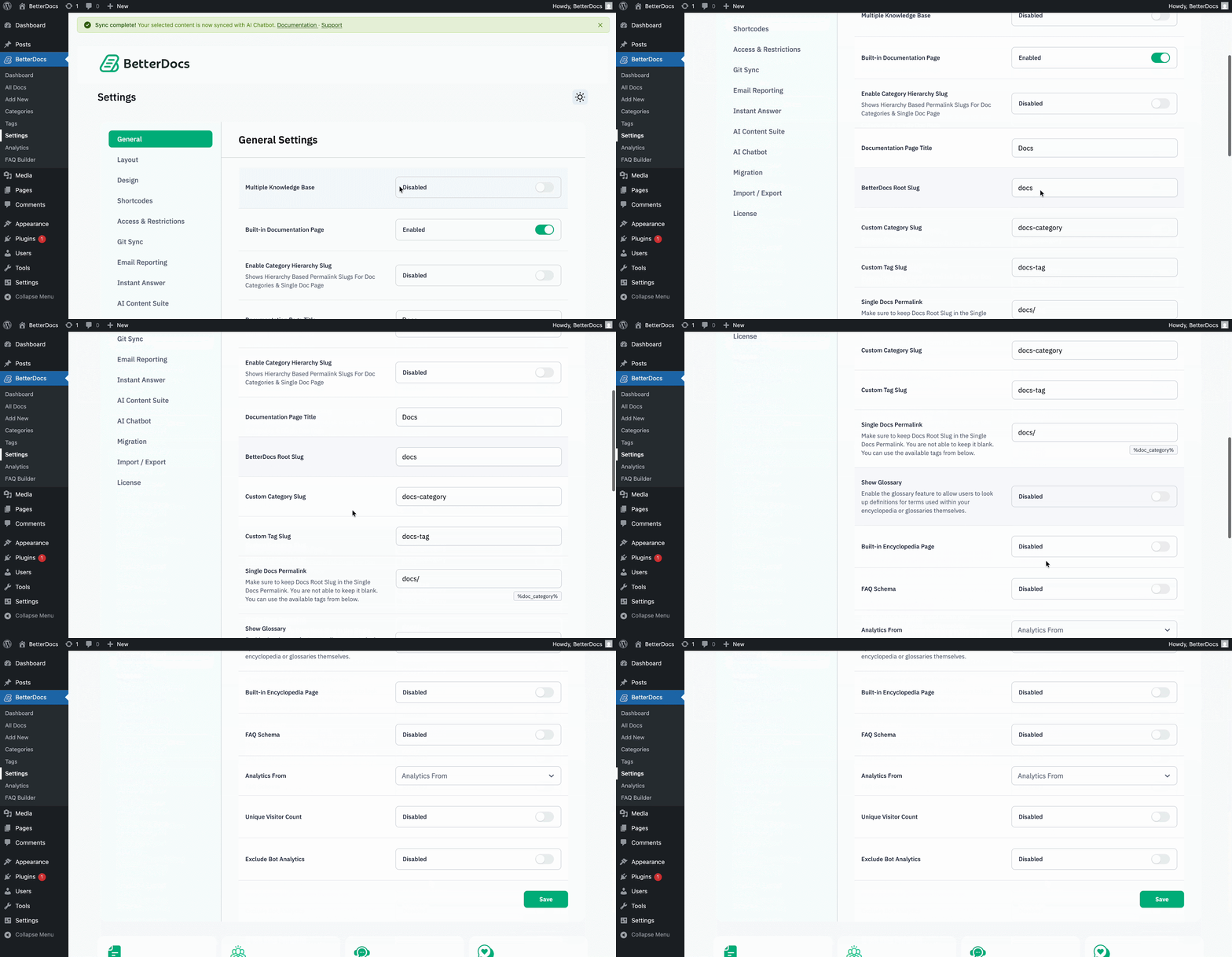
Afterward, you will then be redirected to BetterDocs Settings. You can change the slug of your Documentation page, BetterDocs Root, Custom Category, Custom Tag and customize with other options.
Go to the page where you want to add your knowledge base. You will find several knowledge base blocks. Choose the one you need.
Essential Plugin for Building a Knowledge Base
BetterDocs provides a set of powerful Gutenberg blocks that help you build a structured knowledge base in WordPress. These blocks make it easy to create organized, user-friendly documentation without extra complexity.
These BetterDocs blocks are what transform Gutenberg from a general content editor into a professional knowledge base builder. Each block solves a specific documentation problem:
1. BetterDocs FAQ Block
One of the most common features in any knowledge base is a FAQ section. The BetterDocs FAQ Block makes building structured FAQ sections inside Gutenberg fast and easy.
Instead of manually building accordion elements with custom HTML or third-party shortcodes, you simply add the FAQ block, enter your questions and answers and the block handles the design and interaction automatically.
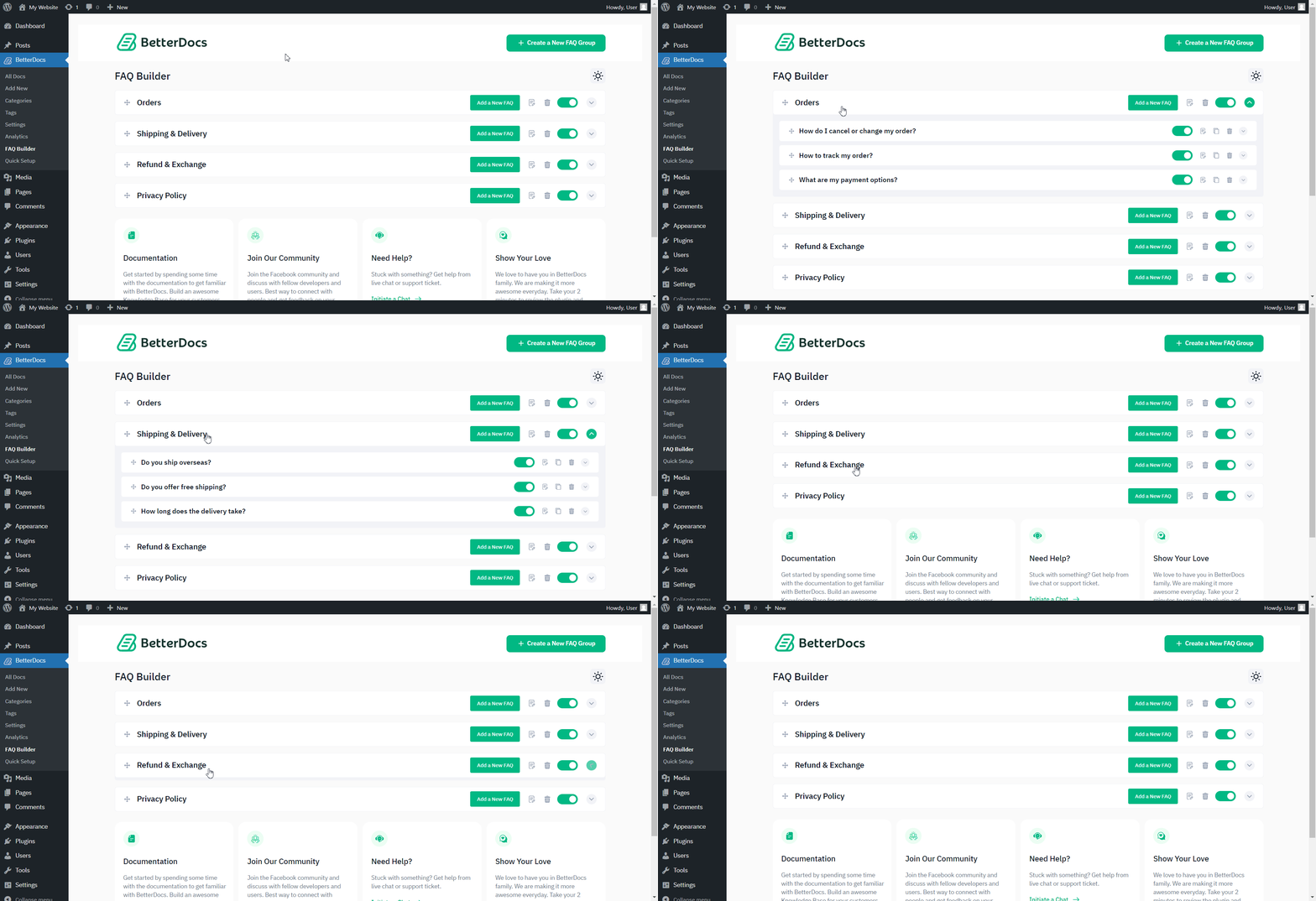
The BetterDocs FAQ builder also allows you to add FAQs globally across your documentation, which means you can build a centralized FAQ system and display it wherever it’s needed.
Learn more about configuring the BetterDocs FAQ Builder
2. BetterDocs AI Doc Summarizer
This is one of the most forward-thinking features BetterDocs offers in 2026. The AI Doc Summarizer automatically generates a concise summary of each documentation article and displays it at the top of the page.
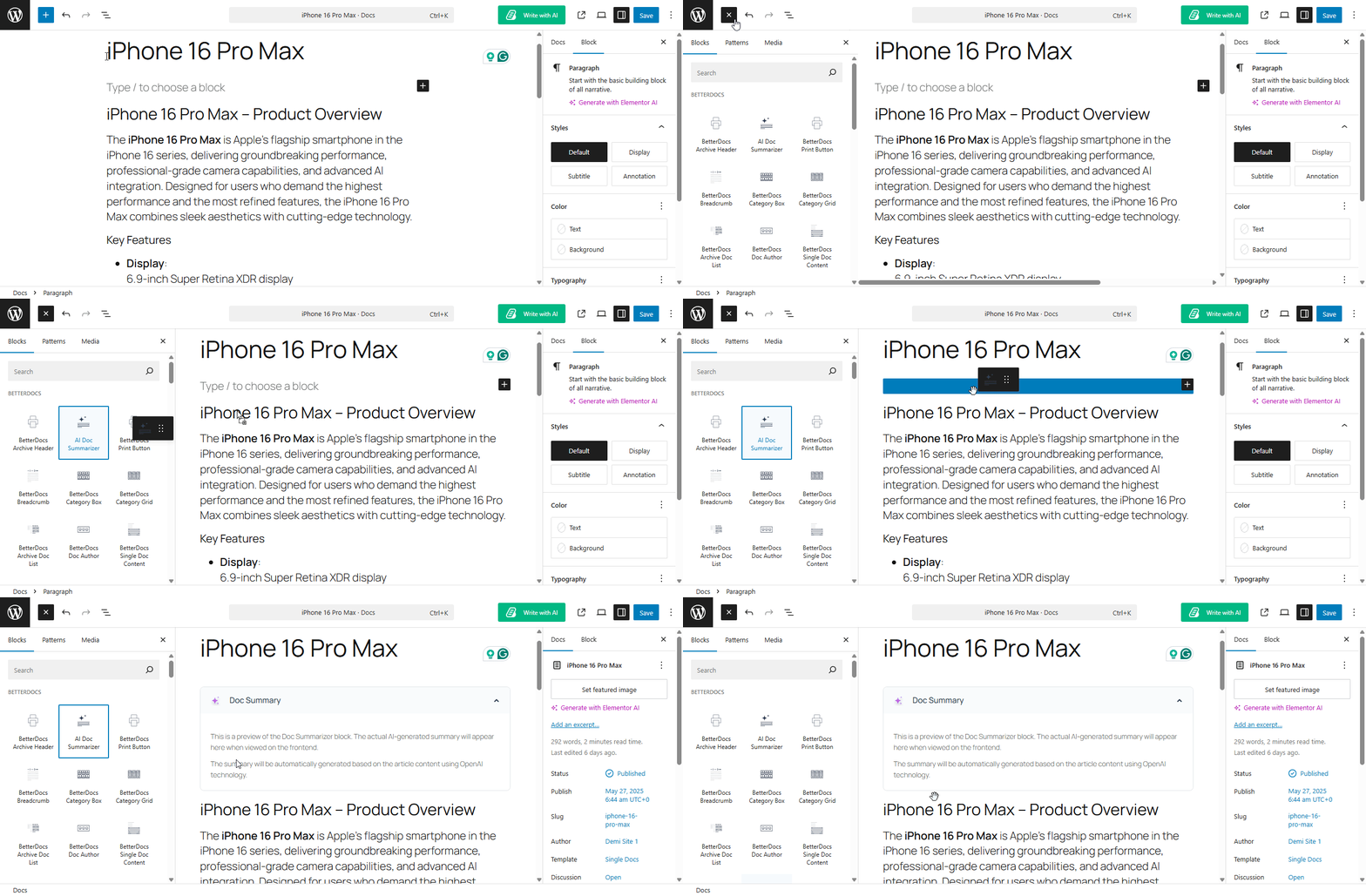
Think about how your readers actually behave. Most people skim documentation first to see if the article answers their question before committing to reading the whole thing. Without a summary, they either read everything or leave. With the AI Doc Summarizer, they get a quick overview in seconds and then decide which part of the article to focus on.
This block improves the overall documentation experience in three clear ways. First, it reduces the time users spend searching for answers. Second, it increases the likelihood that users find what they need and stay on your site. Third, it signals to search engines that your content is well-organized and user-friendly, which supports better rankings.
Learn more about configuring the AI Doc Summarizer
3. BetterDocs Table of Contents Block
Any documentation article longer than 500 words benefits from a table of contents. The BetterDocs Table of Contents block auto-generates a clickable navigation list from the headings in your article. Readers can jump directly to the section they need instead of scrolling through everything.
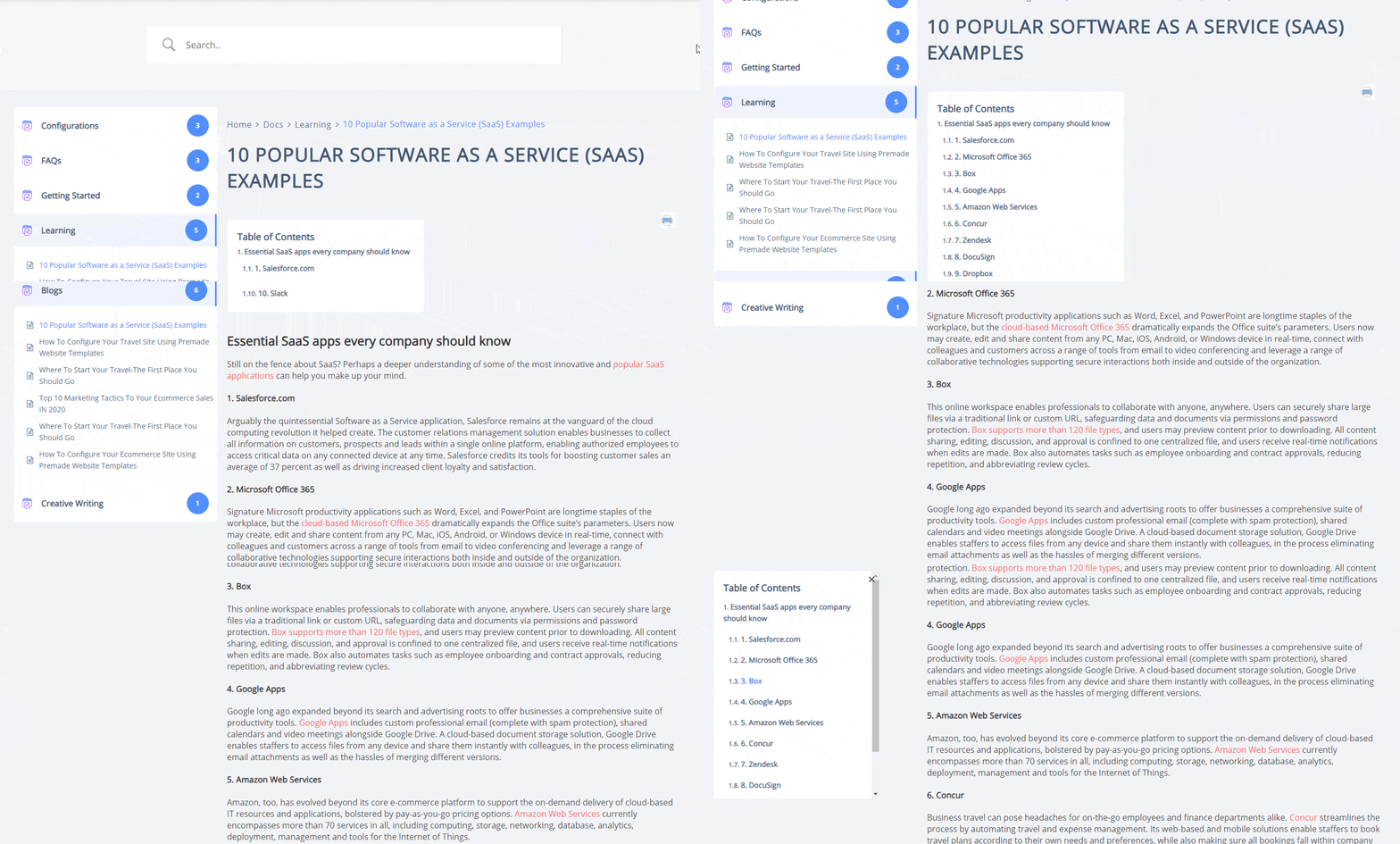
This block is particularly valuable for complex documentation that covers multiple sub-topics within a single article. Without it, long articles feel overwhelming and drive users away. With it, the same article feels organized, professional and easy to use.
From an SEO perspective, a well-structured table of contents also helps search engines understand the structure of your content. Google uses heading structure to determine the topics covered in an article and a clear table of contents reinforces that structure.
The BetterDocs Table of Contents block automatically updates whenever you add or change headings in your article, so there is no manual work required to keep it accurate.
Learn more about configuring BetterDocs Table of Contents
4. BetterDocs Breadcrumb Block
Breadcrumbs are the small navigation links at the top of a page that show users exactly where they are within a site hierarchy. For example: Home > Documentation > Getting Started > Installation Guide.
The BetterDocs Breadcrumb block automatically generates these navigation paths based on your documentation category structure. This is essential for any knowledge base with more than a handful of articles.
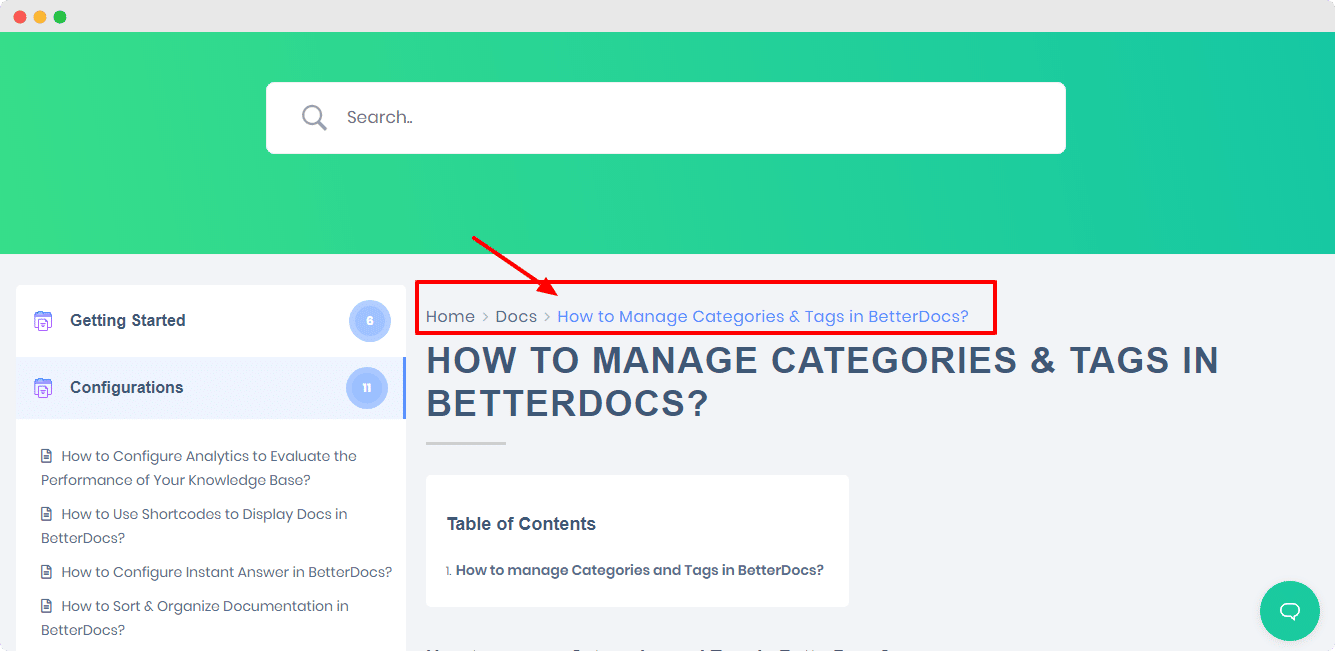
When users land on a documentation page from a Google search, they often have no context about where they are in your site. Breadcrumbs immediately orient them, showing them the category they are in and giving them a path back to the main documentation index. Without breadcrumbs, users get lost and bounce. With them, they explore more of your documentation.
Breadcrumbs also appear in Google search results as part of your URL structure, which makes your search listings more informative and clickable.
Learn more about configuring BetterDocs Breadcrumbs
5. BetterDocs Code Snippet Block
If your documentation includes any technical content, the BetterDocs Code Snippet block is non-negotiable. Plain Gutenberg has a basic code block, but it lacks the visual clarity and formatting options that real technical documentation requires.
The BetterDocs Code Snippet block lets you display code with proper formatting, language labeling and a clean visual container that separates code from regular text. Readers can instantly identify code sections without confusion.
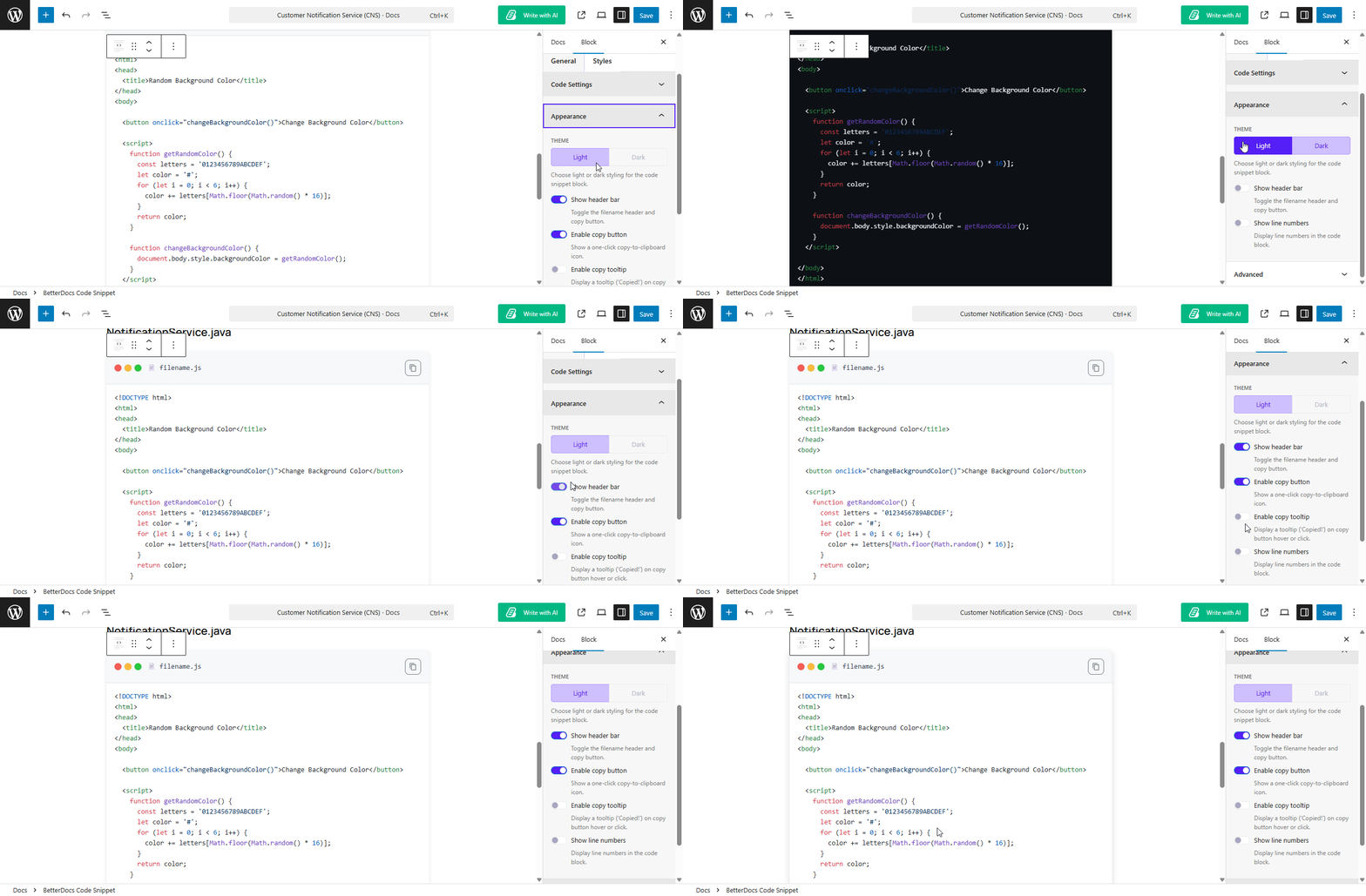
Key benefits of using this block include cleaner readability for technical guides, better copy-paste usability for developers and a more professional appearance that matches what users expect from SaaS documentation. If you’re building documentation for a plugin, API or software tool, every code section should use this block instead of a plain paragraph.
Learn more about configuring the BetterDocs Code Snippet Block
Building the Right Knowledge Base Structure in WordPress
A well-structured knowledge base makes content easy to find and use. In WordPress, the right structure helps you organize articles clearly and guide users without confusion.
Having the right blocks is only part of the equation. The structure of your knowledge base matters just as much as the tools you use to build it.
A well-structured WordPress knowledge base follows this hierarchy:
- Documentation Home Page acts as the main index, showing all categories with their article counts. This is the first page users see and it should make the documentation structure immediately obvious.
- Category Pages group related articles together. Each category should have a clear, descriptive name and ideally 5 to 15 articles. Too few articles makes a category feel sparse. Too many makes it feel disorganized.
- Individual Article Pages are where the actual content lives. Each article should cover one specific topic or task. Use descriptive titles that match what users actually search for, not internal product terminology.
- Search Functionality is critical for larger knowledge bases. BetterDocs includes a built-in search system that lets users find articles instantly without navigating through categories.
Knowledge Base Design & UX Best Practices
A well-designed knowledge base helps users find answers quickly and reduces support requests. Strong UX ensures your content is easy to scan, easy to navigate and easy to understand from the first visit.

Even if your content is well structured, poor design can reduce its effectiveness. These core UX practices help turn standard documentation into a smooth user experience:
Keep Articles Focused on One Task
Each article should solve a single user problem. When one page tries to cover too many topics, it becomes harder for users to find what they need.
For example, instead of writing one long article titled ‘Getting Started’ that includes installation, setup and advanced configuration, split it into separate focused guides. This makes content more searchable and improves clarity. Users usually arrive with a specific question, so direct answers work better than broad explanations.
Use Clear And Simple Language
Your knowledge base should be easy to understand for all users, including beginners. Avoid complex wording, technical shortcuts or internal terminology that users may not know.
Write in short sentences and explain concepts in a direct way. If you must include technical terms, provide a short explanation the first time they appear. The goal is to reduce friction and help users complete tasks without extra effort or confusion.
Use Visuals to Improve Clarity
Visual elements like screenshots, GIFs and short videos make documentation easier to follow. Many users do not read every word and instead scan for steps they can follow quickly.
Images help confirm actions, reduce mistakes and improve confidence while following instructions. For multi-step processes, visuals act as checkpoints that guide users through each stage more effectively than text alone.
Keep Documentation Updated
Documentation loses value when it becomes outdated. Even small changes in your product can make instructions unclear or incorrect.
Set a regular update process to review your knowledge base whenever new features are added or existing ones change. Keeping content accurate builds trust and ensures users always get reliable guidance.
Make Search Easy to Find
Search is one of the most important tools in a knowledge base. Many users skip navigation and go straight to search when looking for answers.
Place the search bar in a visible and accessible location, ideally at the top of your documentation page. A strong search experience reduces frustration and helps users reach the right content faster without browsing multiple pages.
How BetterDocs Improves SEO for WordPress Documentation Site
A well-structured knowledge base does more than help users find answers. It also plays a key role in improving search visibility. BetterDocs is designed to make your WordPress documentation SEO-friendly by organizing content properly, improving internal linking and enhancing how search engines understand your site structure.
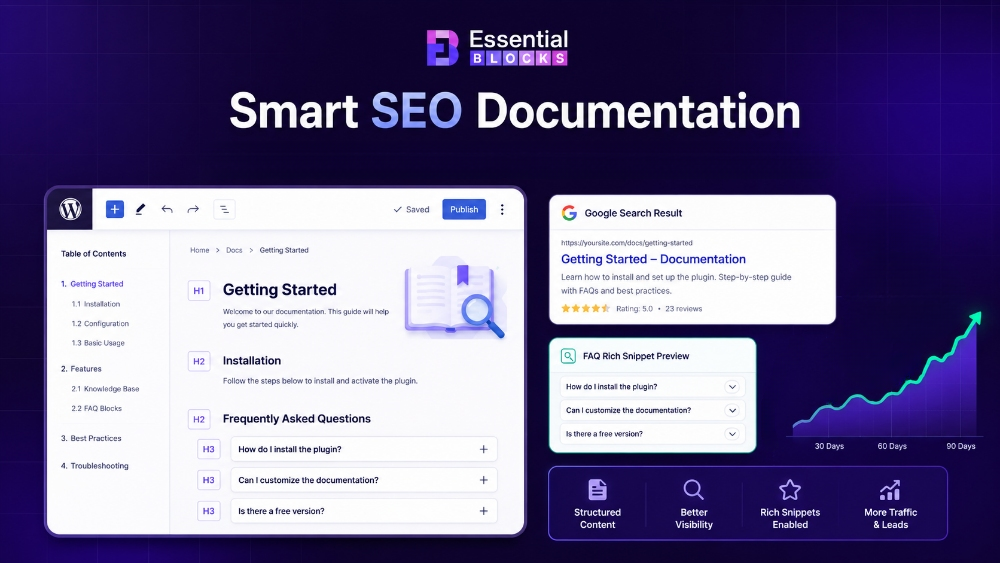
A well-structured knowledge base does more than help users find answers. It also plays a key role in improving search visibility. BetterDocs is designed to make your WordPress documentation SEO-friendly by organizing content properly, improving internal linking and enhancing how search engines understand your site structure.
Companies that publish more than 16 blog posts or articles per month get 3.5 times more traffic than those publishing fewer than four. A knowledge base is one of the most efficient ways to scale this kind of content production because each article serves a real, specific user need.
Building a knowledge base in Gutenberg with BetterDocs does not just improve user experience. It also gives your WordPress site a strong SEO advantage. Here’s how:
✅ Structured Content Signals: BetterDocs creates proper heading hierarchies with proper ready layouts and organized content structures. Each documentation article becomes a focused, topic-specific page designed to target relevant long-tail search queries.
✅ Write With AI for SEO-Focused Content: The BetterDocs Write with AI feature helps users generate documentation content faster while naturally improving keyword optimization. Users can add target keywords during content generation and the AI creates relevant documentation content by incorporating those keywords naturally within headings, descriptions and explanations. This helps create SEO-friendly articles that align with user search intent while maintaining readability.
✅ FAQ Rich Snippets: The BetterDocs FAQ block outputs schema-ready FAQ content. Google can pull these questions and answers directly into rich snippet results, giving your pages more visibility and a higher click-through rate.
✅ Breadcrumb Schema: The BetterDocs Breadcrumb block automatically adds breadcrumb schema markup to your documentation pages. This displays your site hierarchy in Google search results, making your listings more informative.
✅ Reduced Bounce Rate: The Table of Contents and AI Summarizer blocks keep users engaged longer by helping them find what they need quickly. A lower bounce rate signals to Google that your content is satisfying user intent, which supports better rankings over time.
✅ Long-tail Keyword Coverage: A well-built knowledge base naturally targets hundreds of long-tail question keywords that your main site pages would never rank for. Phrases like ‘how to install the plugin on multisite’ or ‘why is the search not working’ are exactly the kind of queries that documentation articles capture.
Real-World Use Cases: Who Needs a Knowledge Base in Gutenberg?
A knowledge base in Gutenberg is valuable for businesses of all sizes. From SaaS platforms to manufacturing companies, organizations across different industries rely on structured documentation to reduce repetitive questions, improve internal processes and make information easier to access.
BetterDocs and Gutenberg work particularly well together because they combine flexible content creation with organized documentation layouts, advanced search and scalable knowledge management. Some of the most common use cases:
WordPress Plugin & Theme Companies
WordPress product companies need detailed documentation to support customers efficiently. Without a proper knowledge base, support teams often answer the same beginner questions repeatedly. BetterDocs helps organize installation guides, feature tutorials, troubleshooting articles and FAQs in a searchable self-service portal that reduces support workload and improves customer experience.
SaaS Companies
SaaS businesses use knowledge bases for customer onboarding, troubleshooting, feature documentation and internal team collaboration. With BetterDocs, teams can create and manage structured documentation directly inside Gutenberg without touching code. Features like live search, AI-powered writing and ready documentation layouts make it easier to scale product documentation as the platform grows. We recently published a detailed guide on how SaaS teams use internal knowledge bases for onboarding, troubleshooting and cross-team alignment.
Manufacturing & Operations Teams
Manufacturing companies increasingly rely on internal knowledge bases to organize SOPs, maintenance procedures, training materials, compliance documentation and troubleshooting resources. A centralized documentation system helps teams reduce information gaps, improve process consistency and make operational knowledge easier to access across departments. BetterDocs makes this easier with structured layouts, role-based access and organized documentation systems.
Freelancers & Agencies
Web designers and agencies building client portals or support centers can quickly deploy professional documentation systems using BetterDocs. The plugin handles structure, navigation, layouts and search functionality so agencies can focus on delivering high-quality content and better client experiences.
eCommerce Businesses
eCommerce brands use knowledge bases to answer pre-purchase questions, explain product features, handle shipping policies and provide self-service support. This reduces customer friction and helps support teams handle fewer repetitive tickets.
Online Educators & Course Creators
Course creators and online educators often build resource hubs with tutorials, onboarding guides, FAQs and learning materials. BetterDocs helps organize educational content in a structured way so learners can quickly find the resources they need without searching through long discussion threads or coarse forums.
Start Building Your Knowledge Base in Gutenberg Today
If you have read this far, you already know that a plain Gutenberg setup is not the right foundation for a professional documentation site. You need a system that’s purpose-built for knowledge management, and BetterDocs is exactly that.
The combination of Gutenberg’s flexibility and BetterDocs’ documentation-specific blocks gives you everything you need to build a scalable, searchable and SEO-friendly WordPress knowledge base without writing a single line of code.
Your competitors are already building better support experiences. Every day without a proper knowledge base is a day your users are frustrated and your support team is overwhelmed. The tools are ready. The setup is straightforward.
If you liked our blog, then subscribe to our blog for all the latest updates and join our Facebook community to stay connected with new features, tips and announcements.
Frequently Asked Questions About Knowledge Base in Gutenberg
Some common questions about building a knowledge base in Gutenberg. These answers will help you understand the setup, features and best practices in a simple way: