
When Gutenberg was first released as the default editor for WordPress, pioneers like CoBlocks and Essential Blocks considered introducing block libraries to provide the greatest amount of flexibility in web design. Today, when every sector is embracing AI and Gutenberg itself has become sufficient, are CoBlocks and Essential Blocks still essential for designing in WordPress? Which are the best Gutenberg editor plugins you should consider to create websites in 2026?
If you are also harboring these concerns, then you are in the right place. Today, we will compare two of the best Gutenberg editor plugins, CoBlocks vs. Essential Blocks and help you decide which plugin you should pick to compete with modern web design flow.
In-Depth Comparison of Best Gutenberg Editor Plugins: CoBlocks vs Essential Blocks
When selecting the best Gutenberg editor plugins, consider their AI innovation compatibility, feature collection and most importantly, workflow flexibility. Keeping all these key points in mind, we have explored CoBlocks vs Essential Blocks. Let us take a look at it.
| Items | CoBlocks | Essential Blocks |
| Modular Control | ❌ | ✅ |
| AI Compatibility | ❌ | ✅ |
| Fully Customizable (FSE Compatibility) | ❌ | ✅ |
| Lightweight | ✅ | ✅ |
| Gutenberg Templates | ❌ | ✅ |
| eCommerce Store Functionality | ❌ | ✅ |
| Extensions | ❌ | ✅ |
| Automatic PRO Updates | ❌ | ✅ |
| Support on WordPress.org | ✅ | ✅ |
Integration of AI in Gutenberg: CoBlocks vs Essential Blocks
AI use is now required; it is no longer optional. Building websites that will continue to have an impact in the future requires the use of AI-powered tools. Let us examine the differences between CoBlocks vs Essential Blocks in the WordPress ecosystem concerning AI-powered flexibility.
Get AI-Powered Gutenberg Blocks with Essential Blocks
Essential Blocks always sets examples in providing the trending functionality and utmost flexibility for its users. At present, you will get compatibility with the most powerful AI models that will help you to write with AI, generate images with AI and so on. You can even get AI-created ready content and images for every Gutenberg block you use when Essential Blocks is activated.
All these and other exclusive functionalities have made Essential Blocks the first choice in terms of choosing based on AI innovation. Now, globally, 200k+ happy users are designing their websites in the Gutenberg editor with Essential Blocks.
CoBlocks Does Not Have AI-Powered Functionalities
When comparing CoBlocks vs Essential blocks in terms of AI enhancements, CoBlocks lacks here. Till now, there are no AI-powered features available in CoBlocks. Through their website builder, you will get a few AI integrations. But if you are using CoBlocks in the Gutenberg editor, you can not power up your website with AI.
If you are looking for a website builder-independent Gutenberg editor plugin that is full of stunning AI features, then Essential Blocks can be a good fit for you.
Expanded Gutenberg Block Library Collections: Essential Blocks vs. CoBlocks
The seamless workflow of Gutenberg blocks is introduced, as you can get every type of content presentation layout as a block. You will get blocks for creating FAQs, tab designs, stacked cards, etc. Let us give a check to which Gutenberg block editor plugin wins, CoBlocks vs Essential Blocks, in terms of block collections.
Essential Blocks Offers 70+ Interactive Gutenberg Blocks
It is a blessing that you can create stunning websites with interactive sections that can be designed with ready layouts offered by blocks, no custom coding needed. Imagine you are planning to create a simple portfolio website showcasing your works from other platforms, or a blogging site where you can categorize posts in versatile ways or an enterprise-level multi-purpose website, all you can create with Essential Blocks’ stunning block collections.
Right now, they have 70+ Gutenberg block collections. Some of the advanced blocks that you will only find in Essential Blocks are Multi-column Pricing Table, Stacked Cards, Mega Menu, Testimonial Slider, Woo blocks, Post Meta blocks and so on.
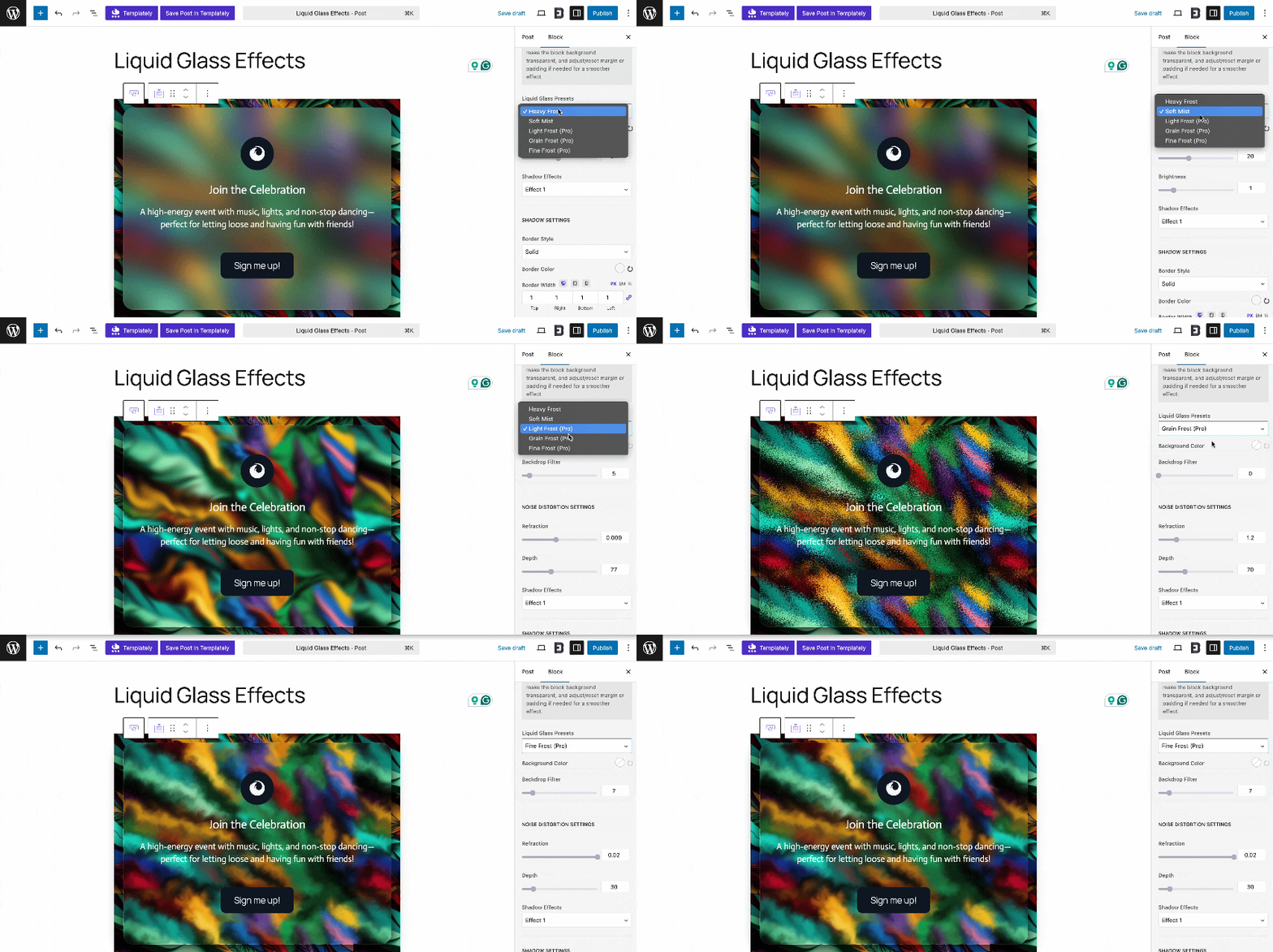
Apart from blocks, Essential Blocks also offers exclusive extensions like interactive animation, custom taxonomy support, liquid glass effect, etc. The combination of these will help you make your website super engaging and conversion-optimized.
CoBlocks Offers 50+ Advanced Gutenberg Blocks
CoBlocks provides rich collections of Gutenberg blocks as well. Right now you will get 50+ block collections. With this Gutenberg block library, you can design basic to advanced websites. But they do not provide you with modular control. So, it is a challenge to keep your website light while all blocks are enabled at the same time. As mentioned above, without the GoDaddy site builder, you can’t unlock the full potential of CoBlocks.
If you are looking for vast Gutenberg blocks and features but also want to keep your website lightweight and fast loading, then you can go for Essential Blocks.
Compatible with Full Site Editor: CoBlocks vs Essential Blocks
As WordPress continues to move toward Full Site Editing (FSE), Gutenberg block plugins that align seamlessly with this new editing experience have become essential. Both CoBlocks and Essential Blocks support the latest WordPress site editor, but they offer different levels of flexibility and depth. Let us have a look at it.
CoBlocks Ensures Basic Compatibility with FSE
CoBlocks provides basic compatibility with the Full Site Editor, allowing users to create layouts and customize sections using its design-oriented blocks. However, its focus remains primarily on content creation rather than full-site customization.
Essential Blocks Provide Seamless Support for FSE
On the other hand, Essential Blocks is built from the ground up to work natively with FSE, giving users complete control over both page and template designs. It integrates smoothly with block themes and patterns, enabling you to build entire site layouts, such as headers, footers and everything in between, without leaving the block editor.
If you are adopting the modern WordPress editing experience, Essential Blocks clearly offers a more future-proof solution, ensuring your designs stay compatible as WordPress evolves.
Global Styling Functionality: CoBlocks vs Essential Blocks
When designing a WordPress site, global styling plays a key role in maintaining consistency across all pages and sections. It ensures your color schemes, typography and spacing remain uniform, no matter how many blocks you use. Let us take a look at CoBlocks vs Essential Blocks based on global styling functionalities.
Limited Global Styling Support in CoBlocks
Yes, you heard it right. CoBlocks offers limited global styling support. While you can customize individual blocks and adjust their appearance, the plugin does not provide a built-in system to manage styles site-wide. This means you will need to manually tweak each block or rely on your theme’s settings to achieve consistent design aesthetics.
Essential Blocks Provide Global Styling Functionality
In contrast, Essential Blocks takes global styling to the next level. Fully integrated with WordPress Global Styles and the Site Editor, it allows you to define and apply design presets across your entire website effortlessly. You can set brand colors, fonts and layout rules that automatically sync with all blocks, saving time and ensuring visual harmony.
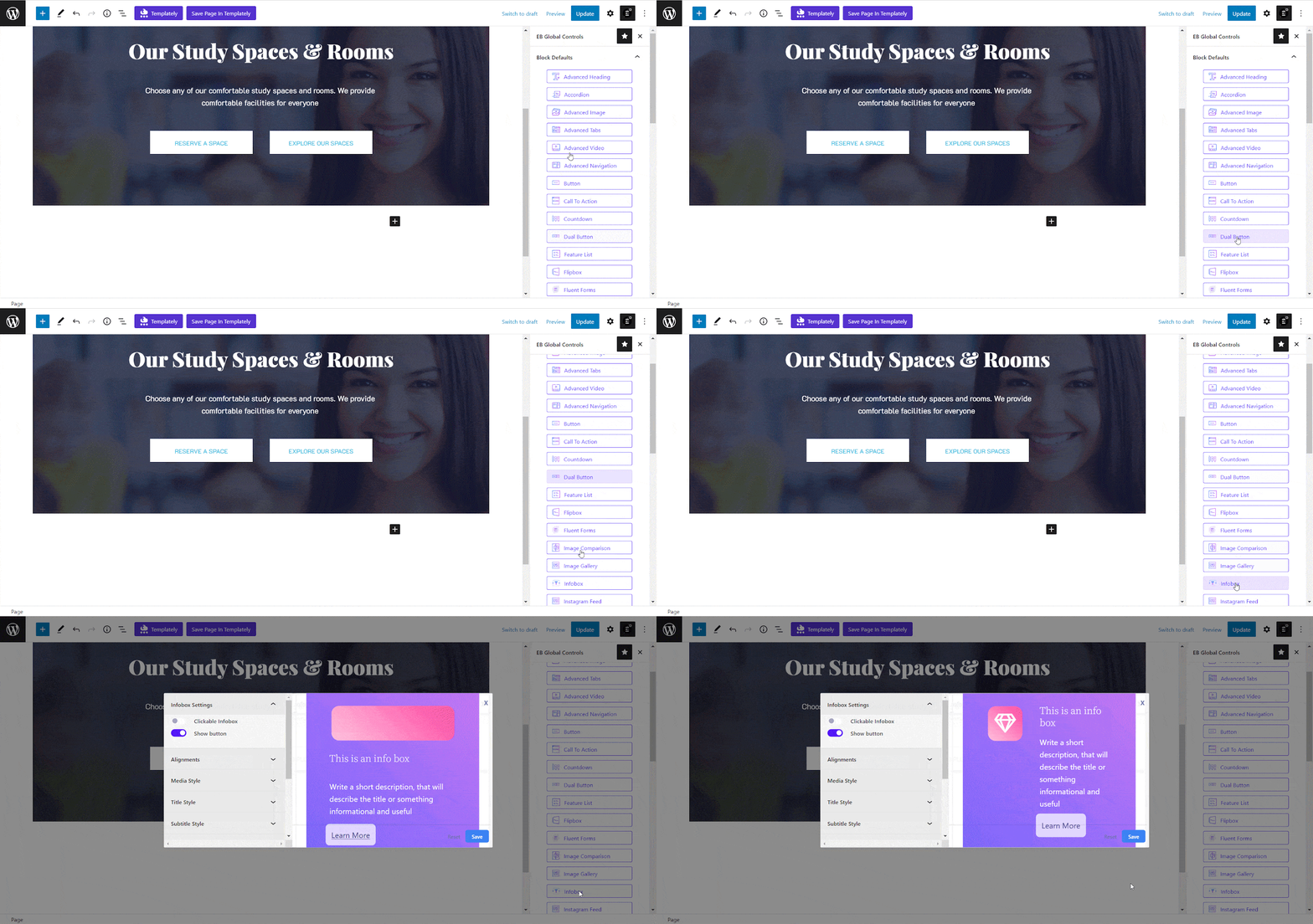
If you value efficiency and design consistency, Essential Blocks clearly leads here, offering a streamlined approach to managing site-wide styling without extra effort.
Woo Online Store Customization: CoBlocks vs. Essential Blocks
For anyone building a WooCommerce-powered website, block compatibility and customization options can make all the difference. Your online store’s design flexibility and product display features determine how engaging your shopping experience feels to customers.
CoBlocks Does Not Provide Enough Support for Building Online Stores
CoBlocks includes a handful of layout and design blocks that can complement WooCommerce pages, but it does not directly offer dedicated WooCommerce customization blocks. You can design visually appealing sections using general blocks like columns, buttons, or galleries, yet fine-tuning product pages, carts, or checkout layouts still relies heavily on WooCommerce’s default features or additional plugins.
Essential Blocks Provides Complete Support for creating Online Stores
Essential Blocks, on the other hand, is designed to seamlessly integrate with WooCommerce and the Full Site Editor, empowering you to craft visually rich product showcases, pricing sections and promotional layouts right inside the block editor. Its dynamic blocks, such as Product Grids, Call to Action and Pricing Table, help you build high-converting store pages without needing extra coding or complex tools.
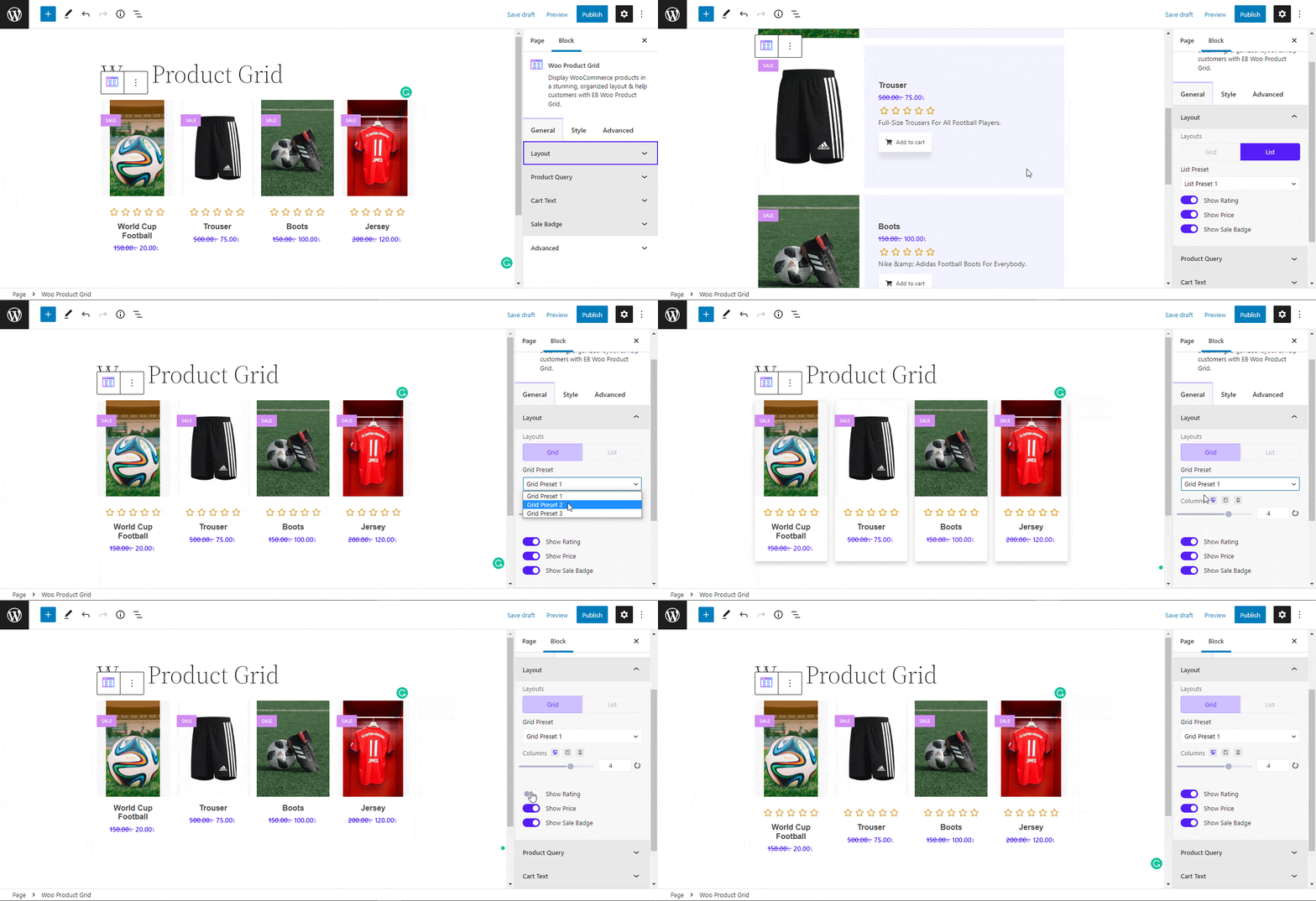
If you are looking for an all-in-one block solution for WooCommerce, Essential Blocks offers a more comprehensive and flexible approach to online store customization.
Taking Stock of WordPress Community: CoBlocks vs Essential Blocks
We have gone through feature and performance analysis one-to-one. Let us have a look at what the WordPress community is saying about these essential Gutenberg editor plugins: CoBlocks vs Essential Blocks.
Based on the number of active installations in the WordPress plugin repository, CoBlocks has over 300k satisfied users, while Essential Blocks has over 200k satisfied users. With 170+ five-star reviews, Essential Blocks has received 4.8 out of 5 stars based on user ratings. In contrast, CoBlocks has 80 5-star reviews and a rating of 4.3 out of 5.
Despite the high active installation count, Essential Blocks is winning user hearts. Furthermore, you can observe that CoBlocks is moving slowly when it comes to fixing WordPress problems, while Essential Blocks is providing its WordPress forum with timely support.
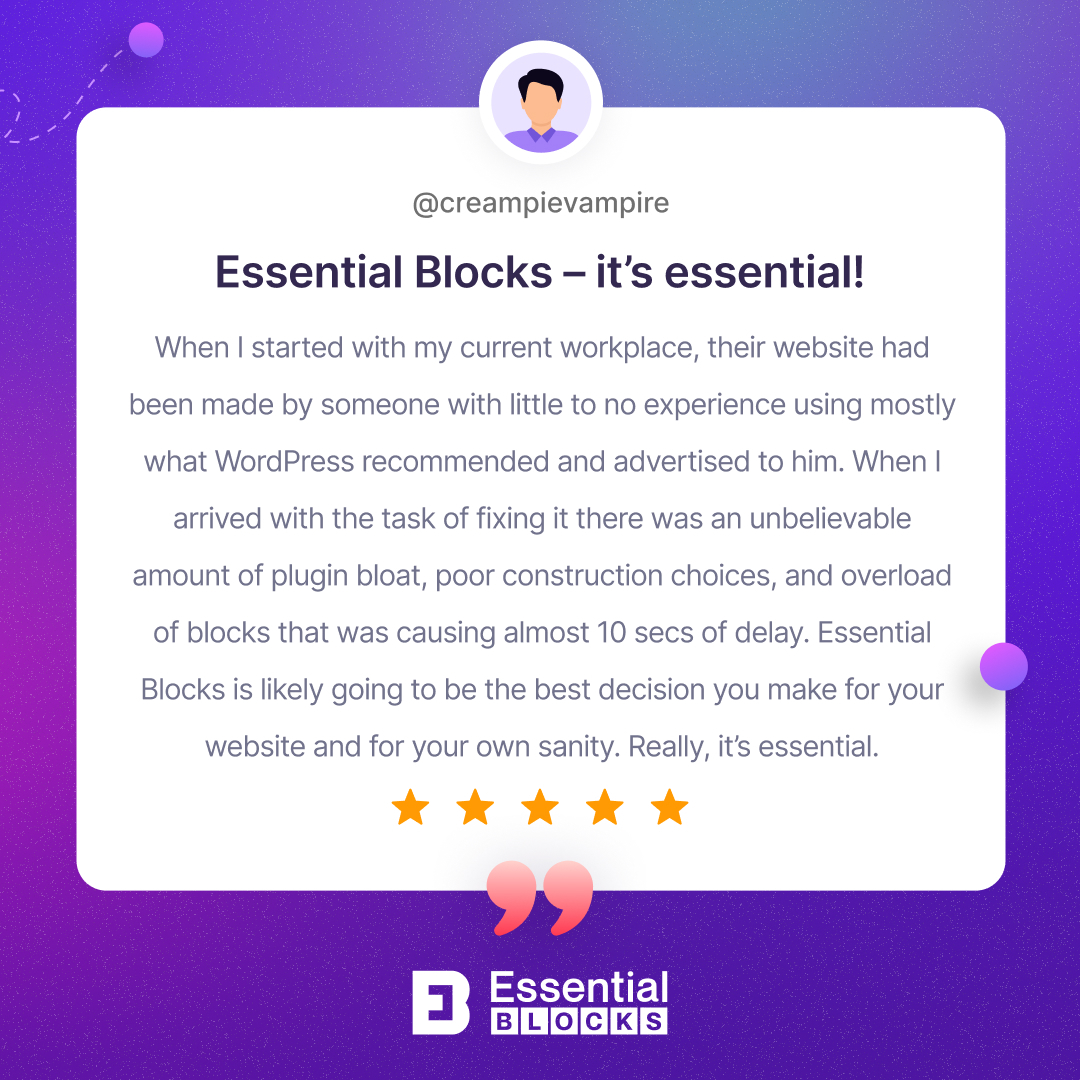
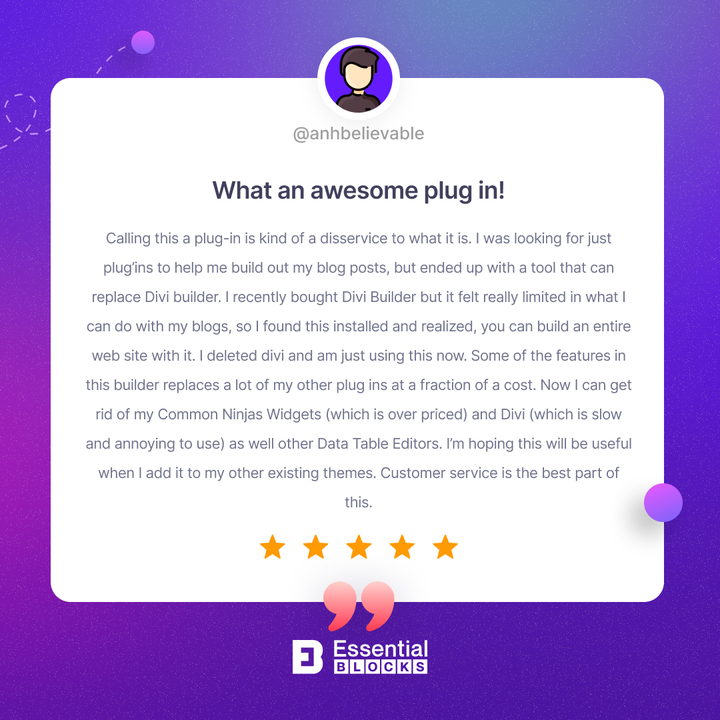
If prompt customer support and WordPress users’ social proof are solid validations for you, rather than the big highlight numbers, then Essential Blocks is more suitable for you. Here are some amazing reviews from Essential Blocks happy users.
The Verdict: Which Should You Take Into Account, Essential Blocks Or CoBlocks?
Both of these plugins for the Gutenberg editor offer interactive ways to create beautiful WordPress websites. If we summarize their comparison, then here are the key takeaways:
1. If you are looking for AI innovation integrated into your Gutenberg editor, Essential Blocks is a good choice.
2. In terms of stylish and interactive Gutenberg blocks and features accessibility, Essential blocks has the largest block library, providing 70+ blocks.
3. While checking compatibility with Global Styling and FSE, Essential Blocks is leading among all other Gutenberg block libraries.
Whether you choose CoBlocks or Essential Blocks, you should read our comprehensive analysis and social proof before making your decision. Hoping that you will create great killer WordPress websites without coding, using the best Gutenberg editor plugins.
Hopefully, this comparison blog has provided all the important insights to you. Share with us which Gutenberg blocks plugin you are using for your website. Subscribe to us and keep getting more Gutenberg news, tutorials and all.