
You can publish a beautifully written homepage, design a polished service page, and still watch users scroll past the parts that matter most. That usually does not happen because your content is weak. It happens because the visual hierarchy in web design is weak. When every element looks equally important, users do what they always do online: they scan fast, miss context, and overlook the action you wanted them to take. Foundational usability research from Nielsen Norman Group found that 79% of users scanned a new web page, while only 16% read word by word.
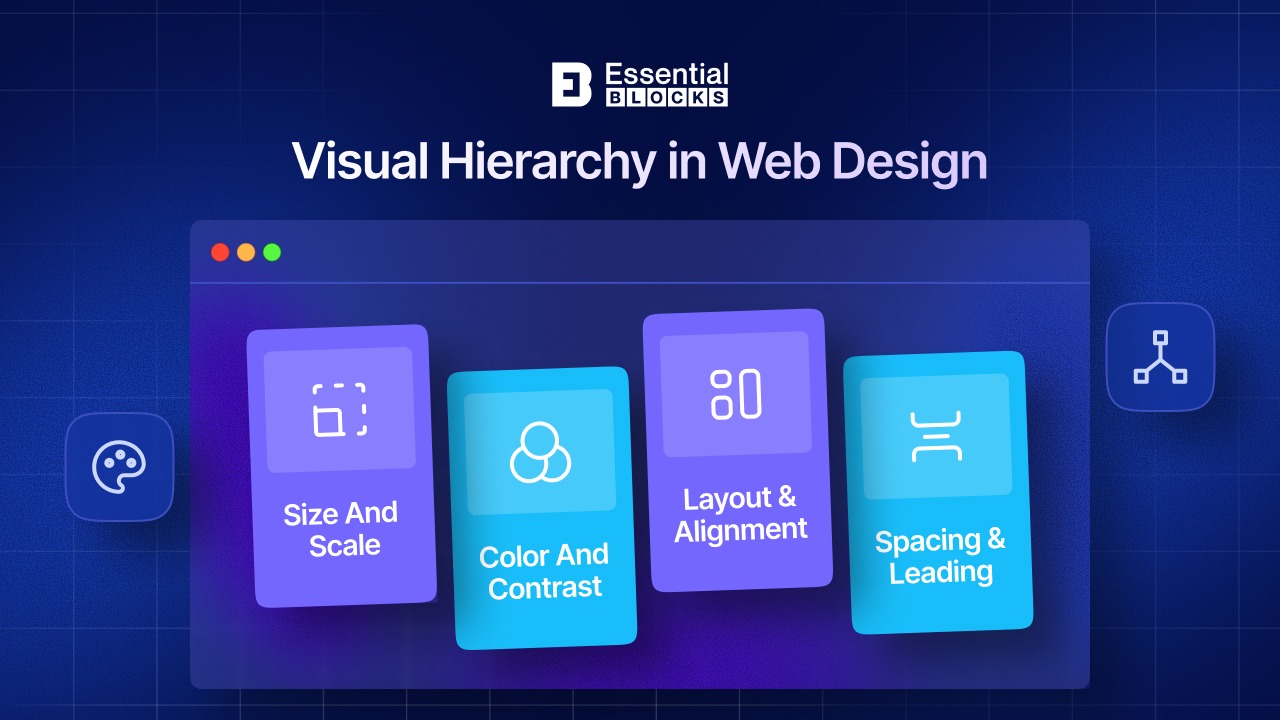
In other words, people do not experience your page in the same order you wrote it. They experience it in the order your design presents it. That is why a strong website visual hierarchy is not a cosmetic detail; it is the difference between “users saw it” and “users missed it.” A clear hierarchy helps people know where to look first, what matters most, and what to do next.
TL;DR (Quick Summary)
Too long? Didn’t read? Here’s a quick summary of the blog post.
What Is Visual Hierarchy in Web Design?
Visual hierarchy is the practice of arranging page elements so users can instantly recognize their order of importance. In simple terms, it tells the eye what to notice first, second and third.
A simple example makes this easier to understand. Imagine a landing page with a large headline, a smaller supporting paragraph, one bright CTA button and a short row of trust badges underneath. If the headline is the biggest, the button has the strongest contrast and spacing groups related content together, users will understand the page quickly. But if the headline, body copy, icons, sidebar, banner and CTA all compete with similar size and color, users will not know where to focus. That is exactly where visual hierarchy in web design turns from theory into results.
Why Is Visual Hierarchy Important?
A good hierarchy does more than make a page look organized. It helps users think less, scan faster and act sooner. Here are some of the reasons why
Tells Users Where to Look First
People do not arrive on a page ready to study every section carefully. They want quick clues. A strong hierarchy uses size, contrast and placement to direct attention to the most important element first, such as your headline, pricing message, or primary CTA. For example, a hero section with one bold headline and one contrasting button gives users a clear starting point, while a crowded hero with multiple equal-weight elements makes them hesitate.
Supports Real Scanning Behavior
Users scan instead of reading, and the design has to respect that behavior. Research found that 79% of users scanned new pages and readers often focus heavily on the top and left side of the page while skipping content farther right or lower down. For example, if your key benefit is buried halfway through a paragraph or placed in a visually weak right-side area, many visitors may never notice it.
Improves Readability And Comprehension
A clear hierarchy breaks information into digestible chunks. Headings, subheadings, lists and grouped sections help readers understand the meaning faster without feeling overwhelmed. In one classic study, it was found that,
- concise text improved measured usability by 58%,
- scannable layouts improved it by 47% and
- combining concise, scannable, objective writing improved usability by 124%.
For example, a feature section broken into titled cards is easier to process than one long block of unstructured text.
Reduces Cognitive Load
When users cannot tell what matters, they have to work harder. That extra effort increases cognitive load and makes the page feel more confusing than it may actually be. Web users scan partly because online reading competes for attention and because reading from screens has historically been slower and more tiring than reading from paper. For example, if every card uses a different font size, color and spacing rule, users spend energy decoding the interface instead of understanding the message.
Helps Users Take the Next Action
Hierarchy is closely tied to conversion because action follows clarity. When the value proposition is obvious and the CTA is visually dominant, users are more likely to move forward. For example, if a pricing section highlights one recommended plan and pairs it with a prominent button, the decision becomes easier than on a page where all plans and buttons look identical. A good hierarchy reduces hesitation and gives users a visible next step.
Builds Trust in the Brand
Pages that feel cluttered, inconsistent, or visually noisy often feel less trustworthy, even when the product is solid. Strong hierarchy creates order and order creates confidence. Effective hierarchy reduces confusion and makes the message easier to follow, which helps build trust. For example, a service page with consistent headings, aligned icons, balanced spacing and a clear CTA feels more professional than one with mismatched typography and scattered content blocks.
How to Fix Visual Hierarchy in Your Web Design?
If your page feels busy, flat, or hard to scan, the fix is usually not “add more design.” It is “make importance more obvious.” Here is how to do that and how Essential Blocks can help.
Start with Headline
Every page needs a clear visual starting point and that is usually the main headline. Make sure it is the largest text element on the page and that it communicates one core promise. Do not let sliders, badges, decorative shapes, or secondary messages compete with it.
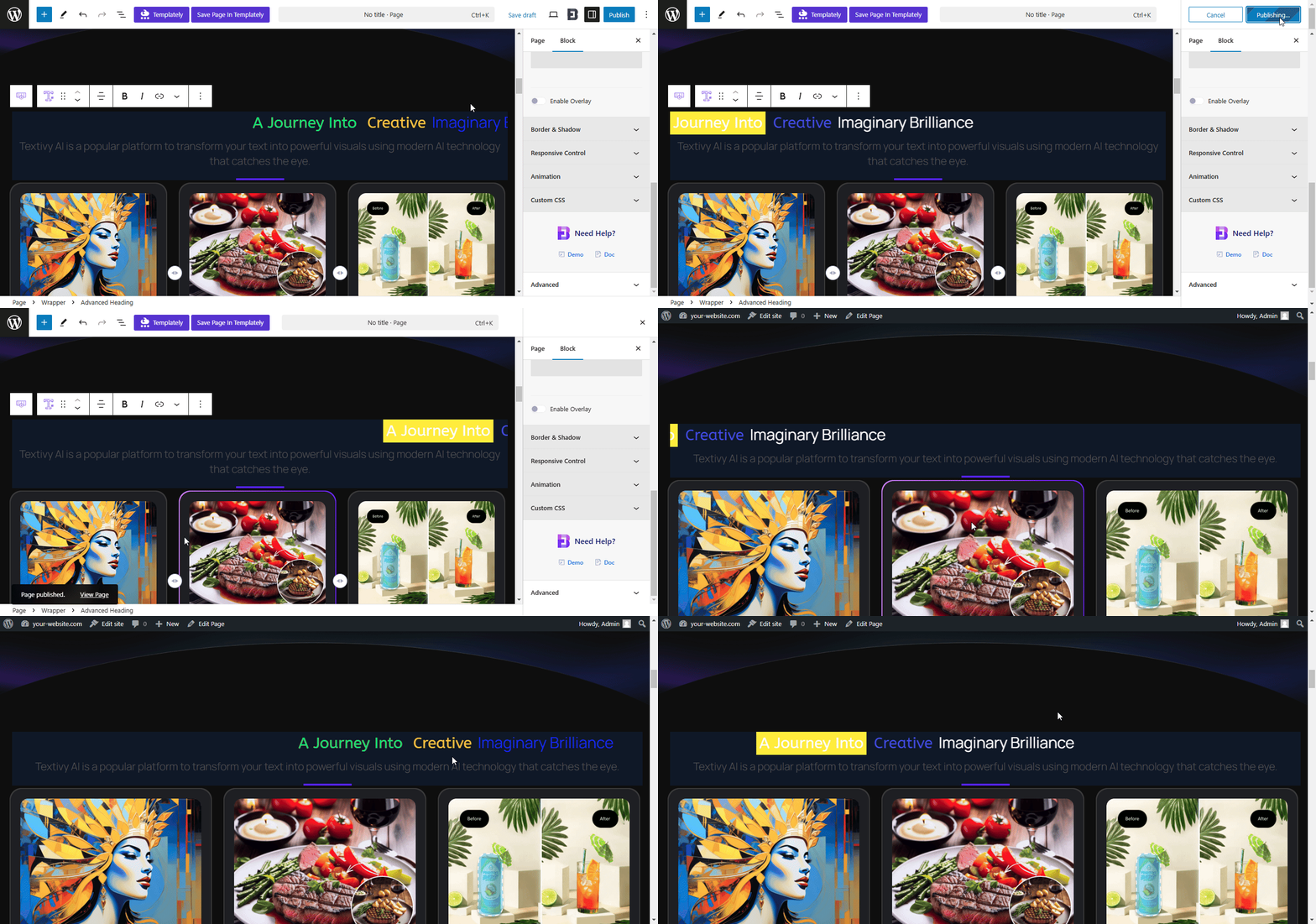
With Essential Blocks, the EB Advanced Heading block helps you build a stronger page hierarchy by letting you style multiple parts of a heading differently, highlight key words, add subtitles, and control typography, alignment, spacing, and effects without custom code. That makes it easier to create a headline users notice first instead of just another line of text.
Create a Clear Type Scale
One of the fastest ways to improve website visual hierarchy is to use fewer, more deliberate text sizes. Your H1 should clearly outrank your H2s, your H2s should outrank H3s and your body text should stay readable and consistent. When typography is too similar across sections, everything blends together.
Essential Blocks supports extensive typography control and global styling options, which help you maintain a consistent scale across headings, text, links, and buttons. Instead of manually adjusting each block until the page feels “kind of right,” you can define a more systematic structure from the start.
Use Spacing to Group Related Content
Whitespace is not empty space. It is a signal. Related items should sit closer together, while different sections should have enough breathing room between them. This creates natural grouping and makes the page easier to scan. NNGroup specifically points to grouping through proximity and common regions as a core technique for visual hierarchy.
In Essential Blocks, layout-focused blocks such as Row and Flex Container, plus responsive spacing controls and visibility options, help you separate sections intentionally instead of stacking everything with the same padding. That is especially useful when building long-form landing pages, homepages, and feature pages that need a visible rhythm.

Make Primary CTA Visually Dominant
Many websites lose conversions because the CTA is present but not emphasized. If the button looks similar to secondary links, icons, or surrounding cards, users will not instinctively choose it. Your main CTA should have stronger contrast, clearer spacing, and a position that follows naturally after the value proposition.
The EB Call To Action block is built for this exact purpose: it lets you create a prominent CTA section with flexible layouts, adjustable background treatments, typography controls, and customizable button styling. Essential Blocks also includes dedicated Button and Dual Button options, so you can distinguish a primary action from a secondary one without flattening the hierarchy.
Make Dense Information Scannable
If a page contains long walls of copy, users will skim past important ideas. Break content into sections with meaningful subheadings, short paragraphs, lists, tabs, accordions and supporting visuals. This follows known scanning behavior and makes comprehension faster.
Essential Blocks includes content-friendly options such as Accordion, Advanced Tabs, Table Of Contents, Feature List, Data Table, Post Grid and Testimonial Slider, which are useful for turning heavy information into scan-friendly modules. For example, instead of writing a giant FAQ or feature explanation in one section, you can separate it into collapsible questions or tabbed categories so users find what matters faster.
Use Contrast with Intention
Contrast works only when it is selective. If every block uses a bold background, bright button, large icon, and animation, nothing truly stands out. Good hierarchy means choosing one or two focal points per section and letting secondary elements recede.
Color plays a major role in this. Bright, saturated colors naturally attract attention, while muted or neutral tones help supporting elements stay in the background. Instead of using many competing colors, use a limited palette and reserve your strongest accent color for key actions like CTAs, highlighted headings, or important announcements.
Essential Blocks gives you enough styling flexibility to create contrast on purpose, whether through heading emphasis, button states, background sections, border treatments, or hover styling. The goal is not to make every element loud; it is to make the right element loud.
Use Visual Modules
Strong hierarchy is also about sequencing. Users should be able to move from hero section to benefits, from benefits to proof, and from proof to CTA without friction. This is where modular design helps.
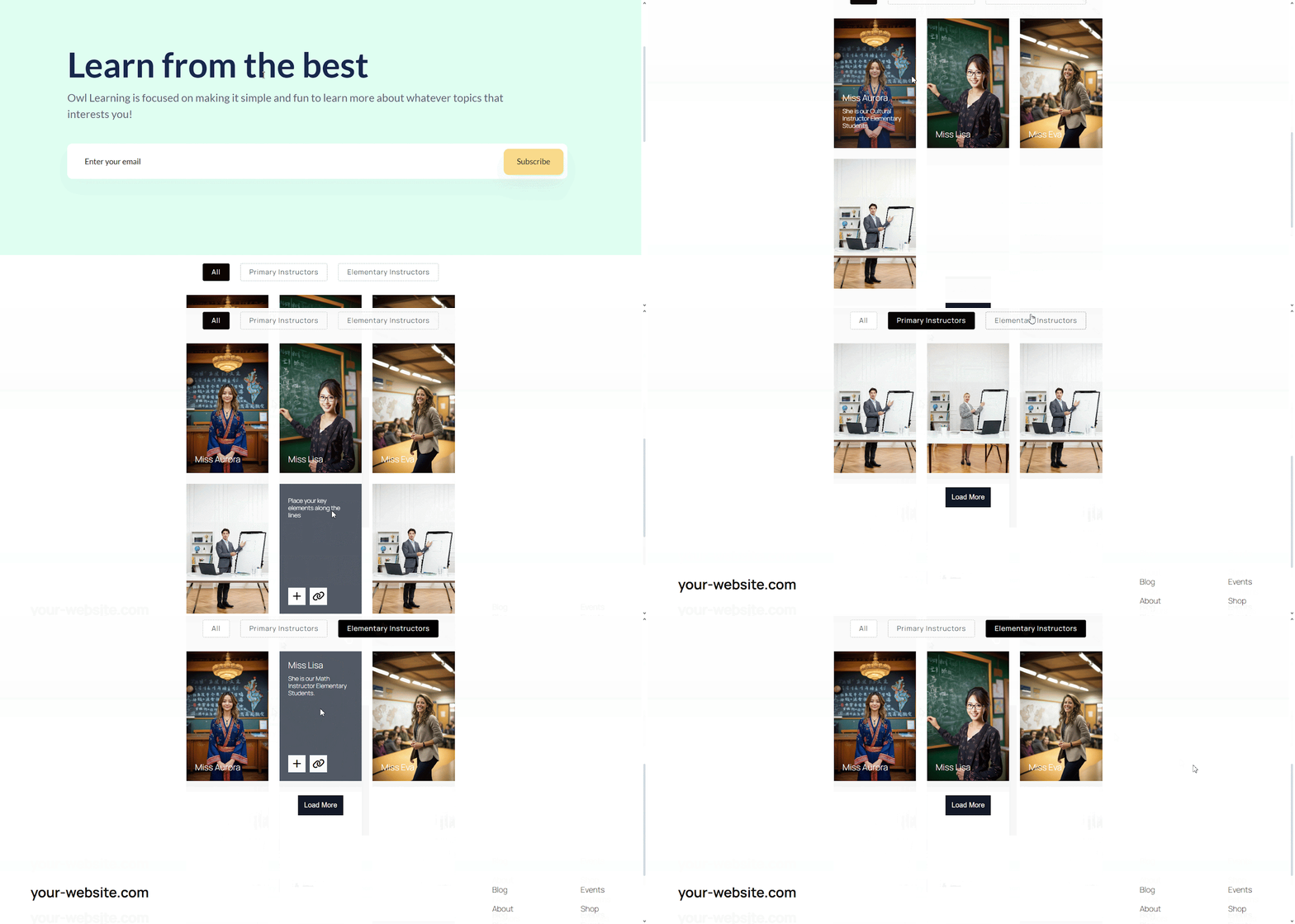
Essential Blocks offers blocks like Infobox, Flipbox, Pricing Table, Number Counter, Progress Bar, Image Hotspots, Advanced Image, Filterable Gallery, and Timeline Slider, which let you present information in visually distinct steps rather than one long undifferentiated feed. When each section has a clear role and visual identity, the page becomes easier to follow.
To learn more about these blocks, check the documentation.
Keep Styling Consistent
A single page can look decent on its own and still fail at hierarchy when viewed as part of the full site. Inconsistent heading sizes, different button styles, random section paddings, and changing color logic confuse users over time.
Essential Blocks highlights Global Block Styling and typography controls as key features, which helps you keep patterns consistent across pages. That consistency is what turns isolated design decisions into a real web design visual hierarchy system. Users should not have to relearn your interface on every page.
Design for Mobile Hierarchy
A layout that feels clear on desktop can collapse on mobile when sections stack, spacing tightens, and CTA placement shifts below the fold. Since hierarchy depends on what users see first, mobile views need their own attention.
Essential Blocks includes responsive controls, visibility options, and layout customization tools that help you adjust alignment, spacing, and content display for smaller screens. This is critical because a strong visual hierarchy is not just about how the page looks; it is about how the page unfolds across devices.
Run a Quick Hierarchy Test
One of the most practical ways to check hierarchy is to blur or squint at the page. This is called a “squint test”. Step back or blur your screen slightly and ask:
❓ Can you instantly identify the main headline?
❓ Is the CTA clearly visible?
❓ Are sections visually grouped?
If you cannot immediately tell what the primary heading is, where the CTA lives and how sections are grouped, your users probably cannot either. Which means, your hierarchy likely needs improvement.
Essential Blocks makes iteration easier because you can adjust typography, spacing, backgrounds, and emphasis directly in the editor instead of rewriting custom CSS every time something feels off. That means you can test, refine and strengthen your hierarchy faster.
Common Visual Hierarchy Mistakes to Avoid
Even well-designed websites can fail if hierarchy is not handled properly. Here are some common mistakes:
Making Everything Look Equally Important
When every heading is large, every button is bright, and every section uses strong visuals, users cannot tell what deserves attention first. This flattens the hierarchy and makes the page feel noisy.
How to avoid it:
Choose one primary focal point per section and tone down secondary elements with smaller sizing, softer colors, or simpler styling.
Using Too Many Colors at Once
A page filled with multiple bright or competing colors can confuse the eye instead of guiding it. Rather than creating emphasis, it makes every element fight for attention.
How to avoid it:
Stick to a limited color palette and reserve your boldest accent color for key elements like CTAs, highlighted text, or important notices.
Ignoring Spacing And Grouping
If related elements are placed too far apart, or unrelated elements are packed too closely together, users struggle to understand what belongs where. Poor spacing makes even good content harder to scan.
How to avoid it:
Use consistent spacing to group related items together and create more breathing room between separate sections.
Weak Typography Structure
When headings, subheadings, and body text are too similar in size or weight, the content loses structure. Readers then have to work harder to figure out where each section begins and what matters most.
How to avoid it:
Build a clear type scale with noticeable differences between H1, H2, H3, and paragraph text so the content feels naturally organized.
Overloading the Page with Visual Effects
Too many animations, hover effects, icons, shadows, and background elements can distract users from the actual message. Instead of enhancing hierarchy, these effects often create clutter.
How to avoid it:
Use visual effects sparingly and only where they support attention, not where they compete with your core content.
Keep Your Website in a Clear Hierarchy
Visual hierarchy is the invisible system that makes content feel obvious. When it is done well, users know where to look, what to read, and what to do next. When it is done poorly, even excellent content gets ignored.
Visual hierarchy in web design turns scattered attention into guided attention. It turns clutter into clarity. And with a flexible toolkit like Essential Blocks, it becomes much easier to create a consistent, conversion-friendly hierarchy across your entire WordPress site.
Enjoyed the blog? Feel free to share your opinion in our Facebook Community because we value your feedback. Do not forget to subscribe to our blog for more guidelines.